Finding Where Productivity Slows Down Across Daily App Workflows
Productivity does not always slow down because teams lack tools. It often slows down because work is spread across too many applications, repeated steps, manual handoffs, and small actions that happen again and again throughout the day.
A team may move from email to a spreadsheet, then into a business application, then back into a document or reporting tool. Each step may look simple on its own, but across many users and repeated workflows, those small movements can create real productivity friction.
Chrome Readiness Assessment helps organizations understand these workflow patterns through Agentic Workflows. Instead of only looking at which apps are installed or used, CRA helps teams see how work moves across applications and where repeated patterns may be slowing teams down.
Productivity Friction Often Hides in Daily Work
Many productivity problems are not obvious at first. A workflow may feel normal because employees have repeated it for months or years. Teams may be used to switching between apps, copying information, checking the same systems, updating records, or recreating reports manually.
The problem is that these repeated actions can quietly consume time. A few minutes lost in one workflow may not look serious, but when the same pattern happens across many users or devices, the impact becomes larger. Productivity slowdown often comes from the combined effect of small, repeated steps.
This is why workflow visibility matters. Organizations need to understand how work actually moves across apps before they can improve the way teams operate.
App Switching Creates Hidden Time Loss
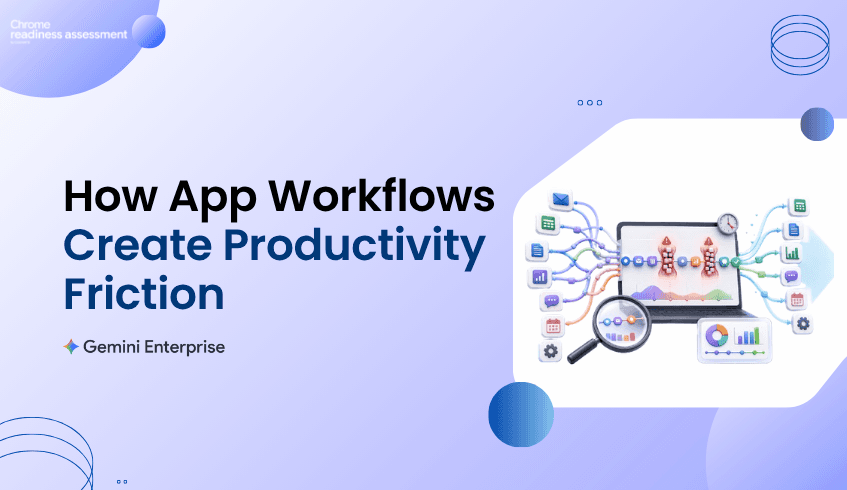
Modern teams use multiple applications to complete a single task. That is normal, but frequent app switching can create friction when users need to move between tools just to finish one workflow.
For example, a user may check a request in one application, verify details in another, update a spreadsheet, send a message, and then record the outcome somewhere else. This kind of workflow may not feel like a major issue when viewed once, but repeated app switching can slow down focus and create unnecessary manual effort.
Agentic Workflows help make those patterns easier to review. By showing repeated application sequences, CRA helps teams understand where workflows may be fragmented and where users may be spending time moving between tools instead of completing the work itself.
Repeated Workflows Reveal Where Teams Lose Momentum
A workflow bottleneck is not always a broken process. Sometimes it is a process that technically works but takes too many steps. These workflows can become part of everyday routine, which makes them harder to notice.
Repeated workflows can appear in reporting, approvals, customer updates, internal tracking, ticket review, operations, finance tasks, HR requests, and project coordination. Each workflow may involve multiple tools, repeated checks, and manual updates that slow the user down.
CRA helps organizations look at these patterns from a workflow perspective. Instead of only asking which applications are used, teams can begin asking how those applications are connected through daily work and where productivity may be getting delayed.
Time Spent Gives Productivity Review More Context
Productivity improvement should be based on more than opinions. A workflow may feel frustrating, but teams still need a way to understand whether it takes meaningful time across the organization.
Agentic Workflows help connect repeated workflow patterns with time spent. This gives IT, operations, and business teams a clearer view of where attention may be needed. If a repeated workflow consumes noticeable time across users, it may deserve deeper review.
This does not mean every repeated workflow should be changed immediately. Some workflows may be necessary, sensitive, or dependent on business judgment. But time visibility helps teams decide where to investigate productivity friction first.
Workflow Visibility Helps IT and Business Teams Speak Clearly
Productivity problems often sit between business teams and IT teams. Business teams understand where daily work feels slow, while IT teams understand the applications, systems, access paths, and device environments that support that work.
Without shared visibility, the conversation can become too general. A business team may say a workflow is slow, while IT may not have enough context to see where the slowdown is happening. Agentic Workflows help bring both sides closer to the same view.
With clearer workflow visibility, teams can discuss repeated app sequences, time spent, and workflow friction in a more practical way. This makes it easier to decide whether a process needs simplification, better tooling, stronger guidance, or future automation review.
Productivity Insights Can Support Gemini Enterprise Adoption
Gemini Enterprise adoption becomes more useful when organizations understand where productivity is being slowed down. AI agents can support many types of work, but the best starting point is often a clear understanding of where repeated effort already exists.
Agentic Workflows helps teams identify workflow friction before moving into deeper AI planning. This keeps the conversation practical. Instead of starting with broad automation ideas, teams can first review where daily app workflows create repeated effort, time loss, or operational friction.
For organizations exploring Gemini Enterprise, this kind of visibility can help connect productivity goals with real workflow behavior. The focus is not only on automation. It is about understanding where teams may need better support across the way they already work.
Using CRA to Review Workflow Friction
Chrome Readiness Assessment helps organizations review workflow friction from a practical environment view. Agentic Workflows gives teams a way to understand repeated app journeys, where work may be slowing down, and which patterns may deserve closer review.
This helps organizations avoid guessing. Instead of relying only on employee feedback or isolated productivity complaints, teams can use workflow visibility to understand where repeated app usage may be creating friction across daily work.
That insight can support better decisions across IT planning, operations improvement, Gemini Enterprise adoption, and future workflow modernization. It gives teams a clearer way to move from “work feels slow” to “these workflow patterns need attention.”
A Different View From Automation Readiness
This blog focuses on productivity slowdown and workflow friction. For a broader look at how organizations can turn automation ideas into a readiness plan, read Turning Enterprise Workflow Automation Ideas Into a Readiness Plan.
That article focuses more on automation planning. This post focuses on the earlier productivity question: where daily app workflows may be creating friction before teams decide what needs to change.
Turning Workflow Visibility Into Productivity Clarity
Enterprise productivity is not only about adding more tools. It is about understanding how work moves across the tools teams already use.
Agentic Workflows helps CRA give organizations a clearer view of repeated app workflows, time spent, and productivity friction. With that visibility, teams can better understand where work slows down, where processes may need review, and where Gemini Enterprise adoption may support a more efficient way of working.
FAQ
What are Agentic Workflows in CRA?
Agentic Workflows helps organizations review repeated app workflows and understand how users move across applications during daily work. This gives teams better visibility into workflow patterns and productivity friction.
How can app switching slow productivity?
App switching can slow productivity when users need to move between multiple tools to complete one task. Repeated switching can create time loss, manual effort, and workflow friction across teams.
Why does workflow visibility matter for enterprise productivity?
Workflow visibility helps teams understand where repeated work happens, how much time workflows may consume, and where daily processes may need review.
Does Agentic Workflows automate tasks directly?
No. Agentic Workflows helps teams understand workflow patterns. It supports planning by giving visibility into repeated app usage and productivity slowdown before teams decide what should change.
How does this support Gemini Enterprise adoption?
Agentic Workflows can help teams understand where repeated effort and workflow friction exist before exploring Gemini Enterprise adoption. This makes AI planning more practical and grounded in real workflow behavior.
How is this different from the previous Agentic Workflows blog?
The previous blog focused on turning automation ideas into a readiness plan. This blog focuses on productivity slowdown, app switching, and workflow friction across daily enterprise work.
Agentic Workflows helps organizations move from vague productivity concerns to clearer workflow insight. By showing where repeated app journeys may be slowing teams down, CRA gives IT and business teams a stronger starting point for improving how work gets done.