From Windows to Chromebooks: What MedXM Shows About Migration Readiness
Moving from traditional Windows environments to Chromebooks can help organizations simplify how employees work, reduce software dependency, and support a more cloud-first workplace.
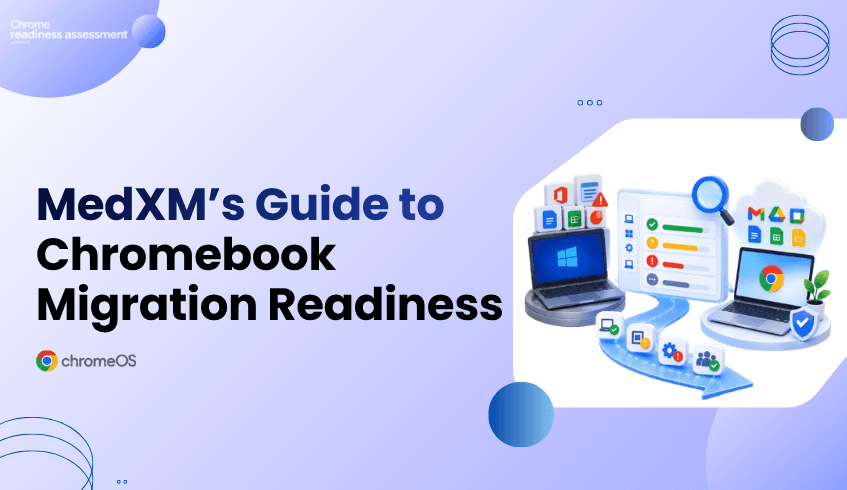
A real example is MedXM, a U.S. healthcare organization that previously relied on Windows machines, Microsoft Office, and VPN access for employees. MedXM moved toward Chrome Enterprise technologies including Chromebooks, Chrome Browser, and Google Works pace to create a more streamlined working environment.
The results show what a successful endpoint modernization strategy can look like. But for another organization considering the same direction, the first question should be:
Is our current environment actually ready to move from Windows to Chromebooks?
That readiness question is exactly where Chrome Readiness Assessment (CRA) fits. CRA is an enterprise readiness assessment platform that helps IT and security teams understand whether their current environment is ready for Chrome Enterprise Premium, ChromeOS, and secure enterprise browsing. For organizations considering a Windows-to-Chromebook transition, CRA helps turn that broader readiness question into practical visibility around application and device readiness, showing what may be ready to move, what needs verification, and where potential blockers require attention before rollout.
MedXM’s Move Away From a Traditional Windows Environment
MedXM previously operated with Windows machines equipped with Microsoft Office, while healthcare workers and remote employees also relied on VPN access to reach the company network. The additional steps made everyday work slower and more complex.
MedXM introduced Chromebooks, Chrome Browser, and Google Workspace as part of its move toward a more cloud-based environment.
According to the customer story, MedXM:
Reduced software-related expenses by 40%
Made routine employee tasks faster through cloud technology
Improved collaboration through Google Workspace
Planned to replace additional outreach-center and clinician computers with Chromebooks
Explore the MedXM Chrome Enterprise customer story
The story demonstrates the potential business value of moving away from a heavily desktop-dependent environment.
But reaching that point requires more than selecting new devices.
A Chromebook Rollout Starts With Knowing What Can Move
Every Windows environment is different.
Some employees may already spend most of their day in browser-based applications and cloud services. Their transition to Chromebooks may be relatively straightforward.
Others may rely on Windows applications, specialized software, peripherals, or workflows that require additional review.
That means an organization cannot assume every user or device should migrate at the same time.
Before investing in a wider Chromebook rollout, IT teams need to understand:
Which applications are already suitable for ChromeOS
Which applications need further verification
Which applications may create migration blockers
Which devices and user groups may be stronger candidates for an earlier move
Where additional planning is needed before migration
This is where readiness data becomes important.
CRA Helps Assess the Environment Before the Move
Chrome Readiness Assessment helps organizations understand their existing environment before moving users from Windows to ChromeOS.
CRA evaluates application readiness using clear categories:
Chrome Ready : applications with strong ChromeOS readiness
Possibly Ready: applications that require additional review or verification
Blocker: applications that may prevent or complicate migration
Unknown: applications where readiness information still needs to be reviewed
These categories help IT teams identify where migration may be straightforward and where further investigation is needed before rollout.
CRA also helps teams review device readiness so the migration does not have to be treated as one organization-wide switch.
Instead, organizations can begin building migration waves around actual readiness.
See how CRA supports ChromeOS readiness planning
From a Customer Success Story to a Practical Migration Plan
MedXM shows the outcome organizations may be working toward: a more cloud-first environment built around Chromebooks, Chrome Browser, and modern productivity tools.
CRA focuses on the stage before that transformation.
For an organization currently operating a large Windows fleet, CRA helps answer practical questions such as:
“Which users could move first? Which applications still depend on Windows? Where are the issues?”
Instead of beginning migration with assumptions, IT teams can use readiness insights to decide where the transition can start and where more preparation is required.
Why Readiness Matters Before Replacing Windows Devices
A Windows-to-Chromebook migration affects more than hardware.
Applications, user workflows, access requirements, peripherals, and existing dependencies all influence whether the change works smoothly for employees.
If those dependencies are discovered only after Chromebooks have already been deployed, IT teams may face avoidable disruption and support pressure.
CRA helps surface those issues earlier.
The goal is not simply to determine whether ChromeOS is suitable for the organization. It is to understand which parts of the organization are ready for ChromeOS today and which parts need more preparation.
From Windows Complexity to Readiness-Based ChromeOS Adoption
MedXM’s experience shows how moving toward Chromebooks and cloud-first tools can support a simpler way of working. The organization reported lower software-related expenses, faster routine tasks, and plans to expand Chromebook adoption further.
For organizations considering a similar transition, readiness should come first.
Chrome Readiness Assessment helps teams evaluate their current Windows environment, identify application and device readiness, surface potential blockers, and plan a more practical path toward Chromebook adoption.
The goal is not to move every device at once. It is to understand where the organization is ready to move first.
FAQ
Did MedXM use Chrome Readiness Assessment?
The MedXM customer story does not state that MedXM used CRA. The case study is used as a real-world example of an organization moving from a Windows-based environment toward Chromebooks and Chrome Enterprise technologies.
How does CRA connect to the MedXM use case?
CRA supports organizations considering a similar Windows-to-ChromeOS transition by helping them evaluate application and device readiness before rollout.
Can CRA identify applications that may affect ChromeOS migration?
Yes. CRA categorizes applications as Chrome Ready, Possibly Ready, Blocker, or Unknown so IT teams can identify where additional review may be needed.
Does every Windows device need to move to a Chromebook at the same time?
No. Readiness visibility can help organizations plan migration in stages, moving stronger candidates first while reviewing applications, devices, or workflows that still require attention.