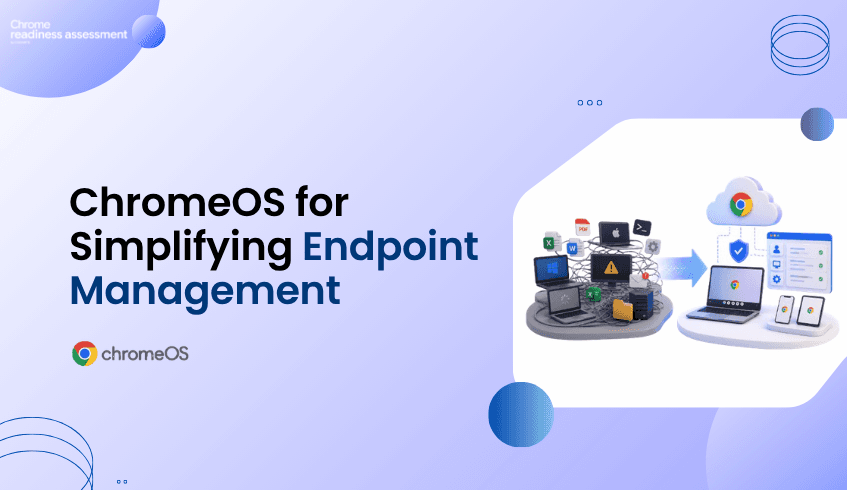
How ChromeOS Helps Organizations Reduce Endpoint Complexity
Many organizations are trying to simplify the way they manage devices.
Traditional endpoint environments can become complex over time.
Different operating systems, installed applications, local dependencies, browser versions, device policies, support needs, and user workflows can make endpoint management harder than it needs to be.
This is one reason many businesses look at ChromeOS as a modern endpoint direction.
ChromeOS is built for cloud-first work, secure access, simpler management, and users who rely heavily on browser-based and cloud-based applications.
But before organizations move more users to ChromeOS, they need to understand where endpoint complexity exists today.
Chrome Readiness Assessment helps teams assess which users, apps, and devices may be ready for a simpler ChromeOS experience and where more review may be needed before rollout.
Endpoint Environments Are Becoming Too Complex
In many organizations, endpoint environments grow over many years.
Different departments may use different applications.
Some users may rely mainly on cloud tools.
Others may still depend on locally installed software.
Some devices may be actively managed.
Others may have older configurations, outdated apps, or inconsistent browser setups.
Over time, this creates complexity for IT teams.
They need to manage more devices, support more application types, troubleshoot more local issues, and maintain more security controls across different environments.
This can slow down modernization.
It can also make it harder to understand which users are ready for a cloud-first device experience.
The problem is not only whether ChromeOS is a strong platform.
The bigger question is:
Which parts of the organization are ready to benefit from a simpler endpoint model?
Why ChromeOS Fits Modern Work
ChromeOS for business supports organizations that want a more cloud-first and manageable endpoint experience.
For users who work mainly in web apps, cloud platforms, collaboration tools, and browser-based systems, ChromeOS can provide a simpler way to access daily work.
Also, ChromeOS security features such as automatic updates, sandboxing, verified boot, encryption, and built-in protection that help reduce manual security effort.
For IT teams, this matters because endpoint management is not only about devices.
It is also about reducing unnecessary maintenance, improving consistency, and supporting users with fewer local dependencies.
ChromeOS can help organizations move toward a more standardized endpoint environment where cloud access, browser-based workflows, and centralized management become easier to support.
Where Chrome Readiness Assessment Adds Value
Chrome Readiness Assessment helps organizations understand whether their current environment can support a move toward ChromeOS.
Instead of assuming all users are ready, CRA gives teams visibility into application usage and readiness.
This helps IT teams understand:
which users may already work mainly in cloud or browser-based tools
which applications need further review
which applications may support a ChromeOS move
which users may still depend on local desktop applications
which device groups may be easier to move first
where blockers or unknown applications may require further review
This helps organizations make ChromeOS planning more practical.
The goal is not to replace every device at once.
The goal is to understand where ChromeOS can reduce endpoint complexity first.
Reducing Local Application Dependency
One of the biggest reasons endpoint environments become complex is local application dependency.
Some applications may be installed because they were used years ago.
Some may only be required by a small group of users.
Some may already have cloud-based alternatives.
Others may still be important but need a different access strategy before users move to ChromeOS.
CRA helps organizations review application usage and readiness before migration.
This gives IT teams a clearer view of which users are good candidates for ChromeOS and which users may need more planning.
By understanding application usage early, organizations can avoid moving users before their workflows are ready.
They can also avoid delaying the entire ChromeOS journey because of a small number of specialized applications.
Making Device Management Easier
ChromeOS is also valuable because it supports centralized device management.
Google’s ChromeOS device management resources explain how businesses can remotely manage the devices that power employees.
For administrators, Google also provides guidance on managing ChromeOS devices from the Google Admin console, including policies, apps, extensions, VPNs, and Wi-Fi access.
For organizations already managing Chrome across different platforms, Chrome Enterprise Core supports cloud-based management for browser policies, settings, apps, and extensions.
This matters because simpler endpoint management can reduce IT workload.
When devices, browser settings, apps, and policies are easier to manage from a central place, IT teams can spend less time dealing with inconsistent endpoint environments.
CRA supports this by helping teams understand which users and devices can move toward this simpler model first.
Supporting a Smarter ChromeOS Rollout
A ChromeOS rollout should be based on real environment insight.
Some users may be ready quickly because their daily work already happens in web apps and cloud tools.
Other users may need additional review because they depend on local applications, specialized workflows, or apps that are not yet fully understood.
CRA helps teams group users and devices based on readiness.
This makes it easier to plan rollout stages.
For example:
users with mostly cloud-based workflows can be prioritized first
users with possibly ready applications can be reviewed next
users with blocker applications can be handled through a separate plan
unknown applications can be investigated before final migration decisions
This gives organizations a more controlled way to reduce endpoint complexity over time.
Where ChromeOS Flex May Fit
Some organizations may also review ChromeOS Flex as part of their endpoint modernization planning.
ChromeOS Flex can help transform existing PCs and Macs with a cloud-first operating system, which may support organizations that want to extend hardware value or test a ChromeOS-style experience before wider rollout.
This does not remove the need for readiness planning.
Teams still need to understand which users, apps, and workflows are suitable.
CRA can help support that decision by showing where the organization may already be ready and where more review is needed.
Why Business Leaders Should Care
Endpoint complexity affects more than IT.
It can affect user productivity, security, support costs, device lifecycle planning, and modernization speed.
If organizations continue managing complex endpoint environments without understanding which users can move to a simpler model, they may miss opportunities to reduce overhead.
ChromeOS gives organizations a modern endpoint direction.
CRA helps make that direction more practical by showing where the move can begin.
For business leaders, this means better planning, fewer surprises, and a clearer path toward a more cloud-first device strategy.
FAQ
Why should organizations consider ChromeOS?
Organizations may consider ChromeOS because it supports cloud-first work, simpler device management, built-in security, and browser-based productivity.
What problem does ChromeOS help solve?
ChromeOS can help reduce endpoint complexity by supporting a more standardized, cloud-first device experience.
How does Chrome Readiness Assessment support ChromeOS planning?
Chrome Readiness Assessment helps teams understand application usage, app readiness, device groups, blockers, and users who may be ready for ChromeOS.
Is ChromeOS only useful for fully cloud-based teams?
ChromeOS is especially useful for cloud-first and browser-based workflows, but organizations should still review application dependencies before migration.
Why does application dependency matter?
Local application dependency can delay ChromeOS adoption if users still rely on desktop apps that need review, alternatives, or different access methods.
Can ChromeOS Flex support modernization planning?
Yes. ChromeOS Flex can help organizations modernize existing PCs and Macs with a cloud-first operating system, but readiness should still be reviewed before wider adoption.
ChromeOS helps organizations move toward a simpler, cloud-first endpoint model. Chrome Readiness Assessment supports that journey by showing which users, apps, and devices may be ready to reduce endpoint complexity and where more planning is needed before rollout.