How CRA Helps Organizations Understand Application Readiness Before Moving to ChromeOS
Moving to ChromeOS can give organizations a more secure, cloud-first, and easier-to-manage endpoint environment.
But before migration begins, IT teams need to understand one important thing:
application readiness.
It is not enough to know that ChromeOS is a strong platform.
Organizations also need to know whether the applications used across their environment are ready for the move, which ones may need review, which ones may act as blockers, and which ones still need more visibility.
That is where Chrome Readiness Assessment helps.
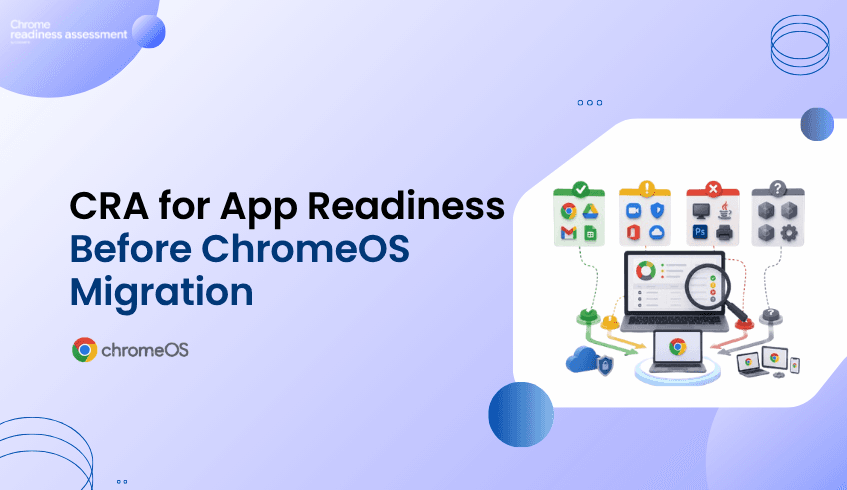
CRA gives organizations a clearer view of application readiness across their environment by showing application readiness categories such as Chrome Ready, Possibly Ready, Blocker, and Unknown.
This helps teams make migration decisions with more clarity and less guesswork.
Application Lists Alone Do Not Show Readiness
Many organizations already know which applications exist in their environment.
They may have software inventories, device reports, or internal records showing what is installed.
But that does not automatically tell them whether those applications are suitable for ChromeOS migration planning.
An application may be widely used, but that does not always mean it will behave the same way in a ChromeOS environment.
Another application may already work well and create no migration concern at all.
Some applications may need review because certain functions may not behave the same way.
Others may not be suitable for ChromeOS and may become blockers.
Without clear readiness visibility, IT teams may spend too much time guessing which applications need attention.
That can slow down migration planning and make rollout decisions harder.
How CRA Helps
Chrome Readiness Assessment helps organizations understand application readiness in a more practical way.
Instead of only showing a list of applications, CRA helps classify them into clear readiness categories.
This gives IT teams a better understanding of what they are dealing with before they move users to ChromeOS.
Across the environment, CRA helps teams review:
which applications are Chrome Ready
which applications are Possibly Ready
which applications are Blockers
which applications are Unknown
This makes the readiness picture easier to understand.
Instead of reviewing every application in the same way, teams can focus on what each category means and plan their next steps more effectively.
What the Application Readiness Categories Mean
The readiness categories in CRA help organizations understand how applications may affect a move to ChromeOS.
Chrome Ready applications are the ones that are considered ready for ChromeOS. These are the applications where the app and its functions are expected to work well in the ChromeOS environment.
Possibly Ready applications are the ones that may still support migration, but they need some review from IT teams first. In these cases, some functionalities may not work in exactly the same way on ChromeOS, so teams may need to validate whether the application is suitable for the user group involved.
Blocker applications are the ones that cannot be used in ChromeOS. These are important because they may prevent certain users or teams from moving until an alternative, workaround, or separate plan is considered.
Unknown applications are the ones that are not currently in the readiness catalog. This means teams may need to review them further before making migration decisions.
These categories help convert technical application data into a more understandable migration view.
Why These Categories Matter
Application readiness categories matter because not every application affects migration in the same way.
If everything is treated the same, IT teams may waste time reviewing low-risk apps too deeply or fail to focus early enough on the applications that actually need action.
CRA helps make that distinction clearer.
For example:
Chrome Ready applications can support faster migration planning.
Possibly Ready applications can be reviewed and validated before rollout.
Blocker applications can be identified early so teams know where extra planning is needed.
Unknown applications can be flagged for further investigation.
This gives organizations a more structured way to prepare for ChromeOS adoption.
Instead of asking, “Can we move to ChromeOS?” teams can ask a more practical question:
“Which applications are already ready, which ones need review, and which ones may prevent the move?”
That is a much stronger starting point for migration planning.
Why This Helps IT Teams
For IT teams, one of the biggest challenges in any migration is uncertainty.
Without clear readiness information, it becomes harder to decide:
which users can move first
which apps need validation
which apps may require extra planning
where blockers exist
which areas need more review before rollout
CRA helps reduce that uncertainty by giving teams a category-based view of application readiness.
This allows migration planning to become more focused.
Teams do not have to approach every application with the same level of concern.
They can prioritize based on readiness.
This also supports staged rollout planning, because some users may already rely mainly on Chrome Ready applications, while others may depend on Possibly Ready or Blocker applications.
Why Business Leaders Should Care
Application readiness is not only a technical detail.
It affects rollout speed, user disruption, support planning, and migration confidence.
If organizations begin moving to ChromeOS without understanding app readiness, they may face delays, user frustration, and additional support effort.
CRA helps reduce that risk by giving business and IT leaders a clearer picture before rollout begins.
It helps them understand where migration may move forward more easily and where additional planning is required.
That creates a better foundation for decision-making.
Instead of treating migration as a broad technology change, leaders can see it as a readiness-based process supported by clearer application insight.
How This Supports a Smarter Move to ChromeOS
Google positions ChromeOS as a secure, cloud-first operating system for modern work, and businesses can also use device management capabilities to manage devices remotely.
But a successful move still depends on understanding whether the applications used across the organization are ready for that environment.
CRA helps connect those two things.
It helps organizations look at ChromeOS not only as a platform, but as a migration decision that should be guided by readiness data.
That makes the move more practical and more informed.
FAQ
What are application readiness categories in CRA?
Application readiness categories in CRA help organizations understand whether an application is Chrome Ready, Possibly Ready, a Blocker, or Unknown before moving to ChromeOS.
Why are these categories useful?
These categories help organizations understand which applications are ready, which need review, and which may prevent migration, making ChromeOS planning more practical.
Chrome Readiness Assessment helps organizations move from application uncertainty to migration clarity. By showing Chrome Ready, Possibly Ready, Blocker, and Unknown applications across the environment, CRA helps teams understand application readiness before moving forward with ChromeOS.