Shared Drives and Pooled Storage Make Workspace Migration More Practical
Google Workspace gives organizations a more flexible way to manage business files, team storage, and shared work. Instead of keeping files and storage tied too closely to individual users, Workspace helps teams work from a cloud environment where storage can be shared across the organization and important project files can stay with the team.
Google Workspace provides flexible pooled storage per user that is shared across the organization. Business Standard provides 2 TB pooled storage per user, while Business Plus and Enterprise Plus provide 5 TB pooled storage per user.
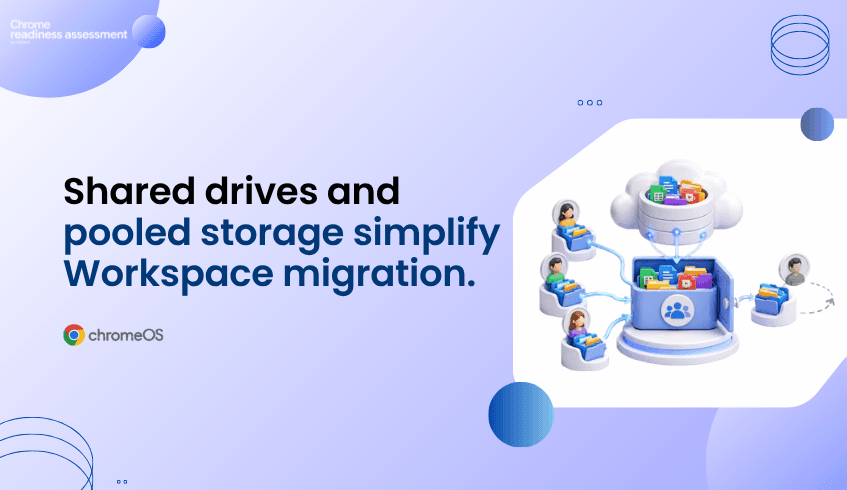
Shared Drives also help teams protect continuity because files belong to the team instead of one individual. If someone leaves the shared drive, the files they added stay in place for the team.
For organizations planning a Google Workspace migration, this matters. Storage, file ownership, and collaboration structure should be reviewed before users move. Workspace Readiness in Chrome Readiness Assessment helps teams understand what productivity tools are used today, where Google Workspace alternatives may fit, and where hidden blockers may need review.
Pooled Storage Supports Real Business Needs
Storage needs are rarely equal across every user. Some employees may use very little storage, while others work with large reports, creative files, presentations, project assets, or shared department content.
Pooled storage makes this easier to manage because storage is shared across the organization instead of being limited only by individual usage patterns. This gives teams more flexibility when storage needs change across departments or roles.
For migration planning, this gives IT teams a more practical storage model. Instead of only thinking about individual user limits, organizations can plan around how storage is used across the business.
Shared Drives Keep Team Files in Place
File ownership can become a problem when important project files are stored in personal drives. If an employee leaves, changes roles, or loses access, teams may need to spend time recovering or transferring files.
Shared Drives help reduce that issue because files belong to the team. Project plans, reports, meeting notes, campaign assets, and operational documents can stay in a shared space even when team membership changes.
This supports stronger continuity. Teams can keep working from the same shared location without depending on one user account to control access to important files.
Workspace Migration Needs More Than File Transfer
A Google Workspace migration is not only about moving files into Drive. It is also about deciding how teams should store, access, and manage work after the move.
Some files may belong in personal My Drive spaces. Others should live in Shared Drives because they support team or department work. Without planning, organizations may move content but still carry over old file ownership problems.
That is why migration planning should include storage structure, Shared Drive use, access management, and current productivity tool dependency.
How Workspace Readiness Helps Before the Move
Workspace Readiness in Chrome Readiness Assessment helps teams understand what users rely on before moving to Google Workspace. It helps identify office productivity tools used, usage time for each application, macro usage, Google Workspace alternatives, unused license opportunities, and hidden blockers before migration.
This helps IT teams plan with more clarity. If users still depend heavily on certain desktop productivity tools, those areas may need review. If some tools are rarely used, the organization may have an opportunity to simplify before migration. If Google Workspace alternatives are available, teams can plan the move with more confidence.
Workspace Readiness does not replace file migration planning or Shared Drive design. It gives teams a clearer starting point by showing how the current productivity environment is being used before the move.
Turning Storage Flexibility Into a Better Migration Plan
Pooled storage and Shared Drives make Google Workspace more practical for organizations that want flexible storage and stronger team file continuity. Pooled storage helps capacity serve the organization more efficiently, while Shared Drives help keep important files connected to teams instead of individual users.
Workspace Readiness helps organizations prepare for that move by showing what users rely on today. With better visibility into productivity tools, usage patterns, and possible blockers, IT teams can plan Google Workspace migration with fewer assumptions and more confidence.
FAQ
What is pooled storage in Google Workspace?
Pooled storage is storage shared across the organization. It helps teams use storage more flexibly instead of treating capacity only as isolated individual space.
Why do Shared Drives matter for organizations?
Shared Drives help keep files connected to the team. If a member leaves, the files they added remain available in the shared drive.
Why should storage planning happen before migration?
Storage planning helps teams decide where files should live, who should access them, and how team-owned content should be managed after moving to Google Workspace.
Does Workspace Readiness assess Shared Drive structure directly?
No. Workspace Readiness supports broader Google Workspace migration planning by helping teams understand current productivity tool usage, Workspace alternatives, macro usage, and possible blockers.
How does CRA support Google Workspace migration?
Chrome Readiness Assessment gives IT teams visibility into the current productivity environment before migration. This helps teams understand what users rely on today and where the move may need more planning.
Google Workspace helps organizations manage storage and team files in a more flexible way. Workspace Readiness in CRA helps teams take the first step by understanding the current productivity environment before moving users into Google Workspace.