Why Device Trust Breaks After Chrome Enterprise Premium Rollout
For many organizations, Chrome Enterprise Premium (CEP) deployment is designed to strengthen security by incorporating device context into access decisions.
However, some deployment challenges only become visible after policies are enabled and users begin accessing protected resources.
One of the most common examples involves device trust data.
A device may appear healthy, Chrome may be installed, and the user may be able to sign in successfully. Yet the device may fail to provide the posture information required for device-aware access controls.
When this occurs, administrators are often left investigating why some devices pass security checks while others do not.
CEP Deployment Readiness Insights helps organizations identify these conditions before wider rollout by providing visibility into endpoint readiness, deployment blockers, and affected devices across the environment.
The Hidden Dependency Behind Device Trust
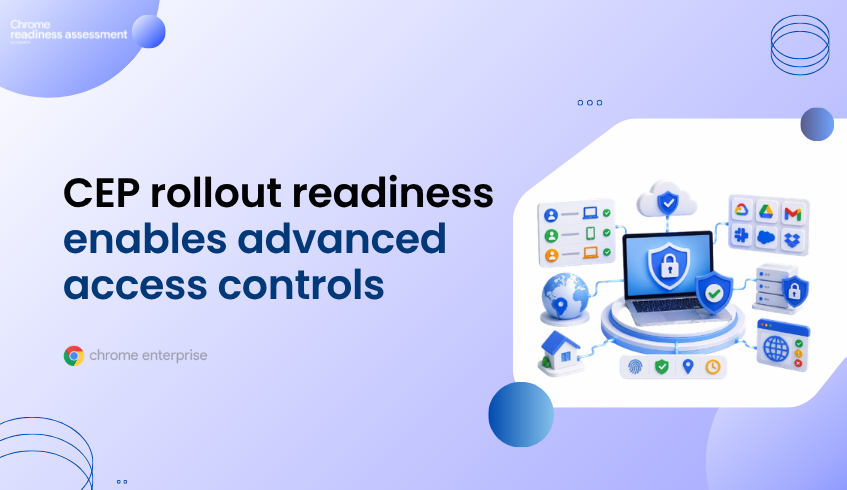
Many Chrome Enterprise Premium security controls rely on more than user identity alone. This reflects modern Zero Trust security models, where access decisions consider user identity, device health, and contextual signals instead of assuming trust based solely on network location.
Chrome Enterprise Premium Access Protection incorporates this approach by evaluating contextual information such as device attributes and security posture
To provide this information, organizations commonly use Endpoint Verification, which collects device attributes and makes them available for device-aware access controls.
When everything functions normally, the process is largely invisible to end users.
The challenge arises when some devices stop reporting correctly.
The user may still have a functioning browser and a valid account, but the required device signals may be unavailable, incomplete, or outdated.
When the Problem Appears After Deployment
This issue often becomes visible only after organizations begin using device-based access controls.
Administrators may discover:
Certain users are unexpectedly denied access
Some devices fail device-trust checks
Device posture information is missing
Access policies behave differently across devices
Security teams receive inconsistent results when reviewing endpoints
At first glance, these symptoms may appear to be policy problems.
In reality, the underlying issue may originate from missing or outdated device information.
Because only a subset of devices may be affected, identifying the root cause across a large environment can become difficult.
Real Endpoint Verification Challenges
The official Endpoint Verification troubleshooting documentation outlines several issues that can interrupt synchronization and prevent device information from being reported correctly.
Examples include:
Windows Data Protection API (DPAPI) errors
Outdated Chrome browser versions
Device reset and user-profile issues
Problems accessing stored encryption keys
Windows registry-related failures
These issues do not necessarily affect every device equally.
One endpoint may continue reporting successfully while another endpoint with different local conditions fails to synchronize.
As a result, organizations may only discover the issue after deployment has already expanded across a larger group of users.
The Visibility Problem
Traditional troubleshooting typically begins after users report an issue.
A user loses access.
A device fails a policy check.
A security review identifies missing posture data.
Only then does the investigation begin.
Administrators often need to review browser versions, enterprise browser management settings, Endpoint Verification status, device configuration, user profiles, and policy settings before identifying the underlying issue.
Across hundreds or thousands of devices, this process quickly becomes reactive.
The challenge is not necessarily fixing a single device.
The challenge is knowing which devices require investigation in the first place.
Why This Matters for Chrome Enterprise Premium
Chrome Enterprise Premium combines browser security, centralized management, threat protection, and context-aware access to help organizations strengthen enterprise security. These capabilities depend on reliable device trust signals to make informed access decisions.
When device information is unavailable or inaccurate, organizations may experience:
Unexpected access denials
Inconsistent policy enforcement
Increased support requests
Delayed rollout activities
Reduced confidence in deployment readiness
The issue may not originate from Chrome Enterprise Premium itself.
Instead, it can result from endpoint conditions that were never identified before deployment.
Understanding those conditions early is critical for smoother rollout planning.
How CEP Deployment Readiness Insights Helps
When the CEP Pre Deployment Check is enabled, administrators can quickly understand whether device trust issues are isolated incidents or indicators of a wider deployment concern.
For Endpoint Verification-related readiness checks, the feature helps teams:
Understand how widespread device trust reporting issues are across the environment
Identify which devices may struggle to provide the posture information required for access controls
Prioritize endpoints that require investigation before rollout expands
Compare readiness across departments, groups, or device populations
Focus remediation efforts on the devices most likely to impact deployment success
Instead of discovering missing device posture information through access failures or support tickets, teams gain earlier visibility into where deployment risk may exist.
Looking Beyond a Single Device Trust Issue
Endpoint Verification synchronization is only one example of a deployment readiness concern.
The same device may also experience:
Browser-management issues
Network connectivity restrictions
Policy conflicts
Hardware limitations
Legacy dependency risks
Operational health concerns
CEP Deployment Readiness Insights organizes these findings into broader readiness categories, helping organizations understand whether a device-trust issue is isolated or part of a wider deployment challenge.
This provides a more complete picture of readiness across the environment.
Why Business Leaders Should Care
Organizations invest in Chrome Enterprise Premium to strengthen security and improve access control.
Those goals become harder to achieve when critical deployment conditions remain hidden until after rollout begins.
Device trust issues can create user disruption, increase support effort, delay deployment activities, and introduce operational complexity.
CEP Deployment Readiness Insights helps organizations gain visibility into these risks earlier, prioritize investigation efforts, and better prepare the endpoint environment before deployment expands.
The goal is not simply to enable device-based access controls.
The goal is to understand whether the devices expected to support those controls are actually ready.
FAQ
What is device trust?
Device trust refers to the use of device attributes and posture information as part of access-control decisions.
What causes device trust information to become unavailable?
Common causes include Endpoint Verification synchronization failures, browser-version issues, operating-system configuration problems, and local device conditions that prevent posture information from being reported correctly.
Why do these issues often appear after deployment?
Organizations may not discover reporting or synchronization problems until device-based access controls begin evaluating those devices.
How does CEP Deployment Readiness Insights help?
It helps administrators identify affected devices, review readiness findings, investigate deployment blockers, and understand where readiness risks exist before broader rollout.
Does CEP Deployment Readiness Insights automatically fix Endpoint Verification problems?
No. The feature provides visibility into readiness concerns and affected devices so organizations can investigate and remediate issues before they impact deployment success.