Why Legacy Applications Become a Chrome Enterprise Premium Deployment Blocker
Organizations planning a Chrome Enterprise Premium deployment often focus on licences, browser management, security policies, and access controls.
However, one of the most easily overlooked deployment challenges is the existing application environment.
Many enterprises still rely on legacy applications, internal business systems, and on-premises platforms that were designed around older authentication, network, and infrastructure models. These applications may continue to support daily operations, but they can introduce migration friction when organizations adopt modern Zero Trust controls.
CEP Deployment Readiness Insights within the Chrome Readiness Assessment helps organizations identify these conditions before rollout. It provides visibility into migration friction, legacy dependencies, network concerns, policy conflicts, hardware limitations, and other issues that may affect CEP deployment across the endpoint fleet.
The Legacy Application Challenge
Modern security initiatives change how users access corporate applications and resources.
Google’s BeyondCorp security model moved access decisions away from relying mainly on the traditional network perimeter and toward contextual signals involving users, devices, applications, and policies.
This type of transformation involves more than enabling a new security control.
Most enterprise environments contain a combination of:
Legacy web applications
Internal business systems
On-premises platforms
Older authentication methods
Custom-built applications
Infrastructure-specific dependencies
These applications may depend on specific browser conditions, internal network routes, legacy identity systems, or supporting infrastructure that is not immediately visible during deployment planning.
The application may still work for users, while the dependencies behind it create readiness risks for a wider CEP rollout.
Why Legacy Systems Create Deployment Friction
A business-critical application may appear fully functional while depending on conditions that make modernization more difficult.
For example, it may require:
An older authentication method
A specific browser configuration
Access through an internal network
A fixed proxy or firewall rule
A legacy operating system component
A custom connector or infrastructure dependency
A practical example documented by SADA shows that protecting on-premises applications through BeyondCorp requires additional decisions around connectors, application types, network connectivity, firewall access, Cloud VPN or Interconnect, and infrastructure placement.
Unlike cloud-native or SaaS applications, existing internal applications may therefore require a more carefully planned deployment path.
As organizations prepare for a Chrome Enterprise Premium rollout, these conditions can create readiness gaps that remain hidden until deployment has already started.
The Visibility Problem Before Deployment
The larger the environment, the harder these dependencies become to identify manually.
Deployment teams may know which applications exist, but they may not clearly understand:
Which devices depend on legacy environments
Which endpoints show migration-friction risks
Which departments or domains are most affected
Whether an issue is isolated or widespread
Which supporting conditions could delay rollout
Whether additional network or policy risks exist on the same endpoints
Traditional application inventories may show that an application is installed, but they do not always explain the wider conditions surrounding its use.
Without centralized readiness visibility, deployment teams may discover these dependencies only after policies are configured, access controls are introduced, or deployment begins across a larger group of devices.
At that stage, remediation becomes more difficult because the rollout is already underway.
Why This Matters for Chrome Enterprise Premium
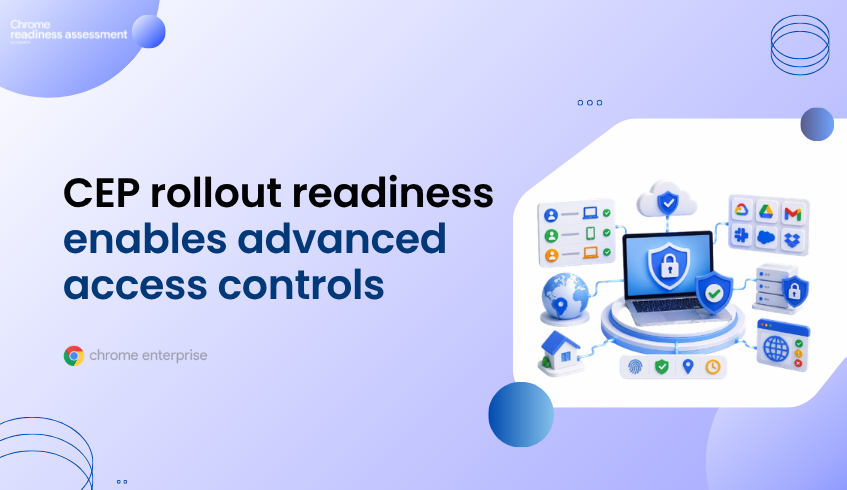
Chrome Enterprise Premium can strengthen enterprise browsing through threat protection, data protection, centralized controls, and context-aware access.
Google’s Chrome Enterprise Premium access protection documentation explains how access decisions can incorporate identity, device attributes, and contextual conditions.
This means deployment readiness extends beyond installing or managing the browser.
Organizations also need to understand whether the applications, devices, policies, networks, and supporting infrastructure around the browser are ready to work with those controls.
When legacy dependencies remain undiscovered, they can contribute to:
Delayed deployment timelines
Unexpected access problems
Increased troubleshooting effort
Additional infrastructure work
Inconsistent experiences between device groups
Greater operational complexity during rollout
The issue is not that every legacy application must immediately be replaced.
The issue is that its dependencies need to be visible before deployment decisions are made.
How CEP Deployment Readiness Insights Helps
CEP Deployment Readiness Insights helps organizations review deployment conditions before expanding Chrome Enterprise Premium rollout.
When the CEP Pre Deployment Check is enabled, readiness insights become available through the Dashboard and Report Generator.
For environments containing legacy applications and migration dependencies, administrators can:
Identify devices showing migration-friction or legacy-dependency risks
Review organization-level readiness and top deployment blockers
See which device groups or domains require closer investigation
Distinguish between Hard Blockers and Soft Blockers
Review detected values and failing thresholds
Investigate affected devices at a detailed level
Understand whether network, policy, hardware, or operational risks exist on the same endpoints
The feature does not claim to identify every application dependency or automatically redesign a legacy environment.
Instead, it shows where migration friction and related readiness conditions are present, giving administrators a clearer starting point for investigation and planning.
Looking Beyond Individual Applications
Legacy applications are rarely the only readiness concern on an affected endpoint.
The same device may also have limited hardware resources, blocked service connectivity, proxy or VPN interference, browser-management gaps, identity issues, or policy conflicts.
CEP Deployment Readiness Insights organizes readiness checks into four areas:
OS & Hardware Compatibility
Network & Connectivity Health
Migration Friction & Legacy Dependencies
Policy Conflict & Operational Health
This allows organizations to understand whether a legacy-dependency risk is isolated or part of a wider device-readiness problem.
Instead of reviewing each condition through separate reports, administrators receive an organization-level overview and can then investigate the devices requiring attention.
Why Business Leaders Should Care
Security modernization becomes more difficult when business-critical dependencies are discovered late.
Legacy applications and supporting infrastructure can increase rollout time, create user disruption, raise support demand, and introduce unexpected operational work.
Organizations investing in Chrome Enterprise Premium need to know whether the surrounding endpoint environment can support the deployment—not only whether the licences have been purchased.
CEP Deployment Readiness Insights helps teams identify readiness concerns earlier, prioritize affected devices, and gain a clearer view of where deployment risk is concentrated.
The goal is not simply to deploy Chrome Enterprise Premium.
The goal is to deploy it with visibility into the applications, devices, networks, policies, and dependencies that may affect rollout success.
FAQ
Why can legacy applications affect Chrome Enterprise Premium deployment?
Legacy applications may depend on older authentication methods, browser configurations, network routes, operating system components, or infrastructure that requires additional planning when modern access controls are introduced.
What is migration friction?
Migration friction refers to technical or operational conditions that make it harder to introduce new platforms, security controls, or management approaches successfully.
Why are legacy dependencies difficult to identify?
Large organizations may operate thousands of devices and many internal applications across departments and locations. Some dependencies are undocumented, device-specific, or hidden behind existing network and infrastructure configurations.
How does CEP Deployment Readiness Insights help?
It helps administrators identify devices showing migration-friction risks, review blocker severity, examine detected values and thresholds, and investigate whether other readiness concerns exist on the same endpoints.
Does CEP Deployment Readiness Insights identify the exact legacy application responsible?
The feature surfaces migration-friction and legacy-dependency readiness conditions at organization and device level. Further investigation may still be required to determine the precise application or infrastructure dependency involved.
Does it automatically remediate legacy application issues?
No. The feature provides readiness visibility and blocker information so administrators can prioritize investigation and remediation before rollout expands.
Legacy applications should not become visible only after deployment problems begin. Use CEP Deployment Readiness Insights within the Chrome Readiness Assessment to identify migration friction, review affected devices, and prepare the environment before Chrome Enterprise Premium rollout.