Why Peripheral Compatibility Matters Before Moving Devices to ChromeOS
When organizations plan a move to ChromeOS, they often focus on applications, users, and device readiness. Those areas are important, but they do not show the complete working environment around each endpoint.
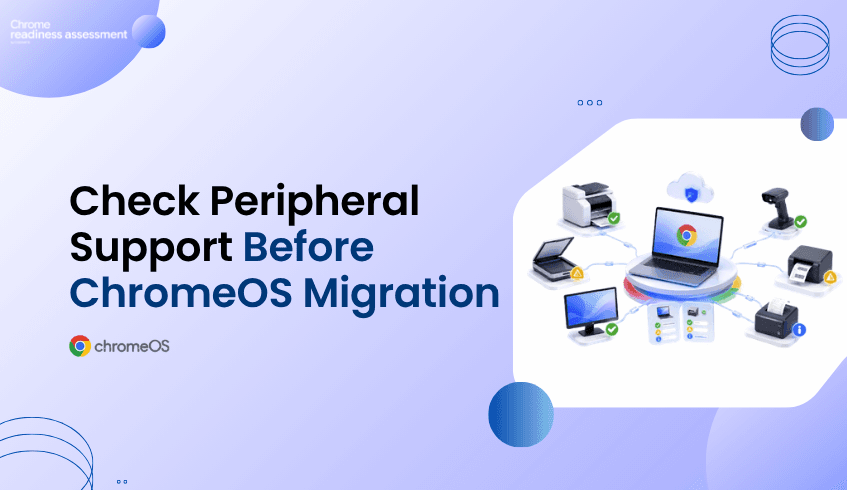
Peripherals can also affect migration success. Many employees depend on connected devices every day, such as printers for documents, scanners for records, monitors for productivity, barcode readers for inventory, label printers for logistics, or receipt printers for point-of-sale work.
If these peripherals are not reviewed before migration, a device may appear ready on the surface but still create workflow disruption after rollout. Chrome Readiness Assessment helps organizations understand peripheral compatibility at the device level before moving forward.
Devices Are Not Used Alone
A business device is rarely used by itself. In many environments, endpoints are connected to other hardware that supports daily work and helps users complete important tasks.
Office teams may depend on printers and monitors. Retail teams may need barcode readers and receipt printers. Warehouse teams may rely on scanners and label printers. Healthcare, logistics, manufacturing, and service teams may also depend on specific peripheral models to keep daily operations running.
This means ChromeOS readiness is not only about whether the main device can move. It is also about whether the connected peripherals can continue supporting the user’s workflow. Without this visibility, IT teams may miss important compatibility issues until users are already affected.
Peripheral Compatibility and Daily Productivity
Peripheral compatibility matters because connected hardware can directly affect productivity. If a printer does not work as expected, users may not be able to complete document workflows. If a scanner is not compatible, teams may struggle with record capture or operational documentation.
The same issue can appear in more specialized environments. If a barcode reader or label printer does not work, retail, warehouse, or logistics workflows may be interrupted. If a receipt printer is missed, point-of-sale workflows may be affected.
These issues can create avoidable support tickets, user frustration, and rollout delays. That is why organizations need to understand peripheral readiness before ChromeOS migration begins..
How CRA Shows Peripheral Readiness
Chrome Readiness Assessment helps IT teams see which peripherals are connected to each device and whether those peripherals are ready for ChromeOS. This gives teams a clearer view of the full endpoint setup instead of only reviewing the device itself.
CRA supports six peripheral categories:
printer
scanner
monitor
barcode reader
label printer
receipt printer
When an IT team reviews a device in CRA, they can see how many peripherals are connected to that device. They can also view the peripheral model and its Peripheral Readiness Status. This helps teams understand whether a device is truly ready from a user workflow perspective.
Turning Peripheral Data Into Migration Planning
Peripheral data becomes especially useful when planning rollout phases. Some devices may have no connected peripherals and may be easier to move. Other devices may have compatible peripherals and can be considered lower risk. Some devices may have peripherals that need review before migration.
This helps IT teams decide which devices can move with less concern and which ones need more preparation. A device with compatible printers and monitors may be ready for migration, while a device connected to a scanner may need compatibility review. A retail device with a receipt printer may need extra validation, and a warehouse device using barcode readers and label printers may require more careful planning.
This makes migration planning more practical. IT teams can focus on the devices where peripheral compatibility may affect daily work, instead of treating every endpoint as though it has the same risk level.
Model-Level Visibility for Better Decisions
Knowing that a device has a printer or scanner is helpful, but knowing the exact peripheral model is even more useful. Different models may behave differently in a ChromeOS environment, even when they belong to the same general peripheral category.
A printer from one model line may be ready, while another may need review. A scanner, barcode reader, or receipt printer may support one workflow but require validation for another. Without model-level visibility, IT teams may be forced to make broad assumptions that are not always accurate.
CRA gives teams model-level visibility so they can make more specific decisions. Instead of assuming that all printers are ready or all scanners need replacement, teams can review peripheral readiness based on the actual hardware connected to each device.
How IT Teams Can Use Peripheral Insights
IT teams are responsible for making migration smooth for users. Application readiness is important, but it is not the full picture if users depend on connected hardware to complete their work.
If peripherals are missed, users may still experience disruption even when their main applications are ready. CRA helps IT teams reduce that risk by showing peripheral compatibility before migration. This supports better planning, fewer surprises, and more confident rollout decisions.
Peripheral insights also help teams prioritize testing where it matters most. Devices connected to business-critical hardware can be reviewed earlier, while lower-risk devices can move through the migration process with more confidence.
Keeping Business Operations Moving
Peripheral issues can affect real business operations. A small compatibility gap can delay work if the affected device supports printing, scanning, inventory, labeling, or customer transactions.
For business leaders, this matters because migration success depends on continuity. Users need to keep working after the move, and the tools connected to their devices often play a direct role in that continuity.
CRA helps organizations protect that continuity by showing where peripheral readiness should be reviewed before ChromeOS migration. This supports better planning, smoother adoption, and fewer avoidable disruptions.
A Smarter Way to Plan ChromeOS Migration
A successful ChromeOS migration should consider the complete device experience. That includes the device, the applications, the users, and the peripherals connected to each endpoint.
Chrome Readiness Assessment helps organizations see this more clearly. By showing connected peripherals, peripheral models, and Peripheral Readiness Status, CRA helps IT teams understand which devices are ready and which ones need review before migration.
FAQ
Why does peripheral compatibility matter before ChromeOS migration?
Peripheral compatibility matters because users often rely on connected hardware such as printers, scanners, monitors, barcode readers, label printers, and receipt printers to complete daily work.
What peripheral categories does CRA support?
CRA supports six peripheral categories: printer, scanner, monitor, barcode reader, label printer, and receipt printer.
What can IT teams see in CRA?
IT teams can click into a device and see the peripherals connected to that device, the peripheral model, and the Peripheral Readiness Status.
Why is model-level visibility important?
Model-level visibility helps IT teams understand the exact hardware connected to each device, making compatibility review more accurate.
How does this help ChromeOS migration planning?
It helps teams identify which devices have compatible peripherals, which devices need review, and which device groups may require extra testing before migration.
Can peripheral issues delay migration?
Yes. If important peripherals are not compatible or not reviewed before rollout, users may face disruption after migration.
Chrome Readiness Assessment helps organizations move beyond basic device readiness and understand peripheral compatibility before ChromeOS migration. By showing connected peripherals, models, and Peripheral Readiness Status, CRA helps IT teams reduce rollout surprises and plan a smoother device migration experience.