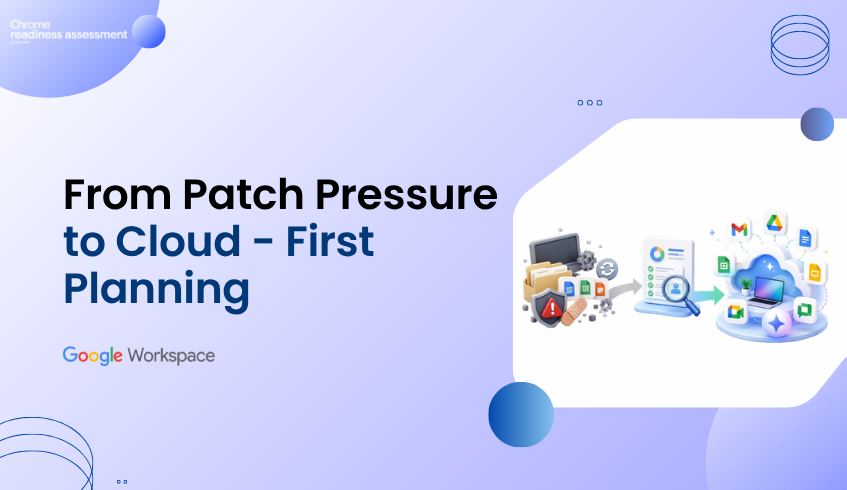
From Patch Pressure to Cloud-First Productivity Planning
Security patch cycles are a constant reminder that productivity environments need regular review. The July 2026 Monthly Patch addresses multiple Microsoft security vulnerabilities across Windows, SharePoint, Exchange, Microsoft Office, Word, and PowerPoint.
For organizations that still depend heavily on legacy productivity tools, this creates a bigger planning question. Teams may be patching, supporting, and maintaining applications that are not equally important across the business anymore. Some tools may still support critical workflows, while others may be used rarely or replaced by more modern cloud-first alternatives.
Google Workspace gives organizations a more connected and cloud-first way to work across Gmail, Drive, Docs, Sheets, Slides, Meet, Chat, and Gemini. But before moving, IT teams need to understand what users actually rely on today. That is where Workspace Readiness in Chrome Readiness Assessment helps.
Security Planning Should Review Productivity Tools
Security planning often focuses on endpoints, networks, identity, and access control. But productivity tools also need attention because they sit at the center of daily business activity. Employees use documents, spreadsheets, presentations, shared files, and email to handle sensitive information, collaborate with teams, and support customer-facing work.
When older productivity tools remain active across the environment, they can create hidden complexity. IT teams may need to manage local installations, patch cycles, compatibility issues, file dependencies, add-ins, macros, and user workflows that are difficult to review at scale. The challenge is not only whether these tools are installed. The real question is whether they are still actively needed and how much business work depends on them.
A stronger productivity security plan starts with visibility. Before teams decide what to keep, replace, or migrate, they need a clear view of current application usage and workflow dependency.
Moving Beyond Constant Patch Pressure
Patch management will always matter. Every organization needs a responsible way to respond to vulnerabilities and keep systems updated. But patching alone does not answer whether the current productivity environment is still the right long-term fit.
Some legacy tools may be deeply embedded in business workflows. Others may remain installed because they were part of older licensing decisions, previous deployments, or user habits that no longer reflect how teams work today. Without usage visibility, organizations may continue supporting tools that add cost and complexity without delivering enough value.
This is where cloud-first productivity planning becomes important. Instead of only reacting to each security alert, organizations can also review whether Google Workspace can support a simpler, more collaborative, and more manageable way of working.
Google Workspace Supports Safer Cloud Collaboration
Google Workspace brings communication, collaboration, storage, meetings, documents, spreadsheets, and AI-powered productivity into one connected cloud environment. This helps teams reduce the friction that often comes from local files, disconnected applications, and repeated file sharing.
Google Workspace threat prevention helps protect users with built-in threat defenses, secure-by-design architecture, and controls that reduce exposure to phishing and malware. Gmail automatically blocks more than 99.9% of spam, phishing attempts, and malware before they reach users.
For teams that handle business-critical documents, files, and communication every day, this matters. A cloud-first workspace gives users a smoother way to collaborate while helping IT teams apply stronger controls across the environment.
Security and Productivity Work Better Together
Modern work needs both security and speed. Users need quick access to files, smooth collaboration, shared documents, and reliable communication. IT teams need control over data, identity, devices, and access.
Google Workspace security helps protect company data across all the devices. It also supports contextual access, data loss prevention controls, and zero-trust controls that verify users and devices before granting access.
This makes Workspace useful for organizations that want to reduce reliance on fragmented productivity workflows. When work happens in a connected cloud platform, collaboration becomes easier to manage and security controls become easier to apply consistently.
Legacy Tool Usage Can Hide Migration Risk
A move to Google Workspace should not begin with assumptions. Even when the benefits are clear, organizations still need to understand which productivity tools are actively used across the business.
Some users may only open legacy applications occasionally. Others may depend on them for daily work. Some workflows may already have Google Workspace alternatives, while others may need review before migration. Without visibility, IT teams may overestimate the importance of rarely used tools or underestimate workflows that still depend on older applications.
This is why migration planning needs real usage data. Before starting a Google Workspace migration, teams should understand current productivity tool usage and overall readiness.
Workspace Readiness Connects Security Review to Migration Planning
Workspace Readiness in Chrome Readiness Assessment helps organizations understand what their teams really use before they migrate. It helps teams identify office productivity tools used, review usage time for each application, detect macro usage, spot Google Workspace alternatives, reduce conflicts, eliminate unused licenses, and uncover hidden blockers before migration.
This gives IT teams a practical way to move from security concern to migration planning. Instead of only saying that legacy productivity tools should be reviewed, teams can see which tools are still important, which ones are rarely used, and where Google Workspace alternatives may fit.
Workspace Readiness also helps reduce migration surprises. If a tool is rarely used, the organization may have an opportunity to simplify support or reduce unnecessary licensing. For teams reviewing whether older Office applications are still worth maintaining, this guide on how unused Office applications can increase productivity software costs gives a deeper look at that cost and complexity angle. If a tool is heavily used, it may need a more careful transition plan. If a Google Workspace alternative exists, teams can plan the move with more confidence.
Macro Usage Should Be Reviewed Without Becoming the Whole Story
Macro usage can be an important part of productivity migration, especially for teams that rely on advanced spreadsheet or Office-based workflows. But it should be reviewed as one part of the broader readiness picture, not as the only reason to assess the environment.
Workspace Readiness helps surface macro usage where it may affect migration planning. For teams that need a deeper review of this area, read our guide on macro usage before moving Office workflows to Google Workspace.
For this broader planning conversation, the bigger goal is to understand the full productivity environment. That means knowing which tools are used, how often they are used, where alternatives exist, and which workflows need review before users move.
From Legacy Complexity to Cloud-First Readiness
Cloud-first productivity planning helps organizations move beyond constant reaction. Patch cycles and vulnerability alerts may create urgency, but readiness visibility creates direction.
Workspace Readiness helps teams understand whether their current productivity environment is ready for Google Workspace. It gives IT teams a clearer view of tool usage, hidden blockers, and possible Workspace alternatives before migration begins.
This makes the move more practical. Instead of switching platforms based only on urgency, teams can plan around real usage and decide where Google Workspace can support a safer, simpler, and more connected way to work.
Using Google Workspace as the Next Productivity Direction
Google Workspace supports a stronger direction for modern work because it brings collaboration, communication, AI-powered productivity, and security capabilities into one cloud platform. It helps teams reduce scattered local files, disconnected workflows, and difficult-to-manage productivity environments.
But a stronger direction still needs a practical first step. Workspace Readiness helps organizations understand what users rely on today, where blockers may exist, and how Google Workspace migration can begin with more confidence.
FAQ
Why do Microsoft security vulnerabilities matter for productivity planning?
Microsoft security vulnerabilities remind organizations to review the productivity tools still active in their environment. If legacy tools are widely used, IT teams should understand usage, risk, and migration readiness before deciding the next step.
How does Google Workspace support safer collaboration?
Google Workspace helps teams collaborate more safely with threat defenses, phishing and malware protection, login protections, contextual access, data loss prevention controls, and zero-trust security capabilities.
Does Google Workspace remove every security risk?
No. No platform removes every security risk. Google Workspace gives organizations a more cloud-first and security-focused productivity environment, but teams still need strong policies, user education, access controls, and readiness planning.
What does Workspace Readiness help identify?
Workspace Readiness helps teams identify office productivity tools used, usage time for each application, macro usage, Google Workspace alternatives, unused license opportunities, and hidden migration blockers.
Why should readiness come before Google Workspace migration?
Readiness helps teams understand what users rely on today before migration begins. This reduces surprises and helps IT teams decide which tools, workflows, and users are ready for Google Workspace.
How does CRA support Workspace migration planning?
Chrome Readiness Assessment supports migration planning by giving IT teams visibility into current productivity tool usage and readiness signals. This helps teams move from assumptions to a clearer Google Workspace migration plan.
Patch pressure should not only trigger short-term fixes. It should also encourage organizations to review whether their productivity environment is still the right fit. Google Workspace gives teams a safer cloud-first direction, while Workspace Readiness in CRA helps organizations understand what they use today and how to plan the move with more confidence.