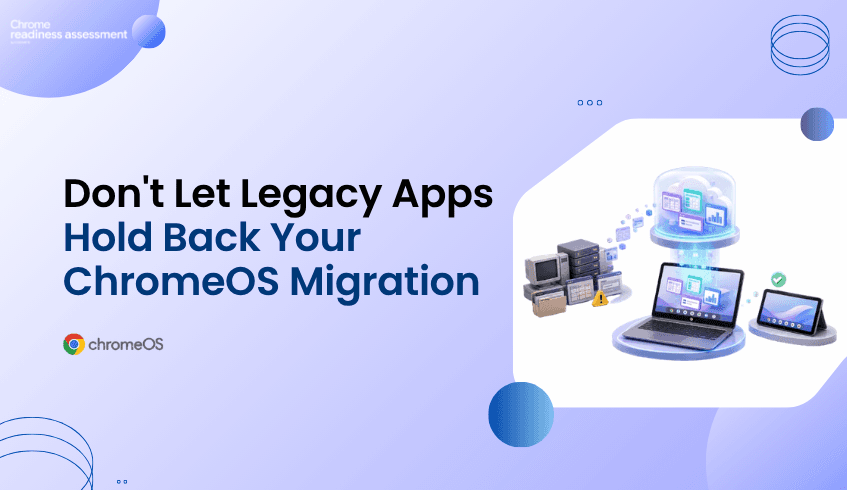
Legacy Apps Should Not Delay Every ChromeOS Migration Plan
Many organizations want to move toward ChromeOS and Chromebooks because they support a secure, cloud-first, and easier-to-manage endpoint model. But migration planning can become difficult when teams still depend on legacy applications that are not fully ready for ChromeOS.
This does not mean the entire migration has to stop. Some users may be ready for ChromeOS today, while others may still need access to older business applications, internal tools, or specialized software. Application virtualization can help bridge that gap by allowing organizations to keep important app access available while still moving forward with endpoint modernization.
Chrome Readiness Assessment helps teams understand where virtualization may fit into the migration plan. Instead of guessing which applications could block ChromeOS adoption, CRA gives IT teams a clearer view of the current environment and helps identify where Cameyo compatibility may need to be reviewed.
Legacy Applications Can Slow Modernization
ChromeOS migration is rarely blocked by the idea of ChromeOS itself. The bigger challenge is often the existing application environment. Many organizations have business-critical tools that were built for older operating systems, local desktop workflows, or specific device setups.
These applications may still support daily work in finance, operations, customer support, manufacturing, healthcare, logistics, or administration. Some may be used by only a small number of employees, but those users may still need the tools to complete important tasks. When these dependencies are not visible, IT teams may delay a broader ChromeOS migration because they are unsure which apps are safe to move and which ones need another path.
This is where the planning conversation needs to change. A legacy application should not automatically delay every user, every department, or the full device strategy. Teams need a way to separate users who are ready for ChromeOS from workflows that still need legacy app access.
Virtualization Creates a Bridge, Not a Detour
Application virtualization gives organizations a way to keep legacy or specialized applications available without tying every user to a traditional endpoint model. Instead of keeping an entire device fleet on older systems because of a few critical applications, teams can review whether virtual app delivery can support specific workflows during migration.
This makes ChromeOS migration more flexible. Ready users can move forward with Chromebooks, while complex application needs can be reviewed separately. Virtualization becomes a bridge between the current environment and the future endpoint strategy.
This matters because modernization does not always happen all at once. Some applications may eventually be replaced by SaaS tools. Some may move to web-based alternatives. Others may remain important for a longer period. Virtualization helps organizations keep momentum while those decisions are being made.
ChromeOS Migration Becomes Easier to Phase
A successful ChromeOS migration does not need to start with the most complex users. It can begin with teams whose work already happens mostly through cloud apps, browser-based systems, Google Workspace, SaaS tools, or internal web platforms.
Virtualization supports this phased approach because it gives IT teams more options. If a group is mostly ready for ChromeOS but still needs one or two legacy applications, virtualization may help reduce the need to keep those users fully tied to older devices.
This can make rollout planning more practical. IT teams can move ready users first, review app-dependent teams separately, and avoid turning one difficult application into a blocker for the entire migration. The goal is not to force every workflow into ChromeOS immediately. The goal is to keep migration moving while handling legacy dependencies with more control.
Virtualization Is Not the Answer for Every Application
Virtualization can be useful, but it should not be treated as a universal shortcut. Some applications may work well through a virtual delivery model, while others may need replacement, redesign, web modernization, or deeper technical review.
Performance requirements, user experience, licensing, peripheral needs, offline requirements, data access, and workflow complexity can all affect whether virtualization is the right option. A simple internal tool may be a better candidate than a highly specialized application that depends on local hardware or complex integrations.
This is why visibility matters before decisions are made. IT teams need to know which applications are used, who uses them, how important they are, and whether they may be suitable for a virtualized path. Without that view, teams may either overuse virtualization or miss opportunities where it could help migration move forward.
Separating App Dependency From Device Strategy
One of the biggest advantages of virtualization is that it helps separate application dependency from device strategy. In many organizations, users remain on traditional endpoints because of a small number of applications. The device is not always the problem. The dependency is.
When application access can be handled through another delivery model, IT teams gain more freedom to rethink the endpoint environment. More users may become candidates for Chromebooks. More workflows may become easier to support through cloud-first devices. More departments may be able to move without waiting for every legacy application to be replaced.
This creates a more realistic modernization path. ChromeOS adoption can continue while legacy app decisions are handled in parallel.
How CRA Helps Teams See Where Virtualization Fits
Chrome Readiness Assessment helps IT teams move from broad ChromeOS interest to practical migration planning. By giving organizations a clearer view of their current environment, CRA helps teams understand where readiness gaps may exist before making fleet changes.
For virtualization planning, this visibility is especially useful. CRA helps teams review application readiness and understand where certain applications may need another path before users move to ChromeOS. If an application is not fully ready for ChromeOS, IT teams can review whether virtualization may support that workflow instead of delaying the entire migration.
This helps teams make better decisions earlier. Instead of discovering app blockers after rollout begins, organizations can identify where virtual app delivery may need to be considered during planning.
Using Cameyo Compatibility as a Practical Signal
Cameyo can support virtual app delivery for organizations moving toward ChromeOS. Within CRA, Cameyo compatibility gives IT teams a practical signal when reviewing applications that may not move directly to ChromeOS.
This does not mean every application should automatically be virtualized. It means teams can use compatibility insight as part of a broader review. Some applications may be good candidates for Cameyo. Others may need replacement, further testing, or another migration path.
For a deeper look at the CRA feature side of this topic, read How CRA Helps Identify Applications for Cameyo Virtualization. That article focuses more directly on Cameyo compatibility inside CRA, while this blog focuses on virtualization as a broader ChromeOS migration strategy.
Moving ChromeOS Migration Forward With Less Risk
Legacy applications should not automatically stop endpoint modernization. They should be reviewed, understood, and planned around. Virtualization gives organizations a way to keep important application access available while still moving toward ChromeOS and Chromebooks.
CRA helps make that planning more practical. By giving IT teams readiness visibility before migration begins, Chrome Readiness Assessment helps organizations understand where ChromeOS adoption can move forward, where app dependencies need review, and where Cameyo compatibility may support a smoother transition.
FAQ
How can virtualization support ChromeOS migration?
Virtualization can help users access legacy or specialized applications while the organization moves toward ChromeOS. This allows teams to continue migration planning without waiting for every application to be replaced first.
Does virtualization replace application modernization?
No. Virtualization is not always a permanent replacement for modernization. It can act as a bridge while teams decide whether an application should be replaced, moved to a SaaS alternative, redesigned, or kept available through virtual delivery.
Why do legacy applications slow ChromeOS migration?
Legacy applications can slow migration when users still depend on tools that are not fully ready for ChromeOS. Without visibility, IT teams may delay broader rollout because they do not know which applications create blockers.
How does CRA help with virtualization planning?
Chrome Readiness Assessment helps teams understand where readiness gaps may exist before ChromeOS migration. It supports application review and helps identify where virtualization may need to be considered.
What is Cameyo compatibility in CRA?
Cameyo compatibility helps IT teams review whether certain applications may be suitable for virtual app delivery. This can support ChromeOS migration planning when an application is not fully ready for direct ChromeOS use.
Should every legacy app be virtualized?
No. Some applications may be better suited for replacement, SaaS alternatives, or further technical review. Virtualization should be considered where it supports user needs, migration goals, and long-term application strategy.
Virtualization helps organizations keep ChromeOS migration moving without ignoring legacy application needs. CRA gives IT teams a clearer way to understand where virtualization may fit, where Cameyo compatibility should be reviewed, and how to move toward ChromeOS with less uncertainty.