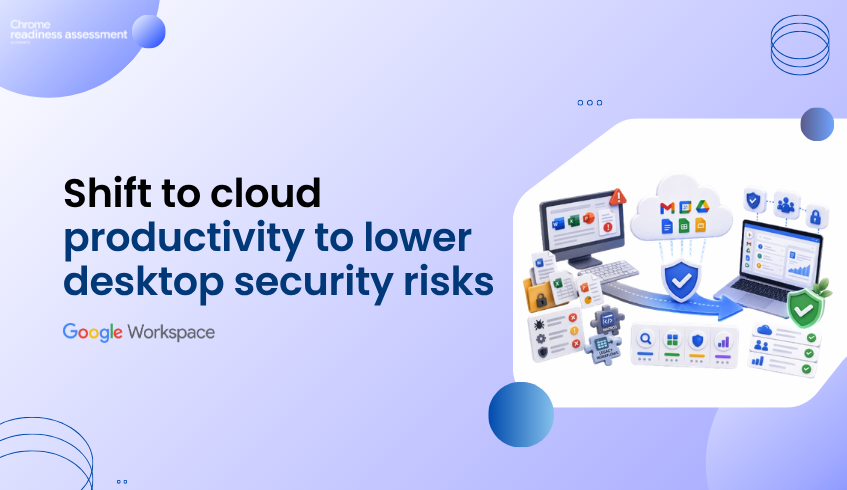
Cloud-First Productivity Reduces Desktop Office Security Pressure
Productivity security is not only about where files are stored. It is also about how users open, edit, share, and manage everyday work.
Traditional desktop productivity tools can increase operational pressure because local applications, file formats, macros, and endpoint patching all become part of the security conversation. Google Workspace offers a more cloud-first model for productivity, with built-in threat defenses, secure-by-design architecture, and protections against phishing and malware.
That does not mean every risk disappears. Users may still download files, sync content, or open documents outside the browser. But moving more work into browser-based and cloud-native tools can reduce dependency on locally installed office software and help teams lower the security and maintenance burden around desktop productivity environments.
Before moving away from Microsoft Office, WPS Office, or other desktop productivity tools, teams still need readiness visibility. That is where Workspace Readiness in Chrome Readiness Assessment helps.
Desktop Productivity Tools Can Add Security Pressure
For many organizations, office tools are deeply connected to daily work. Users create documents, open attachments, manage spreadsheets, prepare reports, share files, and collaborate across teams.
When this work depends heavily on locally installed desktop applications, IT teams need to think about application patching, macro behavior, file compatibility, endpoint exposure, and older workflows that may still rely on local software.
This can create extra pressure during security planning. A vulnerable desktop app, a risky attachment, or a macro-heavy spreadsheet workflow may create problems that are not visible from licensing data alone.
A cloud-first productivity model gives organizations a different path. Instead of relying on every endpoint to run heavy local productivity software, more work can happen inside managed, browser-based Workspace apps.
Google Workspace Brings Security Closer to Cloud Work
Google Workspace supports productivity through tools such as Gmail, Drive, Docs, Sheets, Slides, Meet, Chat, and Calendar. These tools are designed for cloud-based work, where collaboration, sharing, access, and security controls can be managed centrally.
Workspace also includes built-in protections that help prevent phishing and malware from reaching users and devices. Gmail can scan or run attachments in a virtual environment called Security Sandbox to check for malicious behavior before users interact with them.
This makes Workspace different from a purely desktop-based productivity model. Security controls can work closer to the cloud service, while users collaborate through browser-based tools instead of depending entirely on locally installed office applications.
Cloud-First Does Not Mean Risk-Free
A safer productivity strategy should avoid absolute assumptions. Google Workspace can reduce dependency on local office software, but users may still work with PDFs, Microsoft Office files, downloaded content, Drive for desktop, and other file types.
That is why the better message is not “zero risk.” The better message is “less reliance on local productivity software and stronger cloud-managed controls.”
Native Workspace documents such as Google Docs and Sheets are not impacted by ransomware in the same way as other file formats like PDFs and Microsoft Office files, while Google Drive also supports AI-powered ransomware detection for Drive for desktop.
This gives organizations a stronger reason to review how much work can move into Workspace-native formats and cloud-first workflows.
CRA Helps Teams Plan the Move More Safely
Chrome Readiness Assessment helps teams understand the current productivity environment before moving deeper into Google Workspace.
Workspace Readiness gives IT teams visibility into which office applications are used, where macro dependencies may exist, and which tools may have Google Workspace alternatives. That visibility supports a more controlled migration plan.
This matters because security benefits are easier to realize when the migration path is clear. If a team still depends on macro-heavy spreadsheets or legacy desktop workflows, that should be reviewed before the organization expects a smooth move to cloud-first productivity.
From Patch Pressure to Workspace Readiness
Google Workspace can help organizations reduce dependency on locally installed office applications and move toward a more secure, cloud-first productivity model. But the move should be planned with real environment data.
Workspace Readiness helps teams identify where desktop office usage still exists, where dependencies need review, and where Google Workspace may provide a better path forward.
For a deeper look at this CRA capability, read Workspace Readiness: Plan Desktop Office Migration With Real Usage Data.
FAQ
Does Google Workspace remove all endpoint security risks?
No. Users may still download files, sync content, or open documents outside the browser. Google Workspace can reduce dependency on local desktop productivity software, but endpoint security and user controls still matter.
How does Google Workspace help with threat prevention?
Google Workspace includes built-in threat defenses, secure-by-design architecture, and security controls to help prevent phishing and malware from reaching users and devices.
What is Gmail Security Sandbox?
Gmail Security Sandbox opens email attachments in a virtual environment and checks for signs of malicious activity before users interact with them.
How does Workspace Readiness help before migration?
Workspace Readiness helps teams review desktop office usage, macro dependencies, file compatibility considerations, and possible Google Workspace alternatives before migration.
Why does macro usage matter for Workspace migration?
Macro-heavy workflows may need review before moving fully into Workspace. Identifying those dependencies early helps teams plan migration more carefully.
Cloud-first productivity can reduce desktop office security pressure, but successful migration still needs visibility. CRA helps teams understand what users rely on today before moving toward Google Workspace with more confidence.