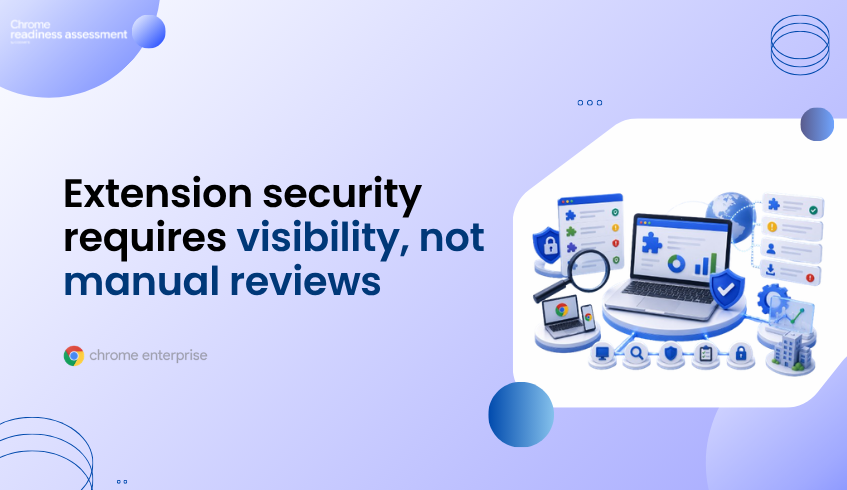
Extension Security Starts With Visibility, Not Manual Review
Browser extensions can help employees work faster, but they can also create security blind spots when IT teams do not know what is installed, where it is installed, or what permissions those extensions request.
Outbrain’s Chrome Enterprise story shows this clearly. The company adopted Chrome Enterprise and Spin.AI integrations to create policies for secure app and extension use, manage automatic updates, and improve extension governance across a dispersed workforce. Its manual review process was time-consuming and did not provide full visibility into extensions and apps already in the environment.
That makes extension visibility an important starting point. Before organizations can enforce extension policies effectively, they need to understand which extensions already exist across the browser fleet.
Chrome Readiness Assessment helps support that step through Browser Insights and CEP Accelerator. Browser Insights helps identify extension exposure across devices, while CEP Accelerator helps teams prioritize extension risks before planning Chrome Enterprise Premium enforcement.
Extensions Are Useful, But They Need Governance
Browser extensions often support real productivity needs. Users install them to improve writing, manage passwords, capture screenshots, summarize pages, automate small tasks, or connect browser activity with other tools.
The challenge is that extensions run close to the same browser activity where users access enterprise applications, cloud data, credentials, and authenticated sessions. Even when an extension is not malicious, it may still request broad permissions or interact with sensitive browser activity.
This is why extension governance should not depend only on whether an extension looks useful. Security teams need visibility into what extensions are installed, which devices are affected, and whether those extensions should be allowed, reviewed, restricted, or blocked.
Manual Extension Review Does Not Scale
Outbrain’s experience highlights a common enterprise problem. Manual vetting, testing, and blocking of extensions can become slow and reactive when teams do not have full visibility into what is already installed. The company also described the need for a more automated way to let employees safely install Chrome Enterprise extensions.
This is a useful lesson for other organizations. Extension security is not only about creating a blocklist. It is about building a process where productivity tools can be reviewed without leaving risky or unknown extensions unmanaged.
A stronger approach starts with discovery. Teams first need to know which extensions are active, where they appear, and what kind of exposure they create.
Chrome Enterprise Helps Move From Review to Control
Chrome Enterprise gives organizations a managed browser foundation for extension policy and control. In Outbrain’s case, Chrome Enterprise extension risk assessment, powered by Spin.AI, helped generate risk scores and assessment reports to support allow-or-block decisions. Chrome Enterprise Core’s extension workflow also allowed employees to submit extension requests for IT and security review.
That kind of process helps teams move from reactive extension handling to structured extension governance. Instead of waiting for risky extensions to become a problem, IT and security teams can manage extension decisions with better context.
For organizations planning stronger browser security, Chrome Enterprise Premium can extend this foundation with advanced browser-level protections.
CRA Helps Identify Extension Exposure First
Chrome Readiness Assessment helps teams understand browser and extension risk before enforcement decisions are made.
Browser Insights gives security teams device-level visibility into browser and extension exposure across the enterprise fleet. For extension governance, it helps surface installed extensions, sources, permissions, metadata, and security-relevant insights across browsers such as Chrome, Edge, Firefox, Vivaldi, Brave, and Opera.
This matters because enterprise browser environments are rarely uniform. Some devices may only have approved extensions, while others may include unknown or unverified extensions that need closer review.
CEP Accelerator Supports Prioritization
Finding extensions is only the first step. Teams also need to decide what deserves attention first.
CEP Accelerator helps connect browser risk visibility to Chrome Enterprise Premium planning. For extension security, it can help teams connect findings such as unverified extensions, broad extension exposure, or device-level browser risk to the controls that support stronger extension governance.
This gives security teams a more practical path. Instead of treating every extension finding the same way, teams can prioritize based on risk, exposure, affected devices, and the broader browser environment.
From Unknown Extensions to Safer Browser Enforcement
Extension security works best when teams start with visibility. Unknown extensions can create policy gaps because they operate inside the browser environment where users access apps, data, and business systems.
Chrome Enterprise helps organizations manage extension policies and workflows. Chrome Enterprise Premium strengthens the browser security layer. CRA helps teams understand extension exposure before enforcement begins.
For a deeper look at this CRA capability, read From Unknown Extensions to Chrome Enterprise Premium Enforcement.
FAQ
Why are browser extensions a security concern?
Browser extensions can request permissions that allow them to interact with web pages, browser activity, downloads, cookies, or sensitive application data. This makes visibility important before enforcement begins.
What did Outbrain improve with Chrome Enterprise?
Outbrain used Chrome Enterprise with Spin.AI integrations to support secure app and extension use, extension risk assessment, automatic updates, and extension review workflows.
Does CRA verify extensions directly?
No. CRA supports visibility and planning. Browser Insights helps surface extension exposure, including installed extensions, permissions, and devices that may need review.
How does Browser Insights help with extensions?
Browser Insights helps teams identify installed extensions, extension sources, permissions, and device-level exposure across the browser fleet.
How does CEP Accelerator connect to extension security?
CEP Accelerator helps teams prioritize extension-related browser risks and connect those findings to Chrome Enterprise Premium planning.
Extension governance should not begin with guesswork. CRA helps teams see which extensions are already present, where exposure exists, and what may need review before Chrome Enterprise Premium enforcement is planned.