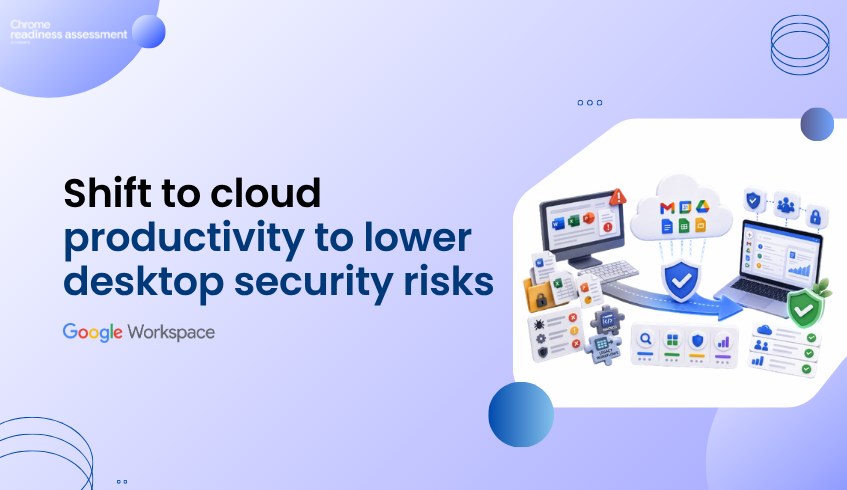
Why Organizations Should Understand Office Usage Before Migrating to Google Workspace
Moving to Google Workspace is more than replacing one productivity suite with another.
It is an opportunity to modernize collaboration, simplify administration, and improve the way teams work.
However, many organizations begin migration planning without fully understanding how Microsoft Office applications are actually being used across their environment.
They know Microsoft Office is installed.
They know users have licenses.
But they often do not know:
Which Office applications are actively used
Which departments rely on specific applications
Which users still depend on macros
Which applications are rarely opened
Which workloads already have Google Workspace alternatives
Without this visibility, migration decisions are often based on assumptions rather than real usage.
Workspace Readiness helps organizations replace those assumptions with actionable insights before migration begins.
Installation Doesn't Tell the Whole Story
Most IT teams can quickly identify which Microsoft Office applications are installed across the organization.
What they often cannot see is how those applications are actually being used.
For example:
Microsoft Access may be installed on hundreds of devices but only used by a handful of users.
Microsoft Publisher may remain installed even though it has not been opened for months.
Excel may be widely deployed, yet only a small percentage of users rely on advanced features such as macros.
Some applications may simply exist because they were included with Microsoft 365 licensing.
An application inventory alone does not provide enough information to make confident migration decisions.
Understanding real usage is what transforms software inventory into migration intelligence.
Why Usage Visibility Matters
Every organization has a different productivity landscape.
Marketing teams may rely heavily on PowerPoint.
Finance teams may depend on Excel workbooks containing macros.
Operations teams may still use Access databases.
Other departments may already spend most of their day using cloud-based collaboration tools.
Treating every user as though they work in the same way often leads to unnecessary complexity during migration.
Organizations benefit from understanding:
Which Office applications are used most frequently
How much time users spend in each application
Which applications are rarely or never used
Which applications contain macro dependencies
Which Google Workspace applications may serve as practical alternatives
These insights allow migration planning to reflect how people actually work rather than how software is licensed.
Where Workspace Readiness Adds Clarity
Workspace Readiness gives organizations a clearer understanding of their Microsoft Office environment before migration begins.
Instead of reviewing software inventories manually, teams gain visibility into:
Office applications installed across the organization
Application usage time
Frequently used productivity tools
Devices using macro-enabled applications
Unused applications
Google Workspace alternatives for commonly used Office applications
Workspace compatibility insights at both organization and device level
The dashboard helps administrators move beyond simple software inventories and understand which applications are actively supporting day-to-day business operations.
Turning Office Usage Into Migration Planning
Migration planning becomes far more effective when decisions are supported by real usage data.
Instead of assuming every installed application needs to be migrated, organizations can identify where attention should be focused.
For example, teams can:
Identify applications that are heavily relied upon
Understand where macro usage may require additional planning
Discover applications that have suitable Google Workspace alternatives
Recognize software that is rarely or never used
Prioritize departments based on actual productivity workflows
This allows organizations to approach migration in a more structured and informed way.
Rather than treating every application equally, they can focus on the tools that matter most to users.
Why Business Leaders Should Care
Technology migrations are not simply IT projects.
They affect productivity, collaboration, licensing costs, user adoption, and day-to-day business operations.
Organizations that understand how employees work before migration are better positioned to:
Reduce migration uncertainty
Improve user adoption
Minimize disruption
Optimize software licensing
Plan migration phases with greater confidence
Successful migrations begin with visibility.
Understanding how Microsoft Office applications are actually used provides a stronger foundation for moving to Google Workspace.
FAQ
Why isn't an application inventory enough?
An inventory shows what is installed, but it does not explain how frequently applications are used or how important they are to daily business activities.
Why is understanding Office usage important before migration?
Different departments rely on different applications and workflows. Understanding actual usage helps organizations prioritize migration efforts and reduce disruption.
What insights does Workspace Readiness provide?
Workspace Readiness provides visibility into installed Office applications, usage time, macro usage, unused applications, Google Workspace alternatives, and compatibility insights to support migration planning.
Does Workspace Readiness identify unused applications?
Yes. It helps organizations distinguish between actively used applications and software that is rarely or never used, allowing teams to make more informed migration decisions.
How does this improve Google Workspace migration?
By understanding application usage before migration begins, organizations can better prioritize workloads, reduce unnecessary complexity, and plan a migration strategy based on real user behavior rather than assumptions.
Workspace Readiness helps organizations move from migration assumptions to migration clarity. By showing Office application usage, macro dependencies, unused applications, and Google Workspace alternatives, it helps teams plan a more informed, practical, and confident move to Google Workspace.