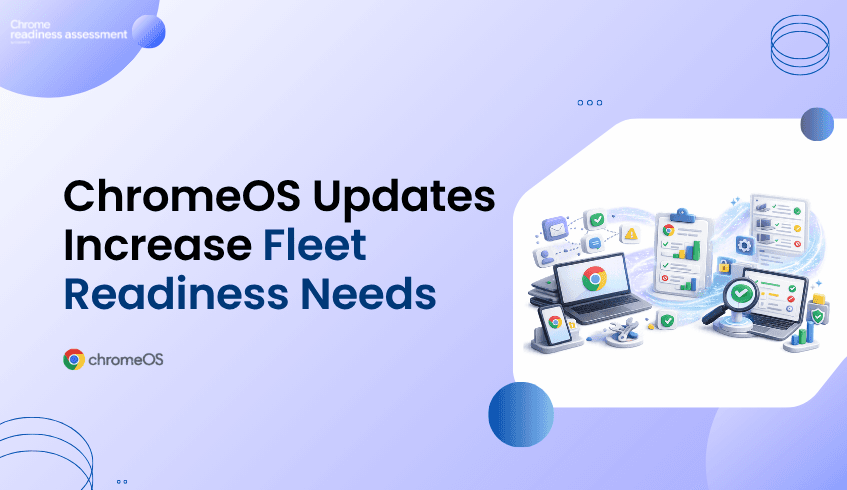
ChromeOS Updates Make Fleet Readiness More Important
ChromeOS continues to become more useful for organizations that want a secure, cloud-first, and easier-to-manage endpoint environment. The ChromeOS 150 release notes include updates across managed Chromebook authentication, app support, reauthentication reliability, long-term release planning, and managed device experiences.
For IT teams, these updates make ChromeOS and Chromebooks a stronger option for modern device fleets. ChromeOS supports cloud-based work, centralized management, automatic updates, and a simpler endpoint experience compared with traditional device environments. But moving to ChromeOS still needs careful planning.
A migration is not only about choosing Chromebooks. IT teams need to understand whether their current fleet are ready for ChromeOS. That is where Chrome Readiness Assessment helps. CRA gives teams a clearer view of their environment before they move, so ChromeOS adoption can be planned with less risk and more confidence.
ChromeOS Is Becoming More Enterprise Ready
ChromeOS is built around a cloud-first way of working, and that direction continues to support organizations that want easier device management and stronger endpoint control. For business environments, ChromeOS can help reduce the complexity that often comes with heavy desktop operating systems, local application dependencies, and scattered device management processes.
Recent ChromeOS updates continue to strengthen this direction. Managed Chromebook authentication, enterprise policies, long-term release planning, and browser-based app support all matter for organizations that want a more predictable device experience. These updates are not only feature improvements. They also give IT teams more control over how ChromeOS devices are used, secured, and managed across the organization.
For teams considering ChromeOS migration, this is important. The operating system is moving in a direction that supports modern work, but the current environment still needs to be assessed before devices are moved.
Authentication Updates Support Managed Chromebook Control
Managed Chromebooks need to fit into enterprise identity and access requirements. ChromeOS 150 adds enterprise policies that allow users to enable local PINs and passwords on managed Chromebooks, while admins can configure minimum complexity requirements for those local authentication methods.
This matters because authentication is one of the first areas IT teams review before adopting or expanding a managed device strategy. Users need a smooth sign-in experience, but organizations also need policy control, identity alignment, and predictable access behavior.
ChromeOS also improves reauthentication reliability, helping reduce unexpected reauthentication requests on the login screen. For users, this can make the device experience smoother. For admins, it supports a more reliable managed Chromebook environment.
ChromeOS Updates Are Strong, but Migration Still Has Risk
ChromeOS can support a simpler, more secure, and more manageable endpoint strategy. ChromeOS device management also gives businesses a way to remotely manage devices that power employees and customer experiences.
But migration is still a risk if it begins without visibility. A device fleet may include older hardware, unsupported peripherals, legacy applications, browser dependencies, local workflows, or users who rely on tools that are not ready for ChromeOS and etc. These issues can slow adoption and create user disruption.
That is why the migration question should not only be, “Is ChromeOS good for our organization?” A better question is, “Is our current environment ready for ChromeOS?”
CRA helps answer that question before rollout begins.
How CRA Helps Teams Prepare for ChromeOS Migration
Chrome Readiness Assessment helps IT teams understand whether their current fleet is ready for ChromeOS. It gives teams visibility so migration planning can be based on real environment data.
This is especially useful when organizations are reviewing Chromebooks for a migration rollout. Instead of guessing which users or devices can move first, IT teams can identify where the environment is ready, where more review is needed, and where blockers may affect adoption.
CRA helps teams move from general interest in ChromeOS to a practical migration plan. It supports better decisions around which devices should move first, which workflows need review, which applications may require alternatives, and which parts of the fleet may not be ready yet.
Turning ChromeOS Updates Into a Practical Rollout Plan
ChromeOS updates make the platform stronger for managed enterprise environments. Authentication improvements, policy controls, app changes, long-term release options.
But the strongest rollout plans begin with readiness. Before moving a fleet to ChromeOS, organizations need to understand current device health, application usage, peripheral compatibility, browser dependencies, and migration blockers.
CRA helps IT teams build that view. It gives organizations a clearer way to prepare for ChromeOS migration, reduce migration related rollout surprises.
For a broader look at the value of ChromeOS for modern work, read ChromeOS Is Built for Modern Work. Is Your Environment Ready?
FAQ
What are the ChromeOS updates focused on?
ChromeOS updates include improvements across managed Chromebook authentication, enterprise policies, app support, reauthentication reliability, long-term release planning, accessibility, and ChromeOS Flex update requirements.
Why do ChromeOS updates matter for IT teams?
They matter because IT teams need predictable device management, stronger policy control, smoother user experiences, and clearer support planning before expanding ChromeOS across the organization.
Why is ChromeOS migration risky without readiness visibility?
Migration can create issues if teams do not understand application dependencies, peripheral compatibility, older hardware, browser usage, local workflows, or device-level blockers before rollout.
How does CRA help with ChromeOS migration planning?
Chrome Readiness Assessment helps IT teams assess applications, devices, browsers, peripherals, and readiness blockers before moving users or device groups to ChromeOS.
Can CRA help teams decide which devices should move first?
Yes. CRA helps teams understand which parts of the environment are more ready for ChromeOS and which areas need further review before migration.
Why does ChromeOS Flex readiness matter?
ChromeOS Flex can help modernize existing devices, but older hardware may not always meet future update or support requirements. Readiness assessment helps teams understand which devices may be suitable for ChromeOS Flex and which may need review.
ChromeOS and Chromebooks give organizations a strong path toward secure, cloud-first, and easier-to-manage endpoints. CRA helps make that path more practical by showing whether the current fleet is ready, where blockers may exist, and how ChromeOS migration can begin with more confidence.