
Explore key tools, smart features, and expert insights...
When organizations plan a move to ChromeOS, they often focus on applications, users, and device readiness. Those areas are important, but they do not show the complete working environment around each endpoint.
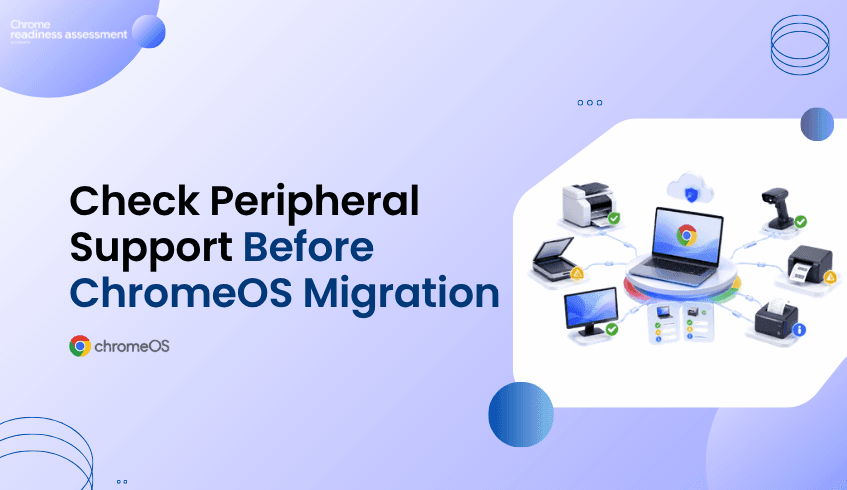
Peripherals can also affect migration success. Many employees depend on connected devices every day, such as printers for documents, scanners for records, monitors for productivity, barcode readers for inventory, label printers for logistics, or receipt printers for point-of-sale work.
If these peripherals are not reviewed before migration, a device may appear ready on the surface but still create workflow disruption after rollout. Chrome Readiness Assessment helps organizations understand peripheral compatibility at the device level before moving forward.
A business device is rarely used by itself. In many environments, endpoints are connected to other hardware that supports daily work and helps users complete important tasks.
Office teams may depend on printers and monitors. Retail teams may need barcode readers and receipt printers. Warehouse teams may rely on scanners and label printers. Healthcare, logistics, manufacturing, and service teams may also depend on specific peripheral models to keep daily operations running.
This means ChromeOS readiness is not only about whether the main device can move. It is also about whether the connected peripherals can continue supporting the user’s workflow. Without this visibility, IT teams may miss important compatibility issues until users are already affected.
Peripheral compatibility matters because connected hardware can directly affect productivity. If a printer does not work as expected, users may not be able to complete document workflows. If a scanner is not compatible, teams may struggle with record capture or operational documentation.
The same issue can appear in more specialized environments. If a barcode reader or label printer does not work, retail, warehouse, or logistics workflows may be interrupted. If a receipt printer is missed, point-of-sale workflows may be affected.
These issues can create avoidable support tickets, user frustration, and rollout delays. That is why organizations need to understand peripheral readiness before ChromeOS migration begins..
Chrome Readiness Assessment helps IT teams see which peripherals are connected to each device and whether those peripherals are ready for ChromeOS. This gives teams a clearer view of the full endpoint setup instead of only reviewing the device itself.
CRA supports six peripheral categories:
printer
scanner
monitor
barcode reader
label printer
receipt printer
When an IT team reviews a device in CRA, they can see how many peripherals are connected to that device. They can also view the peripheral model and its Peripheral Readiness Status. This helps teams understand whether a device is truly ready from a user workflow perspective.
Peripheral data becomes especially useful when planning rollout phases. Some devices may have no connected peripherals and may be easier to move. Other devices may have compatible peripherals and can be considered lower risk. Some devices may have peripherals that need review before migration.
This helps IT teams decide which devices can move with less concern and which ones need more preparation. A device with compatible printers and monitors may be ready for migration, while a device connected to a scanner may need compatibility review. A retail device with a receipt printer may need extra validation, and a warehouse device using barcode readers and label printers may require more careful planning.
This makes migration planning more practical. IT teams can focus on the devices where peripheral compatibility may affect daily work, instead of treating every endpoint as though it has the same risk level.
Knowing that a device has a printer or scanner is helpful, but knowing the exact peripheral model is even more useful. Different models may behave differently in a ChromeOS environment, even when they belong to the same general peripheral category.
A printer from one model line may be ready, while another may need review. A scanner, barcode reader, or receipt printer may support one workflow but require validation for another. Without model-level visibility, IT teams may be forced to make broad assumptions that are not always accurate.
CRA gives teams model-level visibility so they can make more specific decisions. Instead of assuming that all printers are ready or all scanners need replacement, teams can review peripheral readiness based on the actual hardware connected to each device.
IT teams are responsible for making migration smooth for users. Application readiness is important, but it is not the full picture if users depend on connected hardware to complete their work.
If peripherals are missed, users may still experience disruption even when their main applications are ready. CRA helps IT teams reduce that risk by showing peripheral compatibility before migration. This supports better planning, fewer surprises, and more confident rollout decisions.
Peripheral insights also help teams prioritize testing where it matters most. Devices connected to business-critical hardware can be reviewed earlier, while lower-risk devices can move through the migration process with more confidence.
Peripheral issues can affect real business operations. A small compatibility gap can delay work if the affected device supports printing, scanning, inventory, labeling, or customer transactions.
For business leaders, this matters because migration success depends on continuity. Users need to keep working after the move, and the tools connected to their devices often play a direct role in that continuity.
CRA helps organizations protect that continuity by showing where peripheral readiness should be reviewed before ChromeOS migration. This supports better planning, smoother adoption, and fewer avoidable disruptions.
A successful ChromeOS migration should consider the complete device experience. That includes the device, the applications, the users, and the peripherals connected to each endpoint.
Chrome Readiness Assessment helps organizations see this more clearly. By showing connected peripherals, peripheral models, and Peripheral Readiness Status, CRA helps IT teams understand which devices are ready and which ones need review before migration.
Why does peripheral compatibility matter before ChromeOS migration?
Peripheral compatibility matters because users often rely on connected hardware such as printers, scanners, monitors, barcode readers, label printers, and receipt printers to complete daily work.
What peripheral categories does CRA support?
CRA supports six peripheral categories: printer, scanner, monitor, barcode reader, label printer, and receipt printer.
What can IT teams see in CRA?
IT teams can click into a device and see the peripherals connected to that device, the peripheral model, and the Peripheral Readiness Status.
Why is model-level visibility important?
Model-level visibility helps IT teams understand the exact hardware connected to each device, making compatibility review more accurate.
How does this help ChromeOS migration planning?
It helps teams identify which devices have compatible peripherals, which devices need review, and which device groups may require extra testing before migration.
Can peripheral issues delay migration?
Yes. If important peripherals are not compatible or not reviewed before rollout, users may face disruption after migration.
Chrome Readiness Assessment helps organizations move beyond basic device readiness and understand peripheral compatibility before ChromeOS migration. By showing connected peripherals, models, and Peripheral Readiness Status, CRA helps IT teams reduce rollout surprises and plan a smoother device migration experience.
Many organizations are planning to modernize their endpoint and browser environments.
For some teams, that means moving devices to ChromeOS.
For others, it means adopting Chrome Enterprise Premium to support secure enterprise browsing.
But before rollout begins, organizations need to answer one important question:
Is the current environment ready?
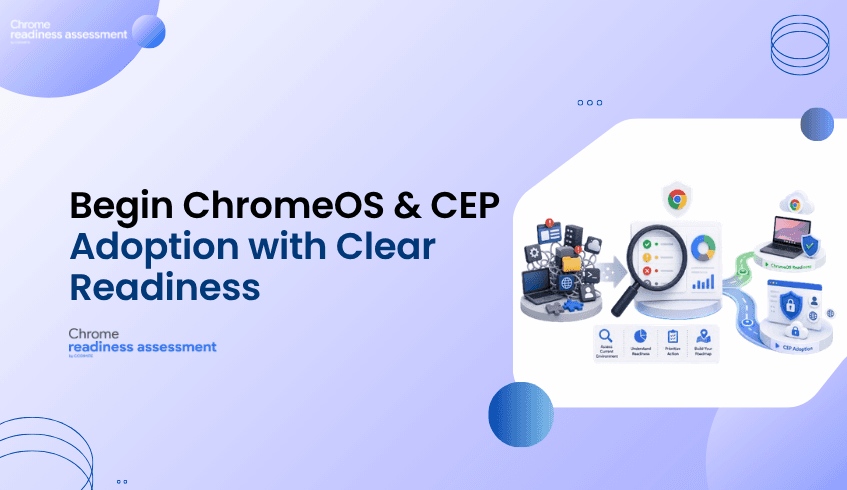
Chrome Readiness Assessment helps IT and security teams understand whether their applications, devices, browser environment, and security conditions are prepared for ChromeOS and CEP adoption.
Instead of planning based on assumptions, CRA helps organizations start with readiness visibility.
Choosing ChromeOS or adopting CEP is an important step.
But the success of that decision depends on the environment behind it.
An organization may want a more secure, cloud-first, and manageable endpoint experience.
It may also want stronger browser protection, better visibility, and a more controlled approach to secure enterprise browsing.
However, if the current environment is not reviewed first, rollout can become harder than expected.
Some devices may be ready.
Some applications may need review.
Some browser extensions, domains, access patterns, or security risks may need closer attention.
Without readiness visibility, teams may not know where blockers exist until rollout has already started.
That can lead to delays, support pressure, and uncertainty.
Readiness visibility helps organizations understand where they are before deciding how to move forward.
It gives IT and security teams a clearer view of the current environment, so they can plan with more confidence.
Before moving devices to ChromeOS or adopting CEP, teams need to understand:
what is ready
what needs review
where blockers may appear
which areas require more planning
which risks should be addressed before rollout
This matters because modernization is not only about enabling a new platform.
It is about making sure users, devices, applications, and security requirements can support the change.
CRA helps organizations build that understanding before rollout begins.
ChromeOS is designed as a secure, cloud-first operating system for modern work.
It can help organizations simplify endpoint management, support cloud-based work, and provide users with a more streamlined device experience.
But before moving devices to ChromeOS, IT teams need to understand whether the current environment can support that move.
CRA helps by giving teams visibility into readiness conditions that may affect ChromeOS planning.
This helps organizations understand which areas may be prepared, which areas need review, and where additional planning may be required before users are moved.
With this visibility, teams can plan ChromeOS adoption in a more structured way.
Chrome Enterprise Premium supports secure enterprise browsing by bringing advanced security capabilities into the browser environment.
For organizations adopting CEP, readiness is important because browser security depends on real users, real devices, real access patterns, and real risks.
CRA helps IT and security teams understand whether their environment is prepared for CEP adoption.
It gives teams a clearer view of factors that may affect rollout, including applications, devices, browser extensions, domain access, and security risks.
This helps organizations identify possible blockers, plan remediation, and build a phased adoption roadmap before expanding CEP more broadly.
Many modernization projects begin with good intentions but limited visibility.
Teams may know they want to move toward ChromeOS.
They may know they want to adopt CEP.
But they may not know which parts of the environment are ready today.
That is where CRA helps.
It turns readiness questions into a more practical planning process.
Instead of asking only, “Should we adopt ChromeOS or CEP?”, teams can ask:
Are we ready?
Where are the risks?
What needs review first?
Which areas can move forward sooner?
Which areas need a phased plan?
This helps organizations create a roadmap based on actual readiness, not assumptions.
IT and security teams are responsible for making modernization practical.
They need to support users, protect data, manage devices, reduce risk, and avoid unnecessary disruption.
Without readiness visibility, they may be forced to react to issues after rollout begins.
CRA helps teams prepare earlier.
It gives them a clearer view of where the environment is ready and where it needs more attention.
This helps reduce uncertainty and gives teams a stronger starting point for ChromeOS planning and CEP adoption.
ChromeOS and CEP adoption can support important business goals.
They can help organizations improve security, simplify endpoint strategy, and support modern ways of working.
But if readiness is not understood first, adoption can become slower, more disruptive, or harder to manage.
Business leaders benefit when IT and security teams have clear readiness insight before rollout.
CRA helps create that clarity.
It gives leaders a better understanding of what is ready, what needs review, and where planning should focus before making larger modernization decisions.
Modernization should not begin with guesswork.
It should begin with a clear understanding of the current environment.
Chrome Readiness Assessment gives organizations a readiness foundation before moving devices to ChromeOS or adopting CEP.
It helps teams understand where they stand today, where risks may exist, and what should happen next.
This makes the path to ChromeOS and secure enterprise browsing more practical, structured, and confident.
What is Chrome Readiness Assessment?
Chrome Readiness Assessment is an enterprise readiness assessment platform that helps IT and security teams understand whether their current environment is ready for Chrome Enterprise Premium, ChromeOS, and secure enterprise browsing.
Who should use Chrome Readiness Assessment?
CRA is designed for IT administrators, enterprise technology teams, managed service providers, and ChromeOS migration partners who need to evaluate organizational readiness before moving devices to ChromeOS or adopting CEP.
How does CRA help with CEP adoption?
CRA helps with CEP adoption by analyzing readiness factors such as applications, devices, browser extensions, domain access, and security risks. These insights help IT teams identify blockers, plan remediation, and build a phased adoption roadmap.
How does CRA help with ChromeOS readiness?
CRA helps teams understand whether their current applications, devices, and environment are ready to support a move to ChromeOS.
Why should organizations assess readiness first?
Readiness assessment helps organizations reduce uncertainty before rollout. It shows what is ready, what needs review, and where blockers may affect ChromeOS or CEP adoption.
Is CRA only useful for IT teams?
No. CRA is useful for IT teams, security teams, business leaders, managed service providers, and migration partners because it helps connect technical readiness with business planning.
Chrome Readiness Assessment helps organizations move from modernization uncertainty to readiness clarity. By helping IT and security teams understand whether their environment is ready for ChromeOS and CEP adoption, CRA gives organizations a stronger foundation for secure, confident rollout planning.
Many organizations planning a Google Workspace migration focus on files, applications, and user workflows.
Documents, spreadsheets, and presentations may appear ready to move.
But there is one important detail that can change the compatibility picture:
macros.
Some Microsoft Office or WPS Office workflows may look simple from the outside, but they may depend on macros to automate tasks, calculate data, format reports, or support business processes.
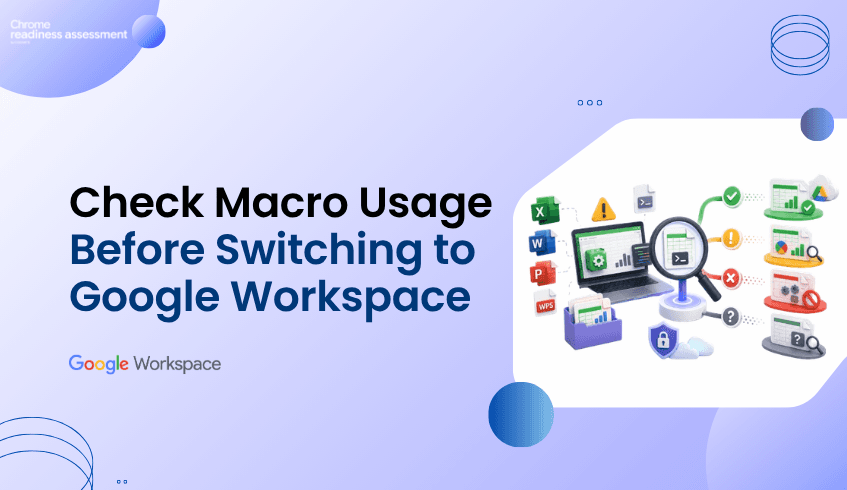
If macros are not used, the workflow may be fully compatible with Google Workspace.
But if macros are used, the workflow may be only partially compatible and should be reviewed before migration.
Chrome Readiness Assessment helps organizations identify macro usage so IT teams can understand which Office workflows are ready and which ones need extra planning.
Office files are often part of everyday work.
Teams use spreadsheets for reporting, budgets, tracking, planning, and analysis.
They use documents and presentations for communication, collaboration, and business operations.
Google also supports working with Microsoft Office files in Google Docs, Sheets, and Slides, making many file-based workflows easier to continue in Google Workspace.
But macros can make migration more complex.
A spreadsheet may open correctly.
The data may appear properly.
The formatting may look fine.
But if the file depends on macros, the workflow may not behave the same way after migration.
This is why organizations need to understand macro usage before moving Office workflows to Google Workspace.
Macros are often used to automate repetitive tasks inside Office applications.
They may support calculations, reports, approvals, formatting, data cleanup, or internal processes.
When macros are not used, the workflow is usually easier to assess for Google Workspace compatibility.
In CRA, this can help teams identify workflows that may be fully compatible.
When macros are used, the workflow needs more attention.
That does not always mean the workflow cannot move.
It means IT teams should review the macro dependency before migration.
In CRA, macro usage can help identify workflows that are partially compatible with Google Workspace and may require validation, conversion, or alternative planning.
This gives organizations a clearer way to separate simple Office workflows from workflows that need technical review.
Chrome Readiness Assessment helps organizations understand where macro usage exists across Office-related applications and workflows.
Instead of assuming all Office files are ready, CRA helps teams see whether macros are being used.
This helps IT teams understand:
which applications or workflows are not using macros
which workflows may be fully compatible with Google Workspace
which applications are using macros
which workflows may be partially compatible
which teams may need extra review before migration
where macro dependencies could affect rollout planning
This makes migration planning more accurate.
Teams can avoid treating every Office workflow the same way.
Macro usage gives IT teams an important compatibility signal.
If macros are not used, the workflow may be considered fully compatible for Google Workspace planning.
This means users may be able to continue their work with fewer migration concerns.
If macros are used, the workflow may be considered partially compatible.
This means the file, application, or workflow should be reviewed before migration because some functions may not work the same way in Google Workspace. This simple distinction helps organizations plan more clearly.
Instead of discovering macro issues after users move, IT teams can identify them earlier and decide what action is needed.
For some Excel macro workflows, Google provides a Macro Converter that can help convert VBA code into Google Apps Script.
This can support migration planning when teams need to move Excel-based automation toward Google Sheets.
However, macro conversion still needs review and testing.
Not every macro workflow will convert perfectly.
Some may need changes, some may need to be rebuilt, Others may require a different process in Google Workspace.
CRA helps teams identify where those macro-based workflows exist before migration planning reaches the final stage.
Macro usage is not only a technical issue.
In many organizations, macros support important business workflows.
They may be used in finance, operations, reporting, sales tracking, HR processes, or department-level planning.
If these workflows are not reviewed before migration, business teams may experience disruption.
CRA helps business leaders and IT teams understand where macro dependencies exist before moving to Google Workspace.
This supports better planning, fewer surprises, and a smoother migration experience.
A successful Google Workspace migration is not only about moving files.
It is about understanding how those files are used.
Macro usage helps reveal whether an Office workflow is simple to move or needs extra review.
Chrome Readiness Assessment gives organizations the visibility needed to make that decision earlier.
By showing where macros are used and where they are not, CRA helps teams understand which workflows may be fully compatible and which ones may be partially compatible before moving forward.
Why does macro usage matter before Google Workspace migration?
Macro usage matters because macros can affect how Office workflows behave after migration. Files may open correctly, but macro-based automation may need review or conversion.
What does it mean if macros are not used?
If macros are not used, the workflow may have a stronger compatibility signal and may be considered fully compatible for Google Workspace planning.
What does it mean if macros are used?
If macros are used, the workflow may be considered partially compatible and should be reviewed by IT teams before migration.
Does macro usage mean a file cannot move to Google Workspace?
No. Macro usage does not always mean the file cannot move. It means the workflow needs review, testing, conversion, or alternative planning.
How does CRA help with macro readiness?
Chrome Readiness Assessment helps identify where macro usage exists across Office-related applications and workflows so teams can plan migration more accurately.
Can Excel macros be converted to Google Workspace?
Some Excel VBA macros may be converted using Google’s Macro Converter, but teams should still test and review the converted workflow before relying on it.
Chrome Readiness Assessment helps organizations move beyond basic file compatibility and understand macro dependency before Google Workspace migration. By showing whether macros are used or not, CRA helps teams identify fully compatible workflows, review partially compatible ones, and plan the move to Google Workspace with more confidence.
Moving to ChromeOS can give organizations a more secure, cloud-first, and easier-to-manage endpoint environment.
But before migration begins, IT teams need to understand one important thing:
application readiness.
It is not enough to know that ChromeOS is a strong platform.
Organizations also need to know whether the applications used across their environment are ready for the move, which ones may need review, which ones may act as blockers, and which ones still need more visibility.
That is where Chrome Readiness Assessment helps.
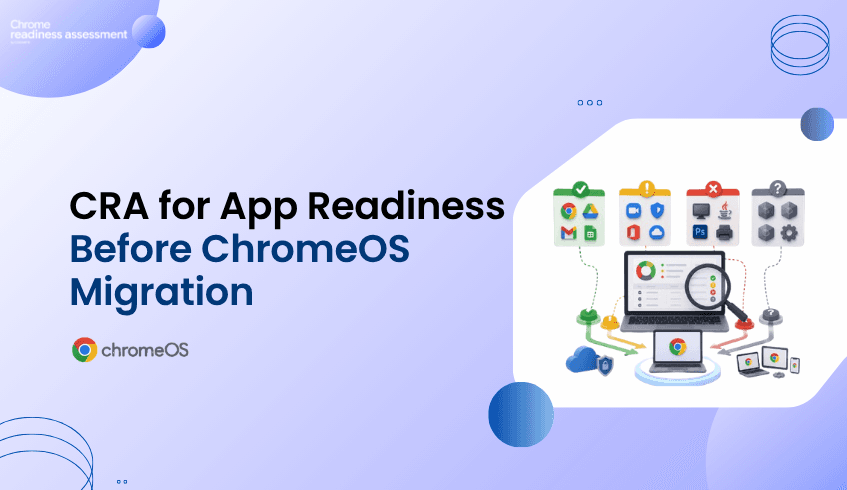
CRA gives organizations a clearer view of application readiness across their environment by showing application readiness categories such as Chrome Ready, Possibly Ready, Blocker, and Unknown.
This helps teams make migration decisions with more clarity and less guesswork.
Many organizations already know which applications exist in their environment.
They may have software inventories, device reports, or internal records showing what is installed.
But that does not automatically tell them whether those applications are suitable for ChromeOS migration planning.
An application may be widely used, but that does not always mean it will behave the same way in a ChromeOS environment.
Another application may already work well and create no migration concern at all.
Some applications may need review because certain functions may not behave the same way.
Others may not be suitable for ChromeOS and may become blockers.
Without clear readiness visibility, IT teams may spend too much time guessing which applications need attention.
That can slow down migration planning and make rollout decisions harder.
Chrome Readiness Assessment helps organizations understand application readiness in a more practical way.
Instead of only showing a list of applications, CRA helps classify them into clear readiness categories.
This gives IT teams a better understanding of what they are dealing with before they move users to ChromeOS.
Across the environment, CRA helps teams review:
which applications are Chrome Ready
which applications are Possibly Ready
which applications are Blockers
which applications are Unknown
This makes the readiness picture easier to understand.
Instead of reviewing every application in the same way, teams can focus on what each category means and plan their next steps more effectively.
The readiness categories in CRA help organizations understand how applications may affect a move to ChromeOS.
Chrome Ready applications are the ones that are considered ready for ChromeOS. These are the applications where the app and its functions are expected to work well in the ChromeOS environment.
Possibly Ready applications are the ones that may still support migration, but they need some review from IT teams first. In these cases, some functionalities may not work in exactly the same way on ChromeOS, so teams may need to validate whether the application is suitable for the user group involved.
Blocker applications are the ones that cannot be used in ChromeOS. These are important because they may prevent certain users or teams from moving until an alternative, workaround, or separate plan is considered.
Unknown applications are the ones that are not currently in the readiness catalog. This means teams may need to review them further before making migration decisions.
These categories help convert technical application data into a more understandable migration view.
Application readiness categories matter because not every application affects migration in the same way.
If everything is treated the same, IT teams may waste time reviewing low-risk apps too deeply or fail to focus early enough on the applications that actually need action.
CRA helps make that distinction clearer.
For example:
Chrome Ready applications can support faster migration planning.
Possibly Ready applications can be reviewed and validated before rollout.
Blocker applications can be identified early so teams know where extra planning is needed.
Unknown applications can be flagged for further investigation.
This gives organizations a more structured way to prepare for ChromeOS adoption.
Instead of asking, “Can we move to ChromeOS?” teams can ask a more practical question:
“Which applications are already ready, which ones need review, and which ones may prevent the move?”
That is a much stronger starting point for migration planning.
For IT teams, one of the biggest challenges in any migration is uncertainty.
Without clear readiness information, it becomes harder to decide:
which users can move first
which apps need validation
which apps may require extra planning
where blockers exist
which areas need more review before rollout
CRA helps reduce that uncertainty by giving teams a category-based view of application readiness.
This allows migration planning to become more focused.
Teams do not have to approach every application with the same level of concern.
They can prioritize based on readiness.
This also supports staged rollout planning, because some users may already rely mainly on Chrome Ready applications, while others may depend on Possibly Ready or Blocker applications.
Application readiness is not only a technical detail.
It affects rollout speed, user disruption, support planning, and migration confidence.
If organizations begin moving to ChromeOS without understanding app readiness, they may face delays, user frustration, and additional support effort.
CRA helps reduce that risk by giving business and IT leaders a clearer picture before rollout begins.
It helps them understand where migration may move forward more easily and where additional planning is required.
That creates a better foundation for decision-making.
Instead of treating migration as a broad technology change, leaders can see it as a readiness-based process supported by clearer application insight.
Google positions ChromeOS as a secure, cloud-first operating system for modern work, and businesses can also use device management capabilities to manage devices remotely.
But a successful move still depends on understanding whether the applications used across the organization are ready for that environment.
CRA helps connect those two things.
It helps organizations look at ChromeOS not only as a platform, but as a migration decision that should be guided by readiness data.
That makes the move more practical and more informed.
What are application readiness categories in CRA?
Application readiness categories in CRA help organizations understand whether an application is Chrome Ready, Possibly Ready, a Blocker, or Unknown before moving to ChromeOS.
Why are these categories useful?
These categories help organizations understand which applications are ready, which need review, and which may prevent migration, making ChromeOS planning more practical.
Chrome Readiness Assessment helps organizations move from application uncertainty to migration clarity. By showing Chrome Ready, Possibly Ready, Blocker, and Unknown applications across the environment, CRA helps teams understand application readiness before moving forward with ChromeOS.
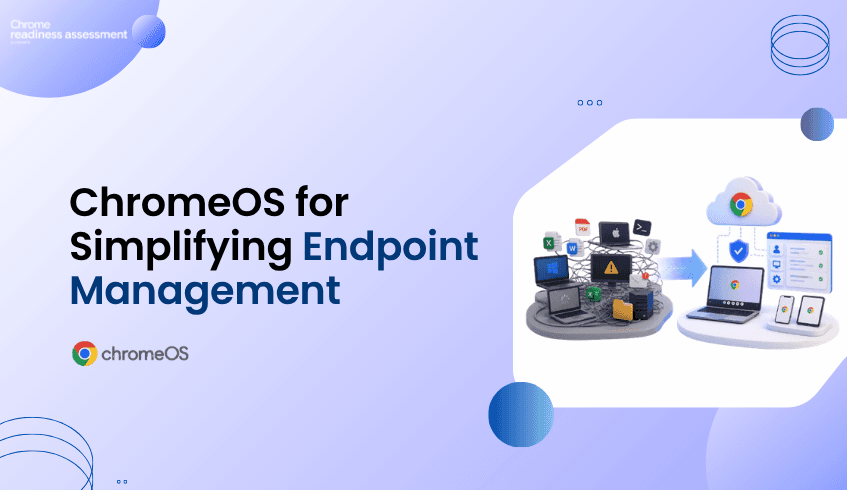
Many organizations are trying to simplify the way they manage devices.
Traditional endpoint environments can become complex over time.
Different operating systems, installed applications, local dependencies, browser versions, device policies, support needs, and user workflows can make endpoint management harder than it needs to be.
This is one reason many businesses look at ChromeOS as a modern endpoint direction.
ChromeOS is built for cloud-first work, secure access, simpler management, and users who rely heavily on browser-based and cloud-based applications.
But before organizations move more users to ChromeOS, they need to understand where endpoint complexity exists today.
Chrome Readiness Assessment helps teams assess which users, apps, and devices may be ready for a simpler ChromeOS experience and where more review may be needed before rollout.
In many organizations, endpoint environments grow over many years.
Different departments may use different applications.
Some users may rely mainly on cloud tools.
Others may still depend on locally installed software.
Some devices may be actively managed.
Others may have older configurations, outdated apps, or inconsistent browser setups.
Over time, this creates complexity for IT teams.
They need to manage more devices, support more application types, troubleshoot more local issues, and maintain more security controls across different environments.
This can slow down modernization.
It can also make it harder to understand which users are ready for a cloud-first device experience.
The problem is not only whether ChromeOS is a strong platform.
The bigger question is:
Which parts of the organization are ready to benefit from a simpler endpoint model?
ChromeOS for business supports organizations that want a more cloud-first and manageable endpoint experience.
For users who work mainly in web apps, cloud platforms, collaboration tools, and browser-based systems, ChromeOS can provide a simpler way to access daily work.
Also, ChromeOS security features such as automatic updates, sandboxing, verified boot, encryption, and built-in protection that help reduce manual security effort.
For IT teams, this matters because endpoint management is not only about devices.
It is also about reducing unnecessary maintenance, improving consistency, and supporting users with fewer local dependencies.
ChromeOS can help organizations move toward a more standardized endpoint environment where cloud access, browser-based workflows, and centralized management become easier to support.
Chrome Readiness Assessment helps organizations understand whether their current environment can support a move toward ChromeOS.
Instead of assuming all users are ready, CRA gives teams visibility into application usage and readiness.
This helps IT teams understand:
which users may already work mainly in cloud or browser-based tools
which applications need further review
which applications may support a ChromeOS move
which users may still depend on local desktop applications
which device groups may be easier to move first
where blockers or unknown applications may require further review
This helps organizations make ChromeOS planning more practical.
The goal is not to replace every device at once.
The goal is to understand where ChromeOS can reduce endpoint complexity first.
One of the biggest reasons endpoint environments become complex is local application dependency.
Some applications may be installed because they were used years ago.
Some may only be required by a small group of users.
Some may already have cloud-based alternatives.
Others may still be important but need a different access strategy before users move to ChromeOS.
CRA helps organizations review application usage and readiness before migration.
This gives IT teams a clearer view of which users are good candidates for ChromeOS and which users may need more planning.
By understanding application usage early, organizations can avoid moving users before their workflows are ready.
They can also avoid delaying the entire ChromeOS journey because of a small number of specialized applications.
ChromeOS is also valuable because it supports centralized device management.
Google’s ChromeOS device management resources explain how businesses can remotely manage the devices that power employees.
For administrators, Google also provides guidance on managing ChromeOS devices from the Google Admin console, including policies, apps, extensions, VPNs, and Wi-Fi access.
For organizations already managing Chrome across different platforms, Chrome Enterprise Core supports cloud-based management for browser policies, settings, apps, and extensions.
This matters because simpler endpoint management can reduce IT workload.
When devices, browser settings, apps, and policies are easier to manage from a central place, IT teams can spend less time dealing with inconsistent endpoint environments.
CRA supports this by helping teams understand which users and devices can move toward this simpler model first.
A ChromeOS rollout should be based on real environment insight.
Some users may be ready quickly because their daily work already happens in web apps and cloud tools.
Other users may need additional review because they depend on local applications, specialized workflows, or apps that are not yet fully understood.
CRA helps teams group users and devices based on readiness.
This makes it easier to plan rollout stages.
For example:
users with mostly cloud-based workflows can be prioritized first
users with possibly ready applications can be reviewed next
users with blocker applications can be handled through a separate plan
unknown applications can be investigated before final migration decisions
This gives organizations a more controlled way to reduce endpoint complexity over time.
Some organizations may also review ChromeOS Flex as part of their endpoint modernization planning.
ChromeOS Flex can help transform existing PCs and Macs with a cloud-first operating system, which may support organizations that want to extend hardware value or test a ChromeOS-style experience before wider rollout.
This does not remove the need for readiness planning.
Teams still need to understand which users, apps, and workflows are suitable.
CRA can help support that decision by showing where the organization may already be ready and where more review is needed.
Endpoint complexity affects more than IT.
It can affect user productivity, security, support costs, device lifecycle planning, and modernization speed.
If organizations continue managing complex endpoint environments without understanding which users can move to a simpler model, they may miss opportunities to reduce overhead.
ChromeOS gives organizations a modern endpoint direction.
CRA helps make that direction more practical by showing where the move can begin.
For business leaders, this means better planning, fewer surprises, and a clearer path toward a more cloud-first device strategy.
Why should organizations consider ChromeOS?
Organizations may consider ChromeOS because it supports cloud-first work, simpler device management, built-in security, and browser-based productivity.
What problem does ChromeOS help solve?
ChromeOS can help reduce endpoint complexity by supporting a more standardized, cloud-first device experience.
How does Chrome Readiness Assessment support ChromeOS planning?
Chrome Readiness Assessment helps teams understand application usage, app readiness, device groups, blockers, and users who may be ready for ChromeOS.
Is ChromeOS only useful for fully cloud-based teams?
ChromeOS is especially useful for cloud-first and browser-based workflows, but organizations should still review application dependencies before migration.
Why does application dependency matter?
Local application dependency can delay ChromeOS adoption if users still rely on desktop apps that need review, alternatives, or different access methods.
Can ChromeOS Flex support modernization planning?
Yes. ChromeOS Flex can help organizations modernize existing PCs and Macs with a cloud-first operating system, but readiness should still be reviewed before wider adoption.
ChromeOS helps organizations move toward a simpler, cloud-first endpoint model. Chrome Readiness Assessment supports that journey by showing which users, apps, and devices may be ready to reduce endpoint complexity and where more planning is needed before rollout.
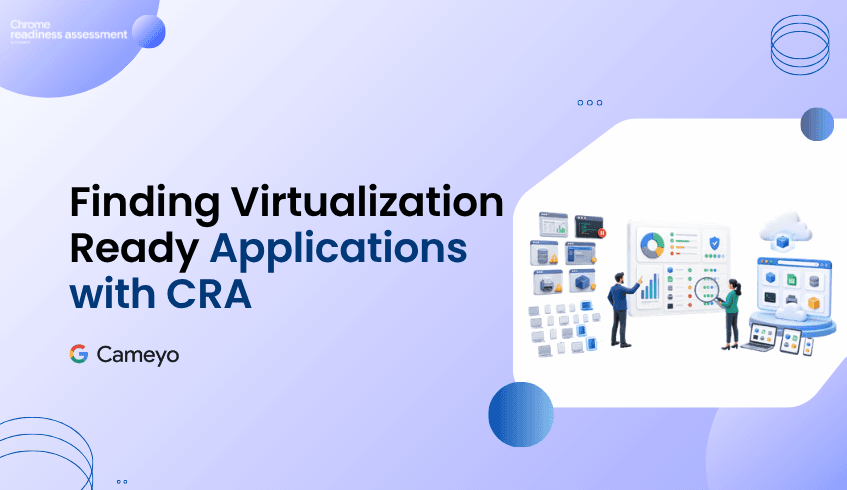
Moving to a modern cloud-first environment does not always mean every application can be replaced immediately.
Some applications may already be ready for a browser-based or cloud-based workflow.
Others may require more review.
And some applications may still act as blockers because they are client-based, legacy, specialized, or required by specific teams.
This is where Cameyo virtualization becomes important.
For applications classified as possibly ready or blockers, Chrome Readiness Assessment helps organizations understand whether Cameyo virtualization may be a practical option.
Instead of only showing that an application may create migration challenges, CRA also provides Cameyo compatibility insights, device usage percentage, and confidence level.
This helps IT teams understand which applications may be suitable for virtualization and how strongly the data supports that recommendation.
Many organizations want to move toward ChromeOS, Google Workspace, and web-first productivity.
But application readiness is not always simple.
Some business applications may still be installed locally.
Some may not have a direct web-based replacement.
Some may be used by a small group of employees but still remain important to business operations.
Others may appear as blockers because they depend on a specific operating system, desktop environment, or legacy workflow.
Without a clear plan for these applications, migration can become difficult.
Teams may delay modernization because they are unsure what to do with the apps that are not immediately ready.
Cameyo virtualization helps address this gap by giving organizations a way to keep access to important applications while still moving toward a more modern environment.
Chrome Readiness Assessment helps organizations go beyond a simple list of installed applications.
For applications that are classified as possibly ready or blockers, CRA can provide additional Cameyo virtualization insights.
This includes:
whether the application is Cameyo compatible
what percentage of devices are using the application
whether the confidence level is high or low
how widely the application appears across the environment
whether virtualization may be worth reviewing as part of the migration plan
This gives IT teams a more practical way to evaluate applications that may otherwise slow down the move to ChromeOS or Google Workspace.
Instead of treating every blocker the same way, teams can understand which applications may have a virtualization path through Cameyo.
Cameyo compatibility helps organizations identify whether a specific application may be suitable for virtual app delivery.
This is useful because not every application needs to be installed locally on every device.
If an application can be delivered virtually, users may still be able to access the tool they need while the organization continues moving toward a web-first environment.
For example, a legacy desktop application may still be needed by one department.
Instead of delaying the entire migration because of that application, CRA can help teams check whether Cameyo virtualization may support access to it.
This makes the migration planning process more flexible.
Applications that once looked like blockers may become manageable with the right virtualization strategy.
Cameyo compatibility alone is helpful, but usage context is also important.
CRA shows how many devices are using a specific application as a percentage of the environment.
This helps teams understand how widely the application is used.
For example, if an application is used by only 8 percent of devices, the organization may need to review that result carefully.
The application may still be important, but it may only affect a small group of users.
In this case, the confidence level may be low because the usage data is limited compared to the wider device population.
On the other hand, if an application is used across a large percentage of devices, the confidence level may be higher because there is stronger usage evidence across the organization.
This helps teams avoid making migration decisions based only on assumptions.
The confidence level helps explain how strongly CRA can support the Cameyo compatibility insight.
A high confidence level may indicate that the application has enough usage data across devices to support a stronger recommendation.
A low confidence level may indicate that the application is used by a smaller number of devices, so teams should review it more carefully before making a decision.
For example:
If only 8 percent of devices are using a specific application, CRA may show a low confidence level.
This does not always mean the application is unimportant.
It means the application may require further review because the usage footprint is limited.
This is useful for migration planning because it helps teams separate widely used applications from applications that may only affect a small user group.
Application blockers can create uncertainty during migration.
Without deeper analysis, teams may only know that an application is not fully ready.
But they may not know whether it can be virtualized, how many users depend on it, or whether it should delay the migration.
CRA helps turn that uncertainty into action.
For possibly ready and blocker applications, teams can review:
Cameyo compatibility
device usage percentage
confidence level
application impact
migration priority
virtualization opportunity
This gives organizations a clearer way to decide what to do next.
Some applications may need replacement.
Some may need further testing.
Some may be suitable for Cameyo virtualization.
And some may only affect a small group of users, making them easier to handle through a targeted migration plan.
Application blockers are not only a technical issue.
They can affect migration timelines, user adoption, productivity, support effort, and overall modernization plans.
If organizations do not understand which applications may need virtualization, they may overestimate migration risk or delay the move unnecessarily.
CRA helps business and IT leaders see the full picture.
By combining readiness classification, Cameyo compatibility, device usage percentage, and confidence level, organizations can make better decisions about which applications need attention before migration.
This helps reduce uncertainty and gives teams a more structured path forward.
What is Cameyo virtualization?
Cameyo virtualization allows organizations to deliver applications virtually so users can access important client-based or legacy applications in a more web-first environment.
How does CRA support Cameyo virtualization planning?
CRA identifies applications classified as possibly ready or blockers and provides Cameyo compatibility insights, device usage percentage, and confidence level.
What does Cameyo compatibility mean in CRA?
It shows whether a specific application may be suitable for Cameyo virtualization as part of the migration planning process.
Why does device usage percentage matter?
Device usage percentage shows how widely an application is used across the organization. This helps teams understand whether the application affects many users or only a small group.
What does low confidence mean?
Low confidence may appear when an application is used by a smaller percentage of devices. For example, if only 8 percent of devices use an application, CRA may show low confidence because there is limited usage evidence across the wider environment.
Does low confidence mean the application is not important?
No. Low confidence does not always mean the application is unimportant. It means teams should review the application carefully before making a migration or virtualization decision.
Chrome Readiness Assessment helps organizations turn application blockers into clearer migration decisions. By showing Cameyo compatibility, device usage percentage, and confidence level, CRA helps teams understand which applications may be suitable for virtualization and which ones need further review before moving forward.
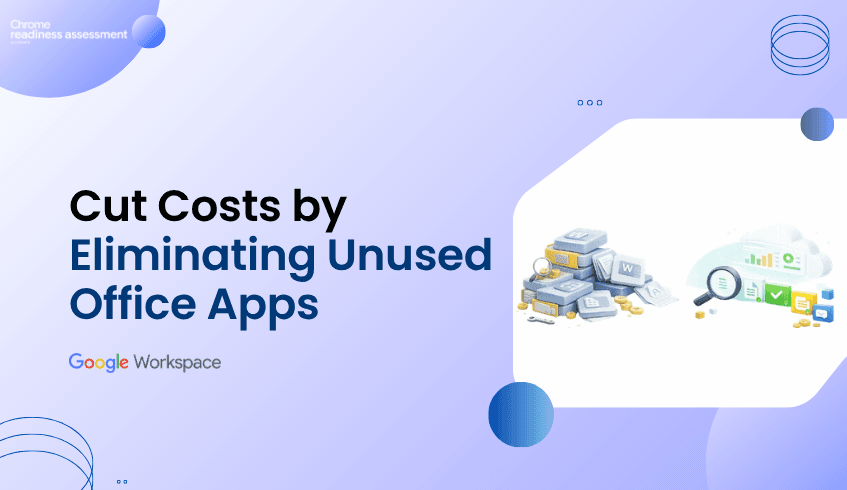
Many organizations continue to support productivity applications that employees rarely use.
These applications may remain installed because they were included in Microsoft 365 licensing, deployed years ago, or never removed after workflows changed.
At first, this may not seem like a major issue.
But unused applications can create hidden costs.
They can increase software complexity, make migration planning harder, create unnecessary support overhead, and make it difficult to understand which tools are still important to the business.
Before moving to Google Workspace, organizations need to know which productivity applications are actively used and which ones are simply taking up space.
Workspace Readiness helps organizations identify Office productivity tools used, usage time of each application, unused applications, macro usage, and Google Workspace alternatives.
Most IT teams can identify which applications are installed across devices.
But installation does not always mean usage.
For example:
Microsoft Publisher may still be installed even though no one uses it regularly. Microsoft Access may exist on many devices but only support a small number of users. PowerPoint may be available to everyone, while only specific teams depend on it daily. Some Office tools may remain installed only because they were bundled into a license package.
Without usage visibility, organizations may continue supporting applications that no longer create business value.
This can make the productivity environment look more complex than it really is.
Unused applications can affect more than licensing.
They can also create operational waste.
Organizations may spend time maintaining, updating, securing, and supporting tools that employees rarely open.
They may also overestimate how dependent users are on Microsoft Office because they only see what is installed, not what is actually used.
This can lead to problems such as:
Unnecessary software support Extra licensing complexity Slower migration planning Confusion about which tools are business-critical More applications to review before modernization Difficulty identifying Google Workspace opportunities
When unused applications are not identified early, they can make migration feel larger and more difficult than it needs to be.
Workspace Readiness helps organizations separate installed applications from actively used applications.
Instead of treating every installed Office application as important, teams can review actual usage patterns.
Workspace Readiness provides visibility into:
Office productivity tools used across the organization Application usage time Frequently used productivity applications Unused or rarely used applications Macro usage Google Workspace alternatives Workspace compatibility insights at organization and device level
This gives IT teams and business leaders a clearer understanding of which applications are still supporting daily work and which ones may no longer be necessary.
Once organizations understand which applications are unused or rarely used, they can make better decisions before moving to Google Workspace. For example, teams can:
Identify applications that no longer need support Reduce unnecessary software complexity Prioritize heavily used tools during migration planning Avoid spending time reviewing applications with little business impact Find areas where Google Workspace alternatives may be suitable Focus training and support on applications users actually depend on Build a cleaner productivity environment before modernization
This helps organizations avoid treating every application as a migration blocker.
Instead, they can focus attention on the tools that matter most.
Unused software is not just an IT issue.
It affects cost, productivity, support effort, migration timelines, and the overall return on technology investments.
When organizations do not know which applications are actually used, they may continue paying for, supporting, or planning around tools that no longer support business needs.
Workspace Readiness helps reduce that uncertainty.
It gives leaders visibility into application usage, usage time, unused tools, and Google Workspace alternatives.
This helps organizations:
Reduce software waste Simplify productivity environments Improve migration planning Optimize licensing decisions Lower unnecessary support effort Focus modernization around real user needs
A successful Google Workspace move does not require every legacy tool to be treated equally.
It starts with understanding which applications still matter.
Why are unused Office applications a problem? Unused applications can create unnecessary support effort, software complexity, licensing confusion, and migration planning challenges.
Why is installation data not enough? Installation data only shows what exists on devices. It does not show whether employees actually use those applications in daily work.
How does Workspace Readiness identify unused applications? Workspace Readiness helps organizations review application usage and usage time so they can distinguish between actively used tools and rarely used applications.
How does this support Google Workspace migration? It helps teams reduce unnecessary complexity before migration and focus planning on applications that are actually important to users.
Can unused application insights help reduce costs? Yes. By identifying tools that are rarely used, organizations can make better decisions about software support, licensing, and modernization priorities.
Workspace Readiness helps organizations move from software assumptions to usage-based decisions. By showing which Office applications are actively used, rarely used, or ready for Google Workspace alternatives, it helps teams reduce unnecessary complexity before modernization.
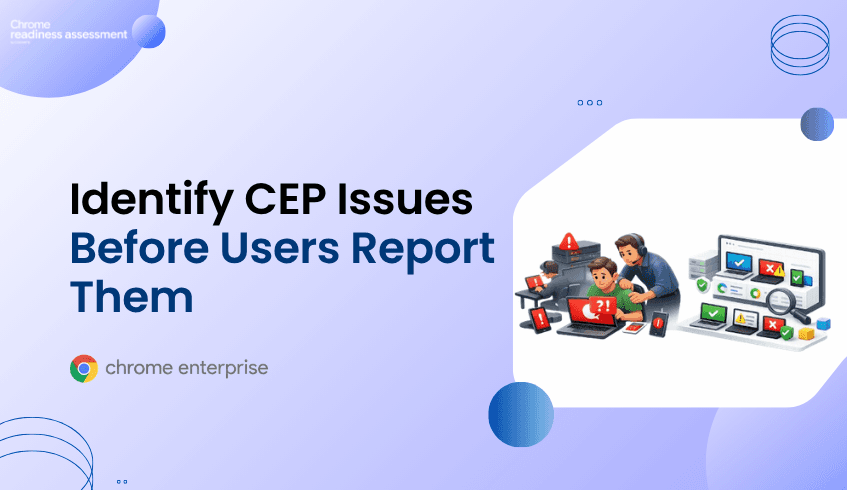
Organizations preparing for Chrome Enterprise Premium deployment often focus on configuration, policies, devices, and rollout timelines.
However, many deployment problems only become visible after users are already affected. A user cannot access an application. A browser policy behaves differently than expected. A device fails to support required security behavior. A support ticket is opened.
By that point, the issue has already moved from a readiness concern to a user-facing problem.
Support tickets are useful for resolving incidents, but they should not be the first signal that a Chrome Enterprise Premium rollout has hidden deployment gaps.
CEP Deployment Readiness Insights helps organizations identify readiness concerns before rollout issues reach users. It gives IT and security teams visibility into ready devices, blocked devices, blocker categories, Hard Blockers, Soft Blockers, and device-level readiness details before deployment expands.
Support tickets usually appear after something has already gone wrong. In IT service management, the service desk is typically where user communications, queries, and service issues are handled.
During Chrome Enterprise Premium rollout, these issues may show up as access failures, inconsistent browser behavior, missing device posture signals, policy problems, or issues that only affect certain departments, locations, or device groups.
This creates a reactive deployment model. Instead of knowing where readiness risks exist before rollout, teams discover problems through user disruption.
In a small environment, this may be manageable. In a large enterprise fleet, support-ticket-driven discovery can quickly slow rollout progress, increase troubleshooting effort, and reduce confidence across IT, security, and business stakeholders.
Support tickets often describe symptoms, not the full readiness picture.
One ticket may report an access issue. Another may mention inconsistent browser behavior. Another may indicate that a security feature is not working as expected.
But these tickets do not immediately explain how widespread the issue is, which devices are affected, which groups are involved, or whether the root cause is related to network health, device readiness, policy conflict, legacy dependencies, or operational health.
Without centralized readiness visibility, teams may spend time investigating one ticket at a time.
This can make Chrome Enterprise Premium deployment feel unpredictable, even when the organization has already invested time in planning.
Chrome Enterprise Premium deployment depends on more than enabling a product or applying policies.
The surrounding endpoint environment must be ready to support the rollout. Without a pre-deployment readiness view, organizations may miss unready devices, Hard Blockers, Soft Blockers, network and connectivity concerns, OS and hardware compatibility issues, migration friction, legacy dependency risks, policy conflicts, operational health problems, and device-level readiness gaps.
These issues may not always affect every device at the same time.
Some may appear only in certain locations. Some may affect specific user groups. Some may remain hidden until deployment reaches a broader device population.
That is why support tickets are not enough. They usually show where problems have already surfaced, not where readiness risks still exist.
CEP Deployment Readiness Insights helps organizations shift from reactive troubleshooting to proactive deployment planning.
Instead of waiting for users to report problems, administrators can review readiness information before rollout expands.
CEP Deployment Readiness Insights helps teams understand:
● Which devices are ready for Chrome Enterprise Premium deployment ● Which devices may require attention ● Which blockers may affect deployment success ● Whether issues are Hard Blockers or Soft Blockers ● Which readiness categories are most common ● Which devices, groups, or domains need investigation ● What device-level reasons explain readiness status
This helps teams move from asking:
“Why did this user open a ticket?”
to:
“Which devices show readiness concerns before users are affected?”
One of the biggest challenges in enterprise deployment is scale.
A single support ticket may be easy to investigate. But if the same issue affects hundreds of devices, the organization needs more than individual incident handling.
CEP Deployment Readiness Insights gives teams a broader readiness view across the fleet.
Administrators can review organization-level readiness and then investigate device-level findings. This helps teams understand whether a problem is isolated or part of a wider deployment pattern.
For example, readiness concerns may be concentrated in a specific device group, department, domain, older endpoint population, operational condition, connectivity risk, or legacy dependency area.
This helps IT and security teams prioritize investigation before deployment problems become widespread support issues.
Not every readiness issue has the same impact.
Some issues may prevent successful deployment. Others may not stop rollout completely, but they can still affect user experience, performance, security behavior, or policy consistency.
CEP Deployment Readiness Insights classifies readiness concerns into practical severity levels.
Hard Blockers are critical conditions that may prevent successful Chrome Enterprise Premium deployment on a device.
Soft Blockers are reviewable risks that may affect rollout quality, performance, policy behavior, or user experience.
This distinction helps teams prioritize. Instead of treating every issue as equally urgent, administrators can focus first on the conditions most likely to delay or disrupt deployment.
CEP Deployment Readiness Insights does not automatically deploy Chrome Enterprise Premium or fix detected issues.
Its value is visibility before action.
Once teams understand readiness status, blocker types, and affected devices, they can make better rollout decisions.
Organizations can prioritize devices with Hard Blockers, review Soft Blockers before expanding rollout, identify device groups that are ready for deployment, pause rollout for groups that need remediation, prepare support teams with known risks, and communicate deployment concerns more clearly to stakeholders.
This makes deployment planning more structured and less reactive.
Instead of waiting for support tickets to reveal deployment gaps, teams can use readiness insights to make informed decisions before users are affected.
Support tickets are not just technical signals.
They represent user disruption, lost time, support effort, delayed rollout confidence, and reduced productivity.
When Chrome Enterprise Premium deployment issues are discovered through support tickets, the organization is already reacting to problems that have reached users.
For IT leaders, this can mean more troubleshooting, slower rollout timelines, and increased pressure on support teams.
For security leaders, it can mean delayed adoption of browser-level protection and inconsistent security outcomes across the organization.
CEP Deployment Readiness Insights helps leaders understand readiness before deployment problems become business problems.
It gives teams a clearer view of which devices are ready, which devices need attention, and which risks may affect rollout success.
CEP Deployment Readiness Insights is a pre-deployment readiness feature that helps organizations assess whether their endpoint environment is ready for Chrome Enterprise Premium rollout.
Support tickets usually appear after users are already affected. By identifying readiness concerns earlier, organizations can reduce reactive troubleshooting and plan rollout with more confidence.
CEP Deployment Readiness Insights can help surface readiness concerns across OS and hardware compatibility, network and connectivity health, migration friction and legacy dependencies, and policy conflict and operational health.
A Hard Blocker is a critical issue that may prevent successful deployment. A Soft Blocker is a reviewable issue that may affect rollout quality, performance, policy behavior, or user experience.
No. The feature provides readiness visibility and blocker information. Administrators still need to review and address issues through the appropriate IT, endpoint, network, or security processes.
It helps teams identify affected devices, understand blocker severity, review readiness categories, and plan rollout before issues become user-facing support problems.
Use CEP Deployment Readiness Insights to identify readiness gaps before they become support tickets, and prepare for a smoother Chrome Enterprise Premium rollout.
Moving to Google Workspace is more than replacing one productivity suite with another.
It is an opportunity to modernize collaboration, simplify administration, and improve the way teams work.
However, many organizations begin migration planning without fully understanding how Microsoft Office applications are actually being used across their environment.
They know Microsoft Office is installed.
They know users have licenses.
But they often do not know:
Which Office applications are actively used
Which departments rely on specific applications
Which users still depend on macros
Which applications are rarely opened
Which workloads already have Google Workspace alternatives
Without this visibility, migration decisions are often based on assumptions rather than real usage.
Workspace Readiness helps organizations replace those assumptions with actionable insights before migration begins.
Most IT teams can quickly identify which Microsoft Office applications are installed across the organization.
What they often cannot see is how those applications are actually being used.
For example:
Microsoft Access may be installed on hundreds of devices but only used by a handful of users.
Microsoft Publisher may remain installed even though it has not been opened for months.
Excel may be widely deployed, yet only a small percentage of users rely on advanced features such as macros.
Some applications may simply exist because they were included with Microsoft 365 licensing.
An application inventory alone does not provide enough information to make confident migration decisions.
Understanding real usage is what transforms software inventory into migration intelligence.
Every organization has a different productivity landscape.
Marketing teams may rely heavily on PowerPoint.
Finance teams may depend on Excel workbooks containing macros.
Operations teams may still use Access databases.
Other departments may already spend most of their day using cloud-based collaboration tools.
Treating every user as though they work in the same way often leads to unnecessary complexity during migration.
Organizations benefit from understanding:
Which Office applications are used most frequently
How much time users spend in each application
Which applications are rarely or never used
Which applications contain macro dependencies
Which Google Workspace applications may serve as practical alternatives
These insights allow migration planning to reflect how people actually work rather than how software is licensed.
Workspace Readiness gives organizations a clearer understanding of their Microsoft Office environment before migration begins.
Instead of reviewing software inventories manually, teams gain visibility into:
Office applications installed across the organization
Application usage time
Frequently used productivity tools
Devices using macro-enabled applications
Unused applications
Google Workspace alternatives for commonly used Office applications
Workspace compatibility insights at both organization and device level
The dashboard helps administrators move beyond simple software inventories and understand which applications are actively supporting day-to-day business operations.
Migration planning becomes far more effective when decisions are supported by real usage data.
Instead of assuming every installed application needs to be migrated, organizations can identify where attention should be focused.
For example, teams can:
Identify applications that are heavily relied upon
Understand where macro usage may require additional planning
Discover applications that have suitable Google Workspace alternatives
Recognize software that is rarely or never used
Prioritize departments based on actual productivity workflows
This allows organizations to approach migration in a more structured and informed way.
Rather than treating every application equally, they can focus on the tools that matter most to users.
Technology migrations are not simply IT projects.
They affect productivity, collaboration, licensing costs, user adoption, and day-to-day business operations.
Organizations that understand how employees work before migration are better positioned to:
Reduce migration uncertainty
Improve user adoption
Minimize disruption
Optimize software licensing
Plan migration phases with greater confidence
Successful migrations begin with visibility.
Understanding how Microsoft Office applications are actually used provides a stronger foundation for moving to Google Workspace.
An inventory shows what is installed, but it does not explain how frequently applications are used or how important they are to daily business activities.
Different departments rely on different applications and workflows. Understanding actual usage helps organizations prioritize migration efforts and reduce disruption.
Workspace Readiness provides visibility into installed Office applications, usage time, macro usage, unused applications, Google Workspace alternatives, and compatibility insights to support migration planning.
Yes. It helps organizations distinguish between actively used applications and software that is rarely or never used, allowing teams to make more informed migration decisions.
By understanding application usage before migration begins, organizations can better prioritize workloads, reduce unnecessary complexity, and plan a migration strategy based on real user behavior rather than assumptions.
Workspace Readiness helps organizations move from migration assumptions to migration clarity. By showing Office application usage, macro dependencies, unused applications, and Google Workspace alternatives, it helps teams plan a more informed, practical, and confident move to Google Workspace.