
Explore key tools, smart features, and expert insights...
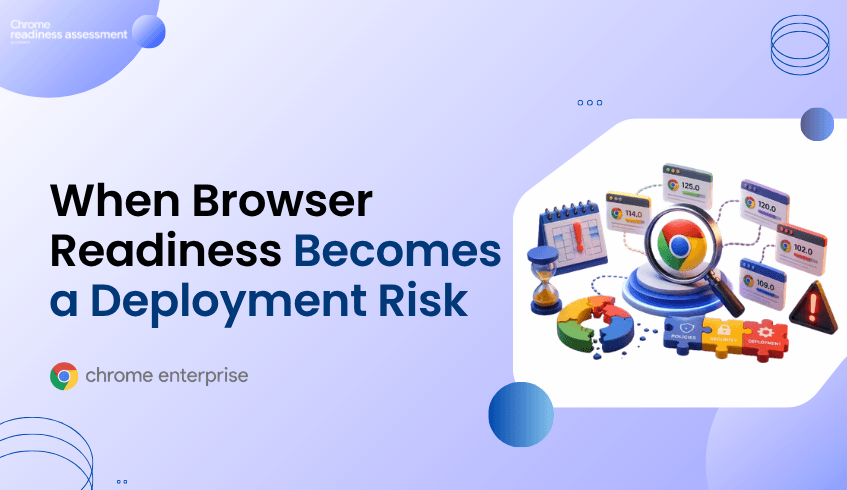
Organizations preparing for Chrome Enterprise Premium (CEP) deployment often focus on policies, users, and security controls.
However, one of the most overlooked deployment risks is browser version consistency.
At first glance, everything may appear healthy. Chrome is installed. Users can browse normally. Policies seem to be functioning.
Yet beneath the surface, different browser versions may exist across the environment.
Some devices may be running current releases. Others may be operating several versions behind. Certain departments may have received updates while others have not.
These differences can create hidden deployment challenges that only become visible once rollout activities begin.
Understanding browser readiness before deployment helps organizations avoid unexpected issues, reduce troubleshooting effort, and improve rollout confidence.
In large organizations, browser environments rarely remain perfectly consistent.
Different update schedules, device-management processes, and user behaviors can result in multiple browser versions operating simultaneously across the environment.
What appears to be a single browser fleet may actually contain a wide range of versions.
Google regularly publishes information about the Chrome release lifecycle and browser management practices through its Chrome Enterprise release documentation and Chrome browser management guidance.
These resources highlight the importance of maintaining browser currency and visibility across enterprise environments.
The challenge is not simply keeping browsers updated.
The challenge is knowing where version inconsistencies exist before they begin affecting deployment readiness.
Browser version issues often remain hidden until deployment activities expand.
An organization may begin rollout only to discover:
Different browser versions across departments
Inconsistent policy behavior
Delayed browser updates
Unmanaged browser populations
Devices operating outside expected version baselines
Because users can continue browsing normally, version-related risks frequently go unnoticed.
The issue may only become visible when administrators investigate why certain devices behave differently from others.
What initially appears to be a policy problem may actually be a browser readiness problem.
Version consistency plays an important role in maintaining a predictable deployment environment.
When organizations lack visibility into browser distribution, they may struggle to answer questions such as:
How many browser versions exist across the environment?
Which devices are operating on older releases?
Are specific departments lagging behind?
Are unmanaged devices introducing additional risk?
How widespread is the issue?
Without clear visibility, remediation efforts often become reactive.
Teams spend time investigating individual devices rather than understanding the broader readiness picture.
Browser version issues are difficult to address when organizations only look at overall device counts.
Chrome Readiness Assessment provides visibility into browser distribution across the environment, helping teams understand browser usage, browser families, browser versions, device populations, and device-level browser details.
For browser readiness investigations, useful insights can include:
Browser Version Overview
Browser distribution across the organization
Device counts per browser version
Browser usage patterns
Device-level browser information
This helps teams identify whether outdated versions are isolated to a small number of devices or represent a broader operational concern.
Instead of discovering browser version gaps during deployment, organizations gain earlier visibility into version readiness across the environment.
The goal is not simply to identify an outdated browser. The goal is to understand whether browser-version risk is building across the fleet.
Browser-version issues are often treated as routine maintenance tasks.
However, during Chrome Enterprise Premium deployments, outdated or inconsistent browser versions can become an indicator of broader readiness concerns.
Through the OS & Hardware Compatibility category, CEP Deployment Readiness Insights helps organizations identify devices that may not meet deployment readiness expectations due to browser-related compatibility risks.
Rather than manually reviewing browser versions across hundreds or thousands of endpoints, teams gain visibility into affected devices and potential readiness concerns before rollout expands.
This allows administrators to understand the scale of the issue, prioritize remediation efforts, and focus attention on devices most likely to affect deployment success.
By surfacing browser-related compatibility concerns early, organizations can reduce deployment delays, minimize troubleshooting effort, and improve rollout confidence.
A small number of outdated browsers may appear insignificant.
However, when version inconsistencies exist across hundreds or thousands of devices, they can introduce operational complexity and slow deployment progress.
Organizations that understand browser readiness before rollout are better positioned to:
Reduce deployment delays
Minimize troubleshooting effort
Improve operational consistency
Increase deployment confidence
Address readiness concerns proactively
Successful Chrome Enterprise Premium deployment depends not only on policies and security controls, but also on the readiness of the underlying browser environment.
Understanding browser readiness early helps organizations avoid preventable deployment challenges and maintain momentum during rollout.
Different browser versions can create inconsistencies across the environment, making troubleshooting and deployment planning more difficult.
Different update schedules, device-management practices, unmanaged devices, and delayed upgrades can result in version fragmentation across the organization.
Chrome Readiness Assessment provides visibility into browser distribution, browser versions, device populations, and browser usage patterns across the environment.
CEP Deployment Readiness Insights helps organizations identify browser-related readiness concerns through the OS & Hardware Compatibility category, allowing teams to address issues before deployment expands.
Browser readiness helps ensure a more consistent deployment experience, reducing the likelihood of unexpected issues appearing after rollout begins.
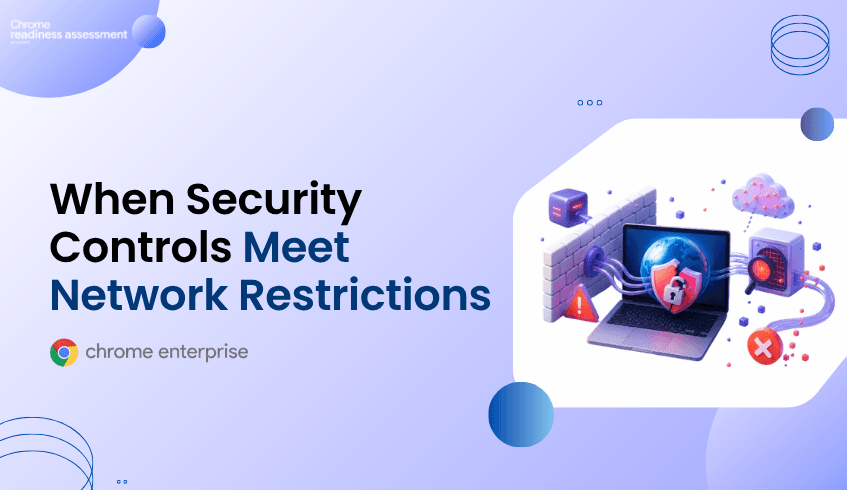
Many organizations spend significant time preparing for a Chrome Enterprise Premium (CEP) deployment.
Devices are configured. Policies are reviewed. Security controls are planned. Users are prepared for rollout.
Yet after deployment begins, unexpected issues sometimes emerge.
Certain devices behave differently from others. Security capabilities may not function as expected. Reporting may become inconsistent. Some users encounter problems while others experience none at all.
The cause is not always the deployment itself.
In many cases, the issue lies within the organization's existing network environment.
Proxy servers, SSL inspection platforms, firewall controls, DNS filtering, and traffic-management policies can introduce hidden dependencies that only become visible once deployment activities are underway.
Understanding those dependencies before rollout begins is often the difference between a smooth deployment and weeks of troubleshooting.
Modern enterprise networks rarely provide unrestricted internet access.
To improve security and compliance, organizations commonly deploy:
Proxy servers
Secure Web Gateways
SSL/TLS inspection platforms
DNS filtering solutions
Network firewalls
Traffic monitoring systems
These technologies play an important role in protecting the organization.
However, they also introduce additional complexity.
A browser, device, or security service may require access to specific endpoints, services, or certificates to function correctly. If network controls interfere with those requirements, the resulting issues may not be immediately obvious.
Google's enterprise guidance includes dedicated documentation for network configuration and proxy environments as well as required service connectivity and hostname allowlists because enterprise browser deployments frequently operate behind managed network controls.
The challenge is that network-related issues often remain hidden until deployment begins.
An organization may successfully complete configuration and policy setup only to discover:
Certain devices cannot reach required services
Security capabilities behave inconsistently
Reporting data appears incomplete
Browser functionality differs between locations
Some user groups experience problems while others do not
At first glance, these symptoms may appear to be policy or browser issues.
In reality, the root cause may be a proxy configuration, traffic inspection rule, firewall restriction, or connectivity dependency that was never identified during deployment planning.
Because different offices, device groups, or network segments may operate under different network controls, troubleshooting can become extremely difficult.
Google provides specific guidance for organizations operating behind proxies and inspection platforms because network controls can affect how enterprise browser services communicate. Google's documentation on TLS inspection and enterprise browser traffic handling highlights the importance of correctly configured inspection and connectivity controls.
or example, Google documents the need for organizations to configure appropriate hostname allowlists and network access requirements for enterprise services. Google also provides dedicated guidance around proxy environments and TLS inspection because restrictive or improperly configured controls can interfere with browser-related functionality.
These challenges are rarely organization-wide failures.
One office may operate normally.
One device group may function without issue.
Another location or network segment may experience intermittent or persistent connectivity problems.
As a result, organizations often discover the issue only after deployment activities have already expanded.
Traditional troubleshooting typically begins after users report an issue.
A user cannot access a service.
A security capability behaves unexpectedly.
A reporting feature stops providing complete information.
Only then does the investigation begin.
Administrators may need to review:
Proxy configurations
Firewall policies
SSL inspection settings
Network routes
DNS filtering rules
Service accessibility
Device-specific connectivity conditions
The challenge is not simply identifying a connectivity problem.
The challenge is determining how widespread the issue actually is.
Across hundreds or thousands of endpoints, that process quickly becomes reactive.
Network-related deployment issues are often difficult to investigate because they do not always affect every device equally.
A firewall rule, proxy configuration, SSL inspection policy, or connectivity restriction may impact only certain users, locations, browser versions, or device groups. As a result, troubleshooting frequently begins after users report inconsistent behavior.
Chrome Readiness Assessment provides additional visibility into the browser and device environment by helping teams understand how devices are interacting with web services across the organization.
For network and connectivity investigations, useful insights can include browser versions, browser usage patterns, device-level browser information, accessed domains, usage duration, visit frequency, and the devices associated with specific activity.
This allows teams to look beyond a single support ticket and identify whether connectivity-related issues are concentrated within a particular browser version, department, location, or group of devices.
Instead of treating every connectivity issue as an isolated incident, organizations gain broader visibility into where potential network-related deployment risks may be emerging.
The goal is not simply to identify a blocked connection. The goal is to understand how network conditions may affect deployment readiness across the environment.
Network issues are often discovered only after deployment begins.
By that stage, rollout activities may already be underway, users may be affected, and troubleshooting becomes far more time-consuming.
CEP Deployment Readiness Insights helps organizations identify Network & Connectivity Health concerns before deployment expands.
When the CEP Pre Deployment Check is enabled, teams gain visibility into devices that may be affected by connectivity-related readiness concerns.
CEP Deployment Readiness Insights helps teams identify connectivity-related readiness concerns before rollout expands. Administrators can quickly understand the scope of the issue, identify affected devices, and prioritize remediation efforts before network conditions impact deployment success.
A connectivity issue affecting one device is a support ticket.
A connectivity issue affecting hundreds of devices becomes a deployment challenge.
When network dependencies remain hidden until rollout begins, organizations may face:
Delayed deployment timelines
Increased support effort
User disruption
Inconsistent security outcomes
Reduced confidence in deployment readiness
Successful Chrome Enterprise Premium deployment depends on more than devices and policies.
It also depends on whether the surrounding network environment is ready to support those capabilities.
Understanding that readiness early allows organizations to address risks before they become operational problems.
Proxy servers can influence how devices communicate with required services. If configurations are restrictive or incomplete, certain browser or security capabilities may not function as expected.
SSL inspection allows organizations to inspect encrypted traffic for security purposes. Depending on configuration, it may affect communication between devices and external services.
They often affect only certain locations, device groups, or network segments, making the issue appear inconsistent across the environment.
Chrome Readiness Assessment provides visibility into browser activity, device-level browser details, accessed domains, browser versions, and usage patterns that can help teams investigate potential connectivity-related risks.
CEP Deployment Readiness Insights helps organizations identify Network & Connectivity Health concerns before deployment expands, allowing teams to investigate and address readiness issues earlier in the rollout process.
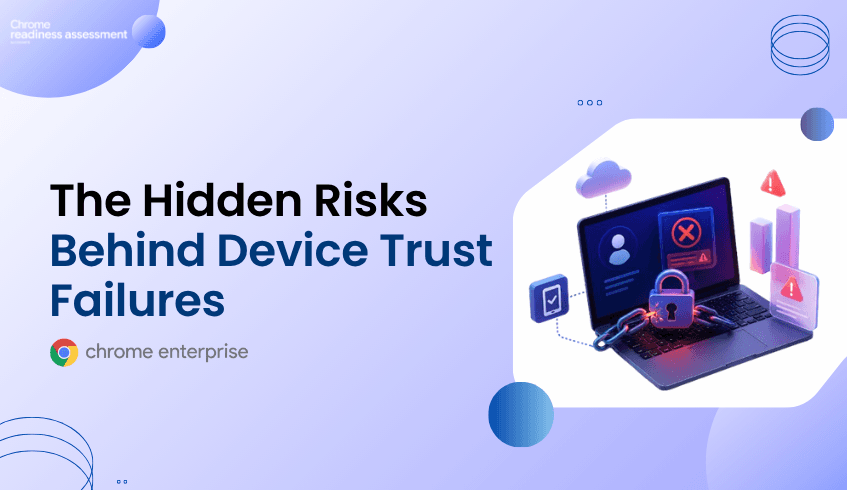
For many organizations, Chrome Enterprise Premium (CEP) deployment is designed to strengthen security by incorporating device context into access decisions.
However, some deployment challenges only become visible after policies are enabled and users begin accessing protected resources.
One of the most common examples involves device trust data.
A device may appear healthy, Chrome may be installed, and the user may be able to sign in successfully. Yet the device may fail to provide the posture information required for device-aware access controls.
When this occurs, administrators are often left investigating why some devices pass security checks while others do not.
CEP Deployment Readiness Insights helps organizations identify these conditions before wider rollout by providing visibility into endpoint readiness, deployment blockers, and affected devices across the environment.
Many Chrome Enterprise Premium security controls rely on more than user identity alone. This reflects modern Zero Trust security models, where access decisions consider user identity, device health, and contextual signals instead of assuming trust based solely on network location.
Chrome Enterprise Premium Access Protection incorporates this approach by evaluating contextual information such as device attributes and security posture
To provide this information, organizations commonly use Endpoint Verification, which collects device attributes and makes them available for device-aware access controls.
When everything functions normally, the process is largely invisible to end users.
The challenge arises when some devices stop reporting correctly.
The user may still have a functioning browser and a valid account, but the required device signals may be unavailable, incomplete, or outdated.
This issue often becomes visible only after organizations begin using device-based access controls.
Administrators may discover:
Certain users are unexpectedly denied access
Some devices fail device-trust checks
Device posture information is missing
Access policies behave differently across devices
Security teams receive inconsistent results when reviewing endpoints
At first glance, these symptoms may appear to be policy problems.
In reality, the underlying issue may originate from missing or outdated device information.
Because only a subset of devices may be affected, identifying the root cause across a large environment can become difficult.
The official Endpoint Verification troubleshooting documentation outlines several issues that can interrupt synchronization and prevent device information from being reported correctly.
Examples include:
Windows Data Protection API (DPAPI) errors
Outdated Chrome browser versions
Device reset and user-profile issues
Problems accessing stored encryption keys
Windows registry-related failures
These issues do not necessarily affect every device equally.
One endpoint may continue reporting successfully while another endpoint with different local conditions fails to synchronize.
As a result, organizations may only discover the issue after deployment has already expanded across a larger group of users.
Traditional troubleshooting typically begins after users report an issue.
A user loses access.
A device fails a policy check.
A security review identifies missing posture data.
Only then does the investigation begin.
Administrators often need to review browser versions, enterprise browser management settings, Endpoint Verification status, device configuration, user profiles, and policy settings before identifying the underlying issue.
Across hundreds or thousands of devices, this process quickly becomes reactive.
The challenge is not necessarily fixing a single device.
The challenge is knowing which devices require investigation in the first place.
Chrome Enterprise Premium combines browser security, centralized management, threat protection, and context-aware access to help organizations strengthen enterprise security. These capabilities depend on reliable device trust signals to make informed access decisions.
When device information is unavailable or inaccurate, organizations may experience:
Unexpected access denials
Inconsistent policy enforcement
Increased support requests
Delayed rollout activities
Reduced confidence in deployment readiness
The issue may not originate from Chrome Enterprise Premium itself.
Instead, it can result from endpoint conditions that were never identified before deployment.
Understanding those conditions early is critical for smoother rollout planning.
When the CEP Pre Deployment Check is enabled, administrators can quickly understand whether device trust issues are isolated incidents or indicators of a wider deployment concern.
For Endpoint Verification-related readiness checks, the feature helps teams:
Understand how widespread device trust reporting issues are across the environment
Identify which devices may struggle to provide the posture information required for access controls
Prioritize endpoints that require investigation before rollout expands
Compare readiness across departments, groups, or device populations
Focus remediation efforts on the devices most likely to impact deployment success
Instead of discovering missing device posture information through access failures or support tickets, teams gain earlier visibility into where deployment risk may exist.
Endpoint Verification synchronization is only one example of a deployment readiness concern.
The same device may also experience:
Browser-management issues
Network connectivity restrictions
Policy conflicts
Hardware limitations
Legacy dependency risks
Operational health concerns
CEP Deployment Readiness Insights organizes these findings into broader readiness categories, helping organizations understand whether a device-trust issue is isolated or part of a wider deployment challenge.
This provides a more complete picture of readiness across the environment.
Organizations invest in Chrome Enterprise Premium to strengthen security and improve access control.
Those goals become harder to achieve when critical deployment conditions remain hidden until after rollout begins.
Device trust issues can create user disruption, increase support effort, delay deployment activities, and introduce operational complexity.
CEP Deployment Readiness Insights helps organizations gain visibility into these risks earlier, prioritize investigation efforts, and better prepare the endpoint environment before deployment expands.
The goal is not simply to enable device-based access controls.
The goal is to understand whether the devices expected to support those controls are actually ready.
Device trust refers to the use of device attributes and posture information as part of access-control decisions.
Common causes include Endpoint Verification synchronization failures, browser-version issues, operating-system configuration problems, and local device conditions that prevent posture information from being reported correctly.
Organizations may not discover reporting or synchronization problems until device-based access controls begin evaluating those devices.
It helps administrators identify affected devices, review readiness findings, investigate deployment blockers, and understand where readiness risks exist before broader rollout.
No. The feature provides visibility into readiness concerns and affected devices so organizations can investigate and remediate issues before they impact deployment success.
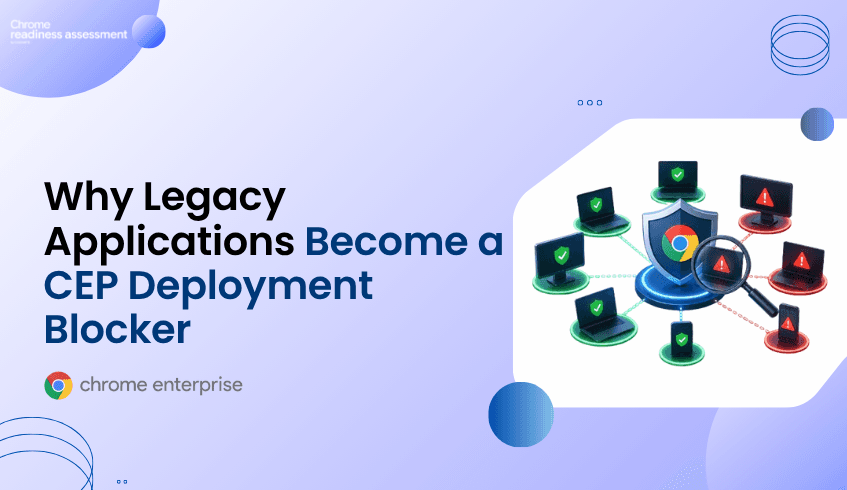
Organizations planning a Chrome Enterprise Premium deployment often focus on licences, browser management, security policies, and access controls.
However, one of the most easily overlooked deployment challenges is the existing application environment.
Many enterprises still rely on legacy applications, internal business systems, and on-premises platforms that were designed around older authentication, network, and infrastructure models. These applications may continue to support daily operations, but they can introduce migration friction when organizations adopt modern Zero Trust controls.
CEP Deployment Readiness Insights within the Chrome Readiness Assessment helps organizations identify these conditions before rollout. It provides visibility into migration friction, legacy dependencies, network concerns, policy conflicts, hardware limitations, and other issues that may affect CEP deployment across the endpoint fleet.
Modern security initiatives change how users access corporate applications and resources.
Google’s BeyondCorp security model moved access decisions away from relying mainly on the traditional network perimeter and toward contextual signals involving users, devices, applications, and policies.
This type of transformation involves more than enabling a new security control.
Most enterprise environments contain a combination of:
Legacy web applications
Internal business systems
On-premises platforms
Older authentication methods
Custom-built applications
Infrastructure-specific dependencies
These applications may depend on specific browser conditions, internal network routes, legacy identity systems, or supporting infrastructure that is not immediately visible during deployment planning.
The application may still work for users, while the dependencies behind it create readiness risks for a wider CEP rollout.
A business-critical application may appear fully functional while depending on conditions that make modernization more difficult.
For example, it may require:
An older authentication method
A specific browser configuration
Access through an internal network
A fixed proxy or firewall rule
A legacy operating system component
A custom connector or infrastructure dependency
A practical example documented by SADA shows that protecting on-premises applications through BeyondCorp requires additional decisions around connectors, application types, network connectivity, firewall access, Cloud VPN or Interconnect, and infrastructure placement.
Unlike cloud-native or SaaS applications, existing internal applications may therefore require a more carefully planned deployment path.
As organizations prepare for a Chrome Enterprise Premium rollout, these conditions can create readiness gaps that remain hidden until deployment has already started.
The larger the environment, the harder these dependencies become to identify manually.
Deployment teams may know which applications exist, but they may not clearly understand:
Which devices depend on legacy environments
Which endpoints show migration-friction risks
Which departments or domains are most affected
Whether an issue is isolated or widespread
Which supporting conditions could delay rollout
Whether additional network or policy risks exist on the same endpoints
Traditional application inventories may show that an application is installed, but they do not always explain the wider conditions surrounding its use.
Without centralized readiness visibility, deployment teams may discover these dependencies only after policies are configured, access controls are introduced, or deployment begins across a larger group of devices.
At that stage, remediation becomes more difficult because the rollout is already underway.
Chrome Enterprise Premium can strengthen enterprise browsing through threat protection, data protection, centralized controls, and context-aware access.
Google’s Chrome Enterprise Premium access protection documentation explains how access decisions can incorporate identity, device attributes, and contextual conditions.
This means deployment readiness extends beyond installing or managing the browser.
Organizations also need to understand whether the applications, devices, policies, networks, and supporting infrastructure around the browser are ready to work with those controls.
When legacy dependencies remain undiscovered, they can contribute to:
Delayed deployment timelines
Unexpected access problems
Increased troubleshooting effort
Additional infrastructure work
Inconsistent experiences between device groups
Greater operational complexity during rollout
The issue is not that every legacy application must immediately be replaced.
The issue is that its dependencies need to be visible before deployment decisions are made.
CEP Deployment Readiness Insights helps organizations review deployment conditions before expanding Chrome Enterprise Premium rollout.
When the CEP Pre Deployment Check is enabled, readiness insights become available through the Dashboard and Report Generator.
For environments containing legacy applications and migration dependencies, administrators can:
Identify devices showing migration-friction or legacy-dependency risks
Review organization-level readiness and top deployment blockers
See which device groups or domains require closer investigation
Distinguish between Hard Blockers and Soft Blockers
Review detected values and failing thresholds
Investigate affected devices at a detailed level
Understand whether network, policy, hardware, or operational risks exist on the same endpoints
The feature does not claim to identify every application dependency or automatically redesign a legacy environment.
Instead, it shows where migration friction and related readiness conditions are present, giving administrators a clearer starting point for investigation and planning.
Legacy applications are rarely the only readiness concern on an affected endpoint.
The same device may also have limited hardware resources, blocked service connectivity, proxy or VPN interference, browser-management gaps, identity issues, or policy conflicts.
CEP Deployment Readiness Insights organizes readiness checks into four areas:
OS & Hardware Compatibility
Network & Connectivity Health
Migration Friction & Legacy Dependencies
Policy Conflict & Operational Health
This allows organizations to understand whether a legacy-dependency risk is isolated or part of a wider device-readiness problem.
Instead of reviewing each condition through separate reports, administrators receive an organization-level overview and can then investigate the devices requiring attention.
Security modernization becomes more difficult when business-critical dependencies are discovered late.
Legacy applications and supporting infrastructure can increase rollout time, create user disruption, raise support demand, and introduce unexpected operational work.
Organizations investing in Chrome Enterprise Premium need to know whether the surrounding endpoint environment can support the deployment—not only whether the licences have been purchased.
CEP Deployment Readiness Insights helps teams identify readiness concerns earlier, prioritize affected devices, and gain a clearer view of where deployment risk is concentrated.
The goal is not simply to deploy Chrome Enterprise Premium.
The goal is to deploy it with visibility into the applications, devices, networks, policies, and dependencies that may affect rollout success.
Legacy applications may depend on older authentication methods, browser configurations, network routes, operating system components, or infrastructure that requires additional planning when modern access controls are introduced.
Migration friction refers to technical or operational conditions that make it harder to introduce new platforms, security controls, or management approaches successfully.
Large organizations may operate thousands of devices and many internal applications across departments and locations. Some dependencies are undocumented, device-specific, or hidden behind existing network and infrastructure configurations.
It helps administrators identify devices showing migration-friction risks, review blocker severity, examine detected values and thresholds, and investigate whether other readiness concerns exist on the same endpoints.
The feature surfaces migration-friction and legacy-dependency readiness conditions at organization and device level. Further investigation may still be required to determine the precise application or infrastructure dependency involved.
No. The feature provides readiness visibility and blocker information so administrators can prioritize investigation and remediation before rollout expands.
Legacy applications should not become visible only after deployment problems begin. Use CEP Deployment Readiness Insights within the Chrome Readiness Assessment to identify migration friction, review affected devices, and prepare the environment before Chrome Enterprise Premium rollout.
ChromeOS Flex gives organizations a practical way to modernize existing devices.
Instead of replacing every PC or Mac immediately, teams can use ChromeOS Flex to move suitable existing devices toward a cloud-first, secure, and easier-to-manage operating system.
But the main question is not only:
“Can we install ChromeOS Flex?”
The better question is:
“Which devices are actually ready for it?”
Not every existing device will deliver the same experience. Some devices may be strong candidates for ChromeOS Flex. Others may need review because of hardware limitations, model support, performance, or compatibility concerns.
That is where Chrome Readiness Assessment helps.
It gives IT teams visibility into ChromeOS Flex readiness before rollout, helping them understand which devices are suitable, which need attention, and where migration risk may appear.
ChromeOS Flex is useful because it helps organizations extend the life of current hardware.
But existing device fleets are rarely consistent.
A company may have different laptop models, different ages of devices, different hardware specifications, and devices used by different teams. Some may be newer and stable. Others may be older, unsupported, or less suitable for a smooth ChromeOS Flex experience.
If IT does not check readiness first, rollout can become unpredictable.
Some users may get a good experience. Others may face performance issues, hardware limitations, or device-specific problems. This can create delays, and user frustration.
Chrome Readiness Assessment helps reduce that uncertainty by showing ChromeOS Flex readiness at the device level before migration begins.
ChromeOS Flex is designed to help organizations refresh existing PCs and Macs with a modern, cloud-first operating system.
Google describes ChromeOS Flex as a way to transform existing devices into secure, cloud-first endpoints. This can help organizations reduce unnecessary hardware replacement, extend device value, and create a more manageable endpoint environment.
For IT teams, ChromeOS Flex can also support centralized management when devices are enrolled with the right enterprise management licensing.
This makes ChromeOS Flex valuable for organizations that want to modernize their device fleet without immediately replacing every machine.
But because ChromeOS Flex runs on existing hardware, device readiness becomes very important.
Chrome Readiness Assessment helps teams understand which devices are suitable for ChromeOS Flex before rollout.
It gives IT a clearer picture of device-level readiness, so teams can identify:
devices that are good candidates for ChromeOS Flex
devices that may create rollout risk
devices that may need replacement instead of reuse
This helps IT plan the migration more safely.
Instead of treating every existing PC the same way, teams can make decisions based on device readiness.
ChromeOS Flex does not behave the same on every device.
Google provides a certified models list to help organizations understand which models have been tested and supported for ChromeOS Flex. Google also explains that ChromeOS Flex may work on non-certified devices, but stability, functionality, and performance are not guaranteed in the same way.
This is why device readiness should be checked before a wider rollout.
A device may turn on and install ChromeOS Flex, but that does not always mean it is the best device for long-term business use.
Chrome Readiness Assessment helps bring this device-level view into migration planning earlier, so IT can avoid surprises after deployment.
ChromeOS Flex readiness shows whether existing PCs and Macs are suitable candidates for ChromeOS Flex migration.
ChromeOS Flex helps organizations modernize existing devices with a cloud-first operating system instead of replacing every device immediately.
No. Some devices are better candidates than others. Google recommends checking ChromeOS Flex certified models because performance, functionality, and stability can vary across devices.
Chrome Readiness Assessment helps IT teams understand device-level ChromeOS Flex readiness before rollout, so they can identify suitable devices, review risky devices, and plan migration more confidently.
No. ChromeOS Flex provides many ChromeOS benefits for existing PCs and Macs, but it is not identical to ChromeOS on purpose-built ChromeOS devices.
ChromeOS Flex can help organizations modernize existing devices, but only if the right devices are selected. Use Chrome Readiness Assessment to understand ChromeOS Flex device readiness before rollout, so IT can reuse hardware with fewer surprises.
Many organizations want to use AI agents to reduce repetitive manual work.
But before automation begins, teams need to know which workflows are actually worth reviewing.
That is where the Agentic Workflows feature in Chrome Readiness Assessment helps.
It identifies repeated workflows across applications and shows the application sequences that may support future automation planning with Gemini Enterprise.
Instead of guessing where automation could help, organizations can see which workflows repeat often, how much time they take, how many devices follow the same pattern, and whether those workflows are automation-ready.
In many organizations, employees repeat the same steps every day.
They may move between email, spreadsheets, documents, browser-based tools, task platforms, internal systems etc. These tasks may feel small individually, but across many users and devices, they can consume a large amount of time.
The challenge is visibility.
Leaders may know that repetitive work exists, but they may not know:
which workflows repeat the most
which apps are involved
how much time is spent
how many devices follow the same pattern
which workflows are suitable for automation review
Without that visibility, automation planning becomes guesswork.
Agentic Workflows helps organizations identify repetitive, multi-step workflows across applications.
The feature analyzes application usage and detects repeated sequences involving up to three applications. It can also use URL-level activity to understand browser-based workflows and web application usage.
For each detected workflow, teams can review useful details such as:
workflow name
application sequence
time spent
workflow frequency
number of devices involved
automation readiness status
device-level workflow insights
This helps administrators understand where manual effort is happening and which workflows may be worth reviewing first.
The application sequence is one of the most important parts of the feature.
A workflow is not always limited to one tool. A user may start in email, move to a spreadsheet, open a browser-based system, and then create a document.
Agentic Workflows help show that sequence clearly.
This matters because Gemini Enterprise automation planning needs context. Teams need to understand how work moves across apps before deciding whether an AI-driven agent could support that process.
By showing repeated app sequences, Agentic Workflows gives organizations a clearer starting point for automation planning.
Agentic Workflows does not automatically execute or deploy automation.
Its role is to help teams identify workflows that may be suitable for automation with Gemini Enterprise.
Detected workflows are matched against a predefined workflow database. Only workflows that exist in that database are displayed, helping teams focus on known workflow patterns that are relevant for automation readiness analysis.
This gives organizations a more structured way to decide:
which workflows should be reviewed first
which workflows have high automation potential
which workflows take the most time
which workflows appear across many devices
where Gemini Enterprise automation may create value
Automation works best when it is focused on the right problems.
If organizations choose workflows based only on assumptions, they may miss high-impact opportunities or spend time reviewing processes that do not create enough value.
Agentic Workflows helps reduce that uncertainty.
It gives leaders visibility into repetitive work, time spent, workflow frequency, device-level usage, and automation readiness.
This helps organizations make better decisions before investing in Gemini Enterprise automation initiatives.
Agentic Workflows is a feature in Chrome Readiness Assessment that helps identify repetitive workflows across applications and evaluate their automation readiness.
It shows repeated application sequences, workflow frequency, time spent, device usage, and automation readiness, helping teams understand which workflows may be suitable for Gemini Enterprise automation planning.
No. It does not execute, deploy, or trigger automation. It provides visibility into workflows that may be reviewed for future automation.
It detects repetitive workflows involving multiple applications, with support for up to four applications in the initial release.
Yes. It can analyze browser-based workflows using URL-level activity to understand web application usage.
Agentic Workflows helps organizations move from automation guesswork to automation readiness. By showing repeated app sequences, time spent, device usage, and readiness status, it helps teams identify which workflows may support Gemini Enterprise automation planning.
Rolling out Chrome Enterprise Premium across an enterprise fleet requires more than turning on a security product. It depends on whether devices, browsers, policies, networks, hardware, and legacy environments are ready to support deployment. CEP Deployment Readiness Insights helps IT and security teams identify rollout blockers before deployment begins, so they can plan with more confidence and fewer surprises.
This new readiness capability gives organizations a centralized view of deployment readiness across the fleet. It highlights which devices are ready, which devices need attention, and which risks may slow down or prevent a successful Chrome Enterprise Premium rollout.
Chrome Enterprise Premium helps organizations bring advanced browser security closer to where work happens. Google describes Chrome Enterprise Premium as a secure enterprise browsing solution that enhances Chrome’s built-in security with capabilities such as configurable data loss prevention, real-time phishing and malware protection, sandboxing protection, and secure access controls.
But before organizations can fully benefit from Chrome Enterprise Premium, they need to understand whether their environment is ready for deployment.
That is where many enterprise teams run into friction.
A large organization may have thousands of devices across departments, domains, operating systems, browser versions, user groups, and network environments. Some devices may be fully prepared for rollout. Others may have outdated operating systems, hardware limitations, policy conflicts, identity dependencies, network restrictions, or browser management gaps.
Without a readiness view, these issues are often discovered after deployment has already started. That can lead to delayed timelines, inconsistent rollout experiences, increased troubleshooting, and uncertainty across IT and security teams.
CEP Deployment Readiness Insights is designed to solve that problem before rollout begins.
CEP Deployment Readiness Insights is a pre-deployment visibility feature within the Chrome Readiness Assessment experience. It helps organizations assess whether their endpoint environment is ready for Chrome Enterprise Premium deployment.
Instead of showing only raw endpoint information, the feature organizes readiness signals into clear, actionable insights. Administrators can see overall deployment posture, identify devices with blockers, review the most common readiness issues, and investigate device-level details when needed.
The goal is simple: help teams understand what could block or slow CEP deployment before they begin or expand rollout.
The feature begins with a CEP Pre-Deployment Check option in the configuration wizard.
When administrators enable this option, the assessment collects and evaluates the readiness signals needed to understand CEP deployment posture. Once enabled, CEP Deployment Readiness Insights become available in the Dashboard and Report Generator.
This keeps the experience intentional. Readiness insights appear only when the organization has configured the assessment to evaluate CEP deployment readiness.
For IT teams, this means the readiness workflow can be aligned with an actual deployment planning process. For security teams, it creates a structured way to understand rollout exposure before Chrome Enterprise Premium adoption expands.
The Dashboard provides an organization-level view of CEP deployment readiness.
Administrators can quickly see the overall state of the fleet, including total device count, devices ready for deployment, devices with deployment blockers, performance risks, and migration risks.
This matters because enterprise rollout planning often starts with a basic question: how ready are we?
The Dashboard helps answer that question at a glance. Instead of manually comparing device inventories, policy exports, network checks, and support data, teams get a centralized readiness summary that highlights where rollout may proceed smoothly and where attention is needed.
The Dashboard also surfaces top deployment blockers across the device fleet. This helps teams identify repeated issues that may affect many users or departments, rather than investigating one device at a time.
CEP Deployment Readiness Insights groups readiness checks into clear categories so administrators can understand the type of issue affecting deployment.
The readiness categories include:
OS & Hardware Compatibility This category helps identify device conditions that may affect whether an endpoint can support rollout successfully. It gives teams visibility into compatibility concerns before they create deployment friction.
Network & Connectivity Health This category highlights network and connectivity conditions that may affect access, service reachability, or rollout behavior. For distributed workforces and hybrid environments, this is especially important.
Migration Friction & Legacy Dependencies This category helps teams understand whether older systems, dependencies, or environment conditions may slow migration or create rollout complexity.
Policy Conflict & Operational Health This category identifies policy-related or operational conditions that may interfere with a smooth deployment experience.
By grouping readiness issues this way, the feature helps administrators move faster from “something is wrong” to “this is the kind of issue we need to investigate.”
Not every readiness issue has the same impact.
CEP Deployment Readiness Insights classifies blockers into two practical severity levels: Hard Blockers and Soft Blockers.
Hard Blockers represent critical conditions that may prevent successful CEP deployment on a device. These are the issues teams should prioritize first because they can directly affect rollout feasibility.
Soft Blockers represent reviewable risks that may affect rollout quality, performance, policy behavior, or user experience. These issues may not always stop deployment completely, but they should be reviewed and addressed before broader rollout.
This classification helps teams prioritize. Instead of treating every readiness issue as equally urgent, administrators can focus on the conditions most likely to disrupt deployment.
Organization-level visibility is useful, but deployment teams also need to understand what is happening on individual devices.
CEP Deployment Readiness Insights provides device-level readiness status and blocker reasons. Administrators can review which devices are ready, which devices are blocked or at risk, and what readiness category each issue belongs to.
For each readiness check, the experience can show details such as the check name, detected value, failing threshold, blocker type, and readiness status.
This helps reduce manual investigation. Instead of exporting multiple reports or asking endpoint teams to validate conditions one by one, administrators can see why a device is considered ready, blocked, or at risk.
Large enterprise environments need more than a static report. They need ways to narrow the data quickly.
CEP Deployment Readiness Insights supports search and filtering for device-level investigation. Administrators can filter readiness data by device, UUID, group, domain, and readiness status where applicable.
This helps teams investigate specific parts of the organization. For example, an administrator may want to review readiness for a particular department, domain, or group before scheduling rollout. They may also want to find devices with a specific readiness status so remediation can be prioritized.
For enterprise-scale deployments, this kind of filtering is critical. It keeps the readiness experience usable even when the fleet includes thousands of devices across multiple business units.
The Report Generator includes the CEP Pre-Deployment Readiness section when the feature is enabled.
This gives teams a structured way to review readiness outside the Dashboard. Reports can support rollout planning, stakeholder communication, remediation tracking, and internal decision-making.
The Dashboard is useful for quick visibility. The Report Generator is useful when teams need a more detailed readiness view that can be shared, reviewed, or used during deployment planning discussions.
Together, they give organizations both high-level visibility and detailed readiness context.
CEP Deployment Readiness Insights is built to help organizations move from reactive troubleshooting to proactive deployment planning.
Teams should expect better visibility into which devices are ready for CEP deployment, faster identification of blockers and risk areas, clearer prioritization of devices that need attention, and more structured readiness reporting through the Dashboard and Report Generator.
Just as important, teams should understand what this feature is not intended to do.
CEP Deployment Readiness Insights does not automatically deploy Chrome Enterprise Premium. It does not automatically fix detected blockers, replace endpoint management tools, apply remediation without administrator review, or provide continuous live monitoring after the readiness report is generated.
Its purpose is pre-deployment visibility.
That distinction makes the feature valuable for planning. It helps administrators understand readiness gaps before rollout begins, so they can take informed action using the right operational and security processes.
Chrome Enterprise Premium can help organizations strengthen browser security with advanced protections for data, threats, and access. Google’s Chrome Enterprise Premium documentation describes capabilities such as DLP controls, malware and phishing protection, sandboxing protection, and context-aware access for enterprise environments.
CEP Deployment Readiness Insights helps organizations prepare for that adoption more effectively.
It gives IT and security teams a clearer understanding of rollout feasibility before deployment begins. It helps identify device populations that are ready to move forward. It highlights the blockers that need attention. And it supports a more confident, phased approach to Chrome Enterprise Premium rollout.
For organizations managing complex endpoint fleets, that visibility can make the difference between a reactive deployment and a planned deployment.
CEP Deployment Readiness Insights is a pre-deployment readiness feature that helps organizations assess whether their devices and environments are ready for Chrome Enterprise Premium rollout.
When enabled through the CEP Pre-Deployment Check, readiness insights appear in the Dashboard and Report Generator.
It shows readiness issues across OS and hardware compatibility, network and connectivity health, migration friction and legacy dependencies, and policy conflict and operational health.
A Hard Blocker is a critical issue that may prevent successful deployment. A Soft Blocker is a reviewable issue that may affect rollout quality, performance, or policy behavior but can usually be addressed before deployment.
No. CEP Deployment Readiness Insights is focused on visibility and planning. Administrators remain responsible for reviewing and addressing blockers through the appropriate operational processes.
Before rolling out Chrome Enterprise Premium across your enterprise fleet, understand what could block deployment.
Use CEP Deployment Readiness Insights to assess readiness, identify blockers, prioritize investigation, and plan Chrome Enterprise Premium adoption with greater confidence.
Deploying Chrome Enterprise Premium across a large enterprise is not just a licensing or configuration exercise. It depends on whether endpoints, browsers, policies, networks, identity environments, and operating systems are ready to support the rollout. When these conditions are unclear, teams often discover blockers after deployment has already started.
CEP Pre- Deployment Readiness Insights helps organizations shift from reactive troubleshooting to proactive rollout planning. It gives IT and security teams a clearer view of which devices are ready, where blockers exist, and which areas need attention before Chrome Enterprise Premium adoption expands.
Enterprise browsers have become the primary workspace for modern business. Employees use the browser to access SaaS applications, cloud platforms, internal dashboards, customer systems, collaboration tools, and sensitive enterprise data. That is why organizations are increasingly looking at Chrome Enterprise Premium as a way to bring stronger protection closer to where work happens.
Chrome Enterprise Premium extends Chrome’s enterprise security with capabilities such as threat protection, data protection, and secure enterprise browsing controls. Google Cloud documentation describes Chrome Enterprise Premium as enhancing Chrome’s built-in security with configurable data loss prevention, real-time phishing and malware protection, and secure access controls for enterprise environments.
But before an organization can confidently roll out CEP across thousands of devices, it needs to answer a practical question:
Is the environment actually ready?
That question is harder than it sounds.
In many enterprises, endpoint fleets are distributed across departments, regions, operating systems, browser versions, user groups, and management models. Some devices may be fully aligned with enterprise browser policies. Others may have outdated configurations, legacy dependencies, network restrictions, or policy conflicts that are invisible until rollout begins.
When those issues surface late, deployment teams lose time. Security teams lose confidence. Users experience friction. And what should be a planned browser security upgrade can turn into a reactive troubleshooting effort.
The direct answer: CEP readiness depends on many conditions that are usually spread across different areas.
A successful deployment can be affected by endpoint health, browser management posture, operating system compatibility, network reachability, identity readiness, policy alignment, hardware limitations, and legacy dependencies. These are not always visible in one place.
That creates a common enterprise challenge: teams may know how many devices they manage, but not which devices are ready for CEP deployment.
For example, a device may look active and healthy from a general inventory perspective, but still have conditions that could slow or block a successful rollout. Another device may be technically capable of deployment, but require review because of policy conflicts or migration friction.
Without a structured readiness view, administrators are left asking:
Security and IT teams need a clear way to distinguish ready devices from devices that require attention. Without this, deployment planning becomes guesswork.
Not every issue has the same impact. Some conditions may prevent rollout entirely. Others may create performance, policy, or user-experience concerns that should be reviewed before deployment expands.
In a large fleet, the problem is rarely one isolated device. Teams need to understand patterns across departments, groups, domains, and device populations so they can prioritize the highest-impact readiness gaps.
CEP Deployment Readiness Insights is designed to give organizations a clearer readiness picture before rollout begins.
Instead of forcing administrators to interpret scattered technical signals manually, it turns endpoint and environment data into readiness insights. The goal is not to overwhelm teams with raw detail. The goal is to help them understand deployment posture at a practical level.
At a high level, the experience helps teams understand:
Which devices appear ready for deployment. Which devices may require attention before rollout. Which categories of readiness issues are most common. Which blockers may affect deployment timing or quality. Where teams should focus investigation before expanding CEP adoption.
This is especially valuable for organizations that want to deploy Chrome Enterprise Premium in phases. Before expanding from a pilot group to a wider device population, administrators can review readiness indicators and address the most visible blockers first.
The direct answer: organizations should expect better visibility, better prioritization, and fewer surprises during CEP rollout planning.
CEP Deployment Readiness Insights is visibility before action.
That distinction matters. Enterprise teams do not simply need another dashboard. They need a planning layer that helps them understand where rollout risk exists and what kind of risk they are dealing with.
For example, some readiness issues may indicate critical blockers that should be resolved before deployment continues. Others may indicate reviewable risks that could affect rollout quality, policy behavior, or migration effort.
By separating these concerns, teams can avoid treating every readiness issue as equal. They can focus first on the conditions most likely to delay or disrupt deployment.
Chrome Enterprise Premium gives organizations a stronger browser-level security foundation for modern work. Google describes CEP as bringing advanced security capabilities to the enterprise browser, including protections for data, threats, and access.
But security value depends on deployment readiness.
A powerful browser security platform is only effective when organizations can roll it out predictably across the devices and users that need protection. If deployment blockers are hidden, adoption slows. If teams lack device-level readiness context, rollout plans become harder to defend. If issues are discovered too late, security improvements can be delayed.
CEP Deployment Readiness Insights helps close that planning gap.
It gives teams a more structured way to prepare their endpoint environment before broader CEP rollout. That means administrators can move from “we think we are ready” to “we know where we are ready, where we are blocked, and what needs review.”.
For security leaders, CEP deployment readiness is not just an IT operations concern. It affects the pace at which browser-level protection can be expanded across the organization.
The browser is now a major control point for enterprise security. Google Cloud has described the browser as a key endpoint where high-value activities such as authentication, access, communication, collaboration, administration, and coding happen in modern enterprises.
That means delays in browser security deployment can leave gaps in protection around the very place where users access sensitive applications and data.
Readiness insights help security leaders understand what may slow deployment before those delays become business problems. They also help teams plan adoption in a way that is measurable, explainable, and easier to prioritize.
CEP Deployment Readiness Insights helps organizations assess whether their endpoint environment is ready for Chrome Enterprise Premium rollout. It highlights readiness posture, deployment blockers, and areas that may require attention before deployment expands.
No. The readiness layer is focused on visibility and planning. It helps administrators identify readiness gaps before rollout, but it does not automatically deploy CEP or apply remediation actions.
Large enterprise environments often contain mixed device types, browser versions, policies, network conditions, and legacy dependencies. Readiness insights help teams identify issues earlier, reduce troubleshooting effort, and plan deployment more confidently.
It is most valuable in larger or more complex environments, but any organization preparing for CEP deployment can benefit from understanding which devices are ready and which conditions may require review.
It helps security teams understand where browser security adoption may face blockers. That makes it easier to prioritize rollout planning, communicate risk, and accelerate progress toward stronger enterprise browser protection.
Chrome Enterprise Premium can strengthen security where modern work happens: inside the browser. But successful rollout starts with knowing whether the environment is ready.
Use CEP Deployment Readiness Insights to identify readiness gaps, understand deployment blockers, and plan CEP adoption with greater confidence before rollout begins.
A browser can reveal more than users realize.
Every time a user visits a website, the browser may expose small details about the device and browsing environment. These can include the browser version, operating system, screen size, language, time zone, installed fonts, settings, and other technical signals.
On their own, these details may seem harmless.
But when combined, they can create a browser fingerprint.
Browser fingerprinting is the practice of combining browser and device attributes to recognize or track a user or device across sessions. For normal websites, this may be used for analytics, fraud prevention, or personalization. But in a security context, it can also create risk.
If attackers can recognize certain users, devices, or browser environments over time, they may be able to support more targeted phishing, profiling, or follow-up attacks.
For enterprises, the issue becomes harder to manage when browser environments are inconsistent. Different browser versions, unmanaged browsers, unusual extension patterns, and weak browser posture can make it difficult for IT to understand what users are exposing through the browser.
Browser Insights in Chrome Readiness Assessment helps teams review browser posture across the organization, including browser versions, high-risk browsers, extension presence, device security status, and per-device browser details. CEP Accelerator helps prioritize where exposure should be reduced, while Chrome Enterprise Premium helps strengthen browser-layer control through policy enforcement, URL filtering, threat protection, context-aware access, and data protection.
Browser fingerprinting is different from a normal cookie.
A cookie is stored in the browser and can be deleted or blocked. A fingerprint is built from the browser and device details that websites can observe.
This matters because the browser is not just a tool for opening pages. It has become the main environment where users access email, SaaS platforms, customer systems, cloud storage, internal portals, dashboards, and AI tools.
If a browser environment is unique enough, it may become easier to recognize again later.
That recognition can be used in different ways. Some uses may be legitimate, such as fraud detection. But attackers can also use browser and device signals to understand what kind of user they are dealing with, whether the user is returning, and how to make a later attack more convincing.
In an enterprise setting, this becomes a browser posture issue.
The risk is not only that fingerprinting exists.
The bigger issue is that many organizations do not have a clear view of how different their browser environments have become.
One team may use a managed and updated browser. Another may use several different browsers. Some users may work through outdated versions. Others may rely on browser extensions or settings that make their browser environment more unique.
Over time, the organization may end up with many browser identities across the fleet.
That creates two problems.
First, IT may not know which browser environments are more exposed or unusual. Second, users who access sensitive systems from inconsistent or unmanaged browsers may become easier to profile, track, or target across sessions.
This is why browser standardization matters.
A consistent, managed browser environment gives security teams better control over browser behavior, policies, extensions, updates, and access decisions.
For browser fingerprinting risk, Browser Insights helps teams understand the browser posture behind the exposure.
It can show which browsers and versions are being used across the organization, where high-risk browsers exist, and which devices have unusual or unmanaged browser patterns.
It can also help teams review extension presence, device security status, browser version drift, and per-device browser details. This gives IT a clearer view of which devices or groups may need stronger browser standardization.
That visibility is important because fingerprinting risk is not always visible as a single event.
It is often created by the combination of browser version, device posture, extensions, settings, and repeated web activity. Browser Insights helps teams see where those browser environments differ across the fleet.
Instead of assuming every user has the same browser posture, IT can identify which groups, devices, or browser versions need closer review.
CEP Accelerator helps prioritize the browser risks surfaced through Browser Insights and connects them to relevant Chrome Enterprise Premium capabilities.
For browser fingerprinting exposure, this means focusing on unmanaged browsers, unusual browser patterns, outdated versions, risky extensions, or devices that already show weaker browser posture.
Chrome Enterprise Premium helps organizations strengthen browser-layer control through centralized policies, threat protection, URL filtering, context-aware access, and data protection.
This allows teams to reduce unmanaged browser behavior, control risky extensions, apply safer access decisions, and protect sensitive workflows that happen inside the browser.
The goal is not to stop every website from seeing every browser signal.
The goal is to reduce unnecessary exposure by making the enterprise browser environment more visible, more consistent, and easier to control.
Browser fingerprinting may sound like a privacy topic, but it also matters for enterprise security.
The browser is where employees access most business systems. If browser environments are unmanaged, outdated, or inconsistent, the organization may have more exposure than leaders realize.
Attackers do not always need to start with stolen passwords. Sometimes they begin by learning more about the user, the device, and the environment.
That information can make later phishing, targeting, and social engineering more convincing.
Browser Insights helps teams understand browser posture across the organization. CEP Accelerator helps decide where stronger protection should be prioritized. Chrome Enterprise Premium helps apply the browser-layer controls needed to manage access, reduce risk, and protect sensitive business workflows.
Browser fingerprinting is the practice of combining browser and device attributes, such as browser version, screen size, language, time zone, fonts, and settings, to recognize or track a user or device across sessions.
No. Some websites may use fingerprinting-related signals for analytics, fraud detection, or security. The risk comes when those signals are used for unwanted tracking, profiling, or targeted attacks.
Employees use browsers to access business systems, SaaS tools, cloud platforms, and sensitive workflows. If browser environments are unmanaged or inconsistent, it becomes harder for IT to understand and control browser-layer exposure.
Browser Insights helps teams review browser versions, high-risk browsers, extension presence, device security status, and per-device browser details across the organization.
Chrome Enterprise Premium helps strengthen browser-layer control with centralized policies, threat protection, URL filtering, context-aware access, and data protection.
Browser fingerprinting shows why browser visibility is not only about websites visited. It is also about the browser environment users carry into every session. Use Browser Insights in Chrome Readiness Assessment to understand browser posture across the fleet, then use CEP Accelerator to prioritize Chrome Enterprise Premium controls that help reduce unmanaged browser exposure.