
Explore key tools, smart features, and expert insights...
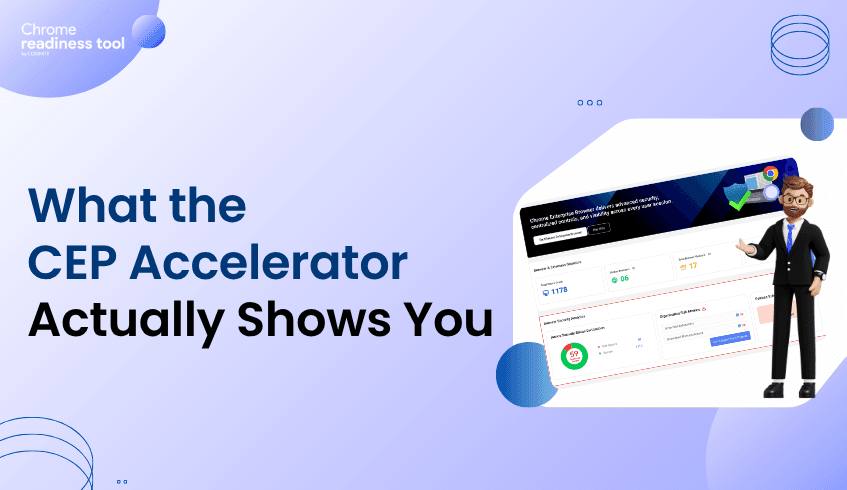
Chrome Enterprise Premium covers a lot of ground. DLP, phishing protection, context-aware access, URL filtering, extension management, security reporting. For IT teams evaluating CEP, the features aren't hard to find. What's harder is knowing which ones matter most for your specific environment right now.
That's the gap the CEP Accelerator is designed to close.
Not a Feature List. A Visibility Layer.
The CEP Accelerator isn't a tour of what CEP can do in general. It's a targeted view of where your environment has the highest exposure and how CEP's premium capabilities map directly to those gaps.
It lives inside the Chrome Readiness Tool and works from the same environment data the Chrome Readiness Tool analyzes. The difference is what it does with that data.
Instead of stopping at "here are your risks," the CEP Accelerator goes one step further: here are the risks, and here's the specific CEP capability that addresses each one.
What It Surfaces
The CEP Accelerator focuses on the areas where the jump from Chrome Enterprise to Chrome Enterprise Premium has the most practical impact.
Extension risk is one of the clearest examples. The Chrome Readiness Tool identifies unverified or high-risk extensions across your fleet. The CEP Accelerator connects that finding to CEP's extension auditing and enforcement capabilities, showing you what controlled extension management would look like in your environment specifically, not just in theory.
Session theft protection is another. The Chrome Readiness Tool shows whether each device is protected against session theft based on whether DBSC policy is active through Chrome Enterprise Premium. If CEP isn't active on a device, that device shows up as unprotected. It's a direct, device-level signal. The CEP Accelerator takes that visibility and maps it to the CEP activation that would change that status, so you can see exactly how much of your fleet is exposed and what it takes to close it.
The same logic applies to data protection gaps and phishing exposure. The Accelerator takes each risk category and ties it to the CEP feature that resolves it.
Why This Matters for IT Teams
The most common friction point in a CEP evaluation isn't budget or buy-in. It's clarity. IT teams need to be able to answer: which features do we actually need, and what will they fix?
The CEP Accelerator answers that question with your own data rather than a generic product overview. That's a fundamentally different kind of conversation to have with a decision-maker.
Instead of saying "CEP protects against session theft," you can say "here's how many devices in our fleet currently show as unprotected because DBSC policy isn't active, and here's what enabling CEP changes." That level of specificity is what moves projects forward.
What It Doesn't Do
It's worth being clear about scope. The CEP Accelerator is a visibility and planning tool. Session theft protection status, for example, reflects whether DBSC policy is active through CEP, it's a policy coverage indicator, not a real-time attack monitor. What the tool gives you is an accurate picture of where your devices stand today and which CEP capabilities would change that.
The value isn't in alerting. It's in connecting your actual environment to the right premium capabilities before you deploy, so you're not guessing at configuration priorities after the fact.
CEP Accelerator: Now Available in Chrome Readiness Tool
The CEP Accelerator is now live inside the Chrome Readiness Tool. Run an assessment, open the Accelerator, and you'll see your environment mapped against CEP's premium features in a way that makes deployment decisions significantly easier to justify and act on.
Most IT teams don't lack interest in Chrome Enterprise Premium. They lack visibility. They know threats are increasing, they've heard the pitch, and they can see the value on paper. But when it comes time to justify the investment or even know where to start, the answer is usually the same: "We need more data first."
That's exactly the problem the Chrome Readiness Tool was built to solve.
The Readiness Question Nobody Can Answer Off the Top of Their Head
Ask an IT admin whether their org is ready for CEP and they'll probably hesitate. Not because they don't understand what CEP does, but because readiness depends on knowing your current environment, and most teams don't have that picture clearly laid out.
Are there high-risk extensions running across your fleet? Are unverified extensions slipping through? Are there active session risks that policies haven't addressed yet? Are your existing Chrome policies actually doing what you think they're doing?
Without answers to these questions, any readiness conversation is just guesswork.
What Chrome Readiness Tool Actually Does
Chrome Readiness Tool works with data from your managed browser environment, giving you a structured readiness report across multiple risk categories including extension risk, session integrity signals, and policy coverage.
You're not filling out a checklist. You're looking at your actual fleet.
The tool surfaces things like: which extensions across your environment are unverified or flagged as high risk, where session-related risks exist based on configured policies, and how your current browser setup compares against CEP-relevant security benchmarks.
For most teams, the first Chrome Readiness Tool scan is a bit of a wake-up call. Not because things are catastrophically broken, but because the gaps are specific and visible in a way they weren't before.
Readiness Isn't Binary
One thing Chrome Readiness Tool makes clear is that readiness isn't a yes or no. It's a spectrum. Some parts of your environment might already align well with what CEP requires. Others might need attention before you get full value from a premium deployment.
That's actually useful information. It lets you prioritize. If extension risk is your biggest gap, you know where to focus first. If your session integrity signals are mostly covered by existing policies, that's one less thing to build a case around.
Chrome Readiness Tool turns a vague readiness question into a specific, actionable gap analysis.
Using Chrome Readiness Tool to Plan Your CEP Rollout
Once you have your Chrome Readiness Tool report in hand, the path to CEP becomes a lot more structured. You know which areas need the most attention. You know which CEP features will address the highest-concentration risks. And you have the data to walk leadership through the why before committing the budget.
This is the entry point most IT teams need: not a sales pitch, but a mirror. Chrome Readiness Tool shows you your own environment and lets you decide what the next step looks like.
The CEP Accelerator: Connecting the Dots
The CEP Accelerator feature within Chrome Readiness Tool takes this a step further. Instead of leaving you to manually connect readiness findings to specific CEP capabilities, it does that mapping for you. It highlights which parts of your environment would benefit most from CEP's premium features, from DLP and phishing protection to context-aware access and extension management.
This feature is coming soon and will give IT teams a faster path from readiness assessment to deployment planning.
Start With What You Know
If you've been putting off the CEP conversation because you didn't know where to begin, Chrome Readiness Tool is the beginning. It takes your existing Chrome environment, surfaces the risk data that matters, and gives you a clear picture of where you stand.
Readiness isn't something you declare. It's something you measure. Chrome Readiness Tool makes that measurement straightforward.
In today’s enterprise environment, access is no longer limited to corporate offices or managed networks. Employees, partners, and contractors connect from multiple locations using a wide range of devices. This flexibility enables productivity, but it also introduces a critical risk.
What happens when an unverified device gains access to sensitive systems?
A contractor’s laptop without proper security checks can access internal portals, exposing payroll data, employee records, and confidential agreements. This is not always the result of a sophisticated attack. In many cases, it happens because access is granted without validating the device itself.
This is where device trust becomes essential.
Chrome Enterprise Premium enables organizations to enforce access decisions based not only on identity, but also on device security posture. Instead of assuming every authenticated user operates from a secure environment, it validates whether the device meets defined security standards before allowing access.
Traditional access models rely heavily on user authentication. Once credentials are verified, access is granted. However, this approach does not account for the condition of the device being used.
An unmanaged or compromised device can introduce risk even when the user is legitimate. Sensitive systems such as HR portals, financial platforms, and internal dashboards require stronger safeguards.
Without device-level validation, organizations face risks such as:
Unauthorized access from unmanaged or personal devices
Exposure of sensitive employee and financial data
Increased likelihood of data leakage or interception
Compliance gaps due to inconsistent access controls
Device trust shifts access decisions from static authentication to contextual validation.
Chrome Enterprise Premium strengthens access control by evaluating device posture before granting entry to sensitive applications. It introduces structured, policy-based enforcement directly at the browser level.
Key capabilities include:
Device-Based Access Controls
: Grant or restrict access based on whether a device meets security requirements such as updates, configurations, and compliance status
Context-Aware Enforcement
: Combine user identity with device signals to make informed access decisions
Protection for Sensitive Applications
: Restrict access to critical systems so that only trusted devices can interact with them
Centralized Policy Management
: Apply consistent access policies across all users, devices, and environments
This approach ensures that access is not only authenticated, but also verified against security standards.
Before enforcing device-based controls, organizations need to understand their current environment. Many IT teams lack visibility into which devices meet security requirements and which do not. Without clear answers, enforcing device trust policies becomes difficult.
The Chrome Readiness Tool provides visibility into device posture across the organization. It helps IT teams assess readiness for device trust enforcement by identifying gaps in compliance and exposure.
The dashboard highlights:
Distribution of secure and non-secure devices
Devices that do not meet required security configurations
Organization-wide metrics tied to browser and device posture
This insight allows teams to move from assumptions to measurable data. Instead of applying broad restrictions, organizations can target high-risk areas and prioritize remediation.
Chrome Enterprise Premium and the Chrome Readiness Tool work together to establish a structured approach to device trust:
Identify devices accessing sensitive systems
Evaluate which devices meet security standards
Enforce access policies based on device posture
Continuously monitor compliance and risk
This ensures that only verified, compliant devices can access critical applications.
In a distributed work environment, the device is as important as the user. Access decisions must reflect both. By combining enforcement with visibility, organizations can prevent unverified endpoints from becoming entry points to sensitive data.
Device trust is not just a security enhancement. It is a foundational requirement for protecting modern enterprise systems.
Browser extensions are widely used to enhance productivity, streamline workflows, and enable integrations with external tools. However, not every extension operates under the same level of trust.
Some are installed from official sources, while others may originate from external or less controlled environments. Although these extensions may appear harmless, they can introduce potential risks depending on how they are installed and managed.
Understanding extension usage is no longer just about visibility; it is about identifying which extensions can be trusted and which require further review.
Most organizations already have visibility into installed browser extensions. The challenge lies in interpreting that data in a meaningful way.
Which extensions are safe? Which may pose a risk? Which should be reviewed or restricted?
The latest feature of the Chrome Readiness Tool provides visibility into extension usage across devices. The CEP Accelerator builds on this by transforming extension data into structured security insights.
Each extension is evaluated and categorized to help administrators quickly understand the overall extension landscape within the organization.
The CEP Accelerator classifies extensions based on their installation source, which serves as the primary indicator of trust.
Extensions installed from official web stores are categorized as Verified
Extensions installed through other methods, such as external installs, developer mode, enterprise policies, or unknown sources are categorized as Unverified by default
This default classification provides a baseline security signal, allowing organizations to quickly identify extensions that may require attention.
Why Extension Classification Matters
Extensions operate within the browser environment and can interact with user data, web sessions, and external services.
An unverified extension may:
Access sensitive information
Interact with external domains
Introduce unintended behaviors or risks
Even a single unverified extension can increase the risk exposure of a device. This makes extension classification a critical component of browser security.
While system-based classification provides a strong starting point, it does not always reflect the full context of an organization.
Many enterprises develop and deploy internal extensions that are essential for business operations. These extensions may be installed through non-standard methods but are still trusted within the organization.
To address this, the Report Generator introduces Custom Extension Readiness.
Administrators can:
Review all installed extensions across devices
Override default classifications
Mark extensions as Verified or Unverified based on internal policies
For example, an internally developed extension installed via developer mode can be marked as Verified once it has been reviewed and approved.
Extension classification does not exist in isolation it directly impacts overall device security.
A device may be considered at risk if unverified extensions are present, especially when combined with other factors such as access to restricted domains.
By linking extension status to device-level insights, organizations can move beyond visibility and take a more proactive approach to managing browser security.
Turning Extension Insights into Action
Extension usage is a fundamental part of modern browser environments. What matters is not just knowing which extensions are installed, but understanding their trust level and impact.
With the CEP Accelerator, extension data becomes structured, actionable, and aligned with organizational policies.
It allows teams to:
Identify potentially risky extensions
Validate and approve trusted ones
Maintain control over browser environments at scale
In the end, effective extension management is not about restriction; it is about informed control.
Not every security risk arrives as malware or a clear attack. Sometimes it starts with a normal action inside the browser. A user visits a site, uploads a file, opens an external platform, or interacts with a tool that seems harmless in the moment. But behind that activity, there may be a domain that exposes the organization to unnecessary risk.
That is what makes unsecured and restricted domain access so important. It is not just about where users browse. It is about what those destinations mean for data exposure, policy violations, and overall browser security posture.
This is where Chrome Enterprise Premium becomes relevant. It helps organizations understand and manage risk directly at the browser level, where these interactions happen.
Most organizations already generate browser data. The challenge is not collection. It is an interpretation.
Which domains are safe? Which ones introduce risk? Which user behavior needs attention?
The Chrome Readiness Tool provides visibility into domain activity across devices. But the CEP Accelerator feature transforms that visibility into something more useful.
It introduces structured Browser Security Analytics, where domain access is not just listed, but classified based on risk and context .
The CEP Accelerator evaluates domains using clear, rule-based logic.
A domain may be flagged as risky if it meets certain conditions. For example:
It uses HTTP instead of HTTPS
It belongs to categories commonly associated with phishing or unsafe activity
In addition to system-based detection, administrators can define their own policies. Domains can be marked as restricted based on internal rules, and safe domains can be reclassified when verified.
This combination of automated detection and admin control ensures that domain classification reflects both technical risk and business context .
Domain access is one of the most direct ways data leaves an organization.
Employees may upload files to content-sharing platforms, input sensitive information into AI tools, or interact with external services that are not approved. These actions are often unintentional, but the impact can be significant.
The CEP Accelerator brings clarity to this behavior by showing which domains are being accessed, how frequently they are used, and how many devices are interacting with them. It also groups domains into categories such as AI platforms, content-sharing services, and social media. This adds another layer of understanding, helping organizations see not just where users are going, but what kind of risk those platforms may represent .
The real value of this feature is not just visibility. It is how that visibility connects to security outcomes.
A device is considered secure only when no restricted domains are accessed and no unverified extensions are present. If a user accesses even one restricted or risky domain, the device can be classified as not secure .
This makes domain access a critical signal. It allows teams to move from tracking browsing behavior to identifying which devices may require immediate attention.
Not every domain flagged as risky should be blocked outright. Enterprise environments require flexibility.
The CEP Accelerator allows administrators to define restricted domains based on internal policies, reclassify domains that are verified as safe, and align domain controls with business needs. This ensures that security measures remain practical while still providing strong protection .
Unsecured and restricted domain access is not a new challenge. What has changed is the ability to clearly understand it.
With Chrome Enterprise Premium and the Chrome Readiness Tool, organizations can move beyond passive monitoring. Domain activity becomes structured, contextual, and directly linked to security decisions.
Every click tells a story. The real advantage comes from knowing which ones matter.
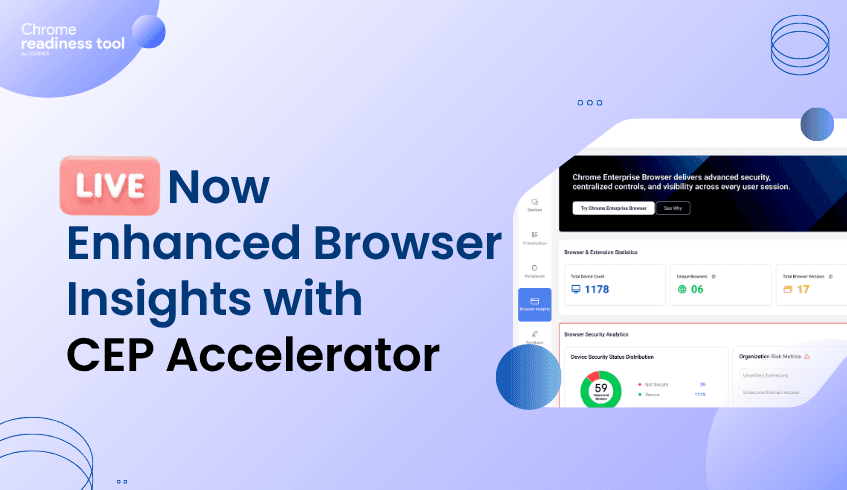
Browser Insights now includes expanded security visibility through CEP Accelerator, giving IT administrators a more detailed view of browser-related security signals directly in the dashboard. With this release, teams can monitor session theft vulnerability, review unverified extensions, and manage unsecured domains through a more configurable readiness experience.
This release also introduces new controls for handling unverified extensions. Through the report generator, IT administrators can configure whether a specific extension should be treated as unverified. Once configured, that status becomes part of the broader security visibility model inside Browser Insights.
This approach gives organizations more flexibility in how extension-related risk is classified. Instead of relying only on static definitions, admins can align extension readiness with internal policies and security requirements. That makes the feature more practical for real-world environments where extension trust can vary by organization.
CEP Accelerator also adds support for unsecured domain visibility. When a user visits a website that does not use HTTPS, the platform can display an indicator showing that the site may be unsafe. This provides a clearer signal inside the dashboard when browsing activity involves domains that may not meet expected security standards.
From there, administrators can configure whether those domains should be treated as part of their custom readiness model for unsecured or unsafe domains. This adds an extra layer of control, allowing teams to review domain-level risk signals and classify them according to their own readiness criteria.
Session theft visibility in the Chrome Readiness Tool is currently available as a Beta feature, intended to provide a high-level view of potential exposure across organizational devices. This capability is presently supported for the Chrome browser only and is derived based on whether device-bound session protection is enabled on a given device.
Rather than performing deep, attack-level detection, this insight relies on the presence or absence of device-bound session credentials policy configuration as an indicator of session protection. Devices with device-bound session enabled are considered to have protection in place, while devices without this configuration may reflect no visibility. As a Beta feature, this should be interpreted as a policy-based visibility signal to support organizations in assessing session protection coverage, rather than as a definitive indication of session theft activity.
A key part of this release is custom readiness for unverified extensions and domains. This capability gives admins more control over how security-related browser signals are interpreted in their own environment. Extension and domain classification can now be shaped around organizational context, rather than handled as a one-size-fits-all model.
That technical flexibility helps Browser Insights become more than a reporting surface. It turns the platform into a more tailored security visibility layer, where administrators can combine browser activity signals with policy-based configuration and readiness tracking.
With CEP Accelerator, Browser Insights now delivers stronger visibility into browser-related security conditions through:
Configurable unverified extension classification
Warning indicators for unsecured HTTP domains
Custom readiness controls for extensions and domains
Session theft vulnerability visibility(beta version)
This release gives IT teams a more structured way to review browser security signals, apply their own classification logic, and manage risk visibility directly from the dashboard.
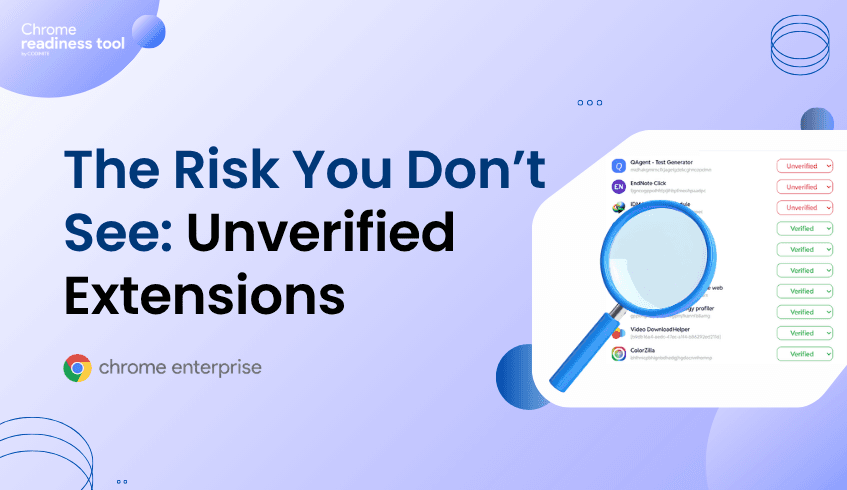
The browser has quietly become the most active workspace in the enterprise. Employees access internal tools, handle sensitive data, and interact with external platforms all within a single tab. But while security teams monitor endpoints and networks closely, browser activity often remains less understood.
One of the most overlooked risks inside the browser comes from extensions.
They run in the background, interact directly with user sessions, and often operate with deep permissions. Without proper context, it becomes difficult to understand which extensions are safe and which introduce risk.
This is where Chrome Enterprise Premium starts to matter. Not as a general control layer, but as a way to bring structure and meaning to browser-level risk.
Understanding extension risk is not just about seeing what is installed. Most organizations already have some level of visibility. The challenge is interpretation.
Which extensions are trusted? Which ones were installed outside controlled channels? Which ones require immediate attention?
The Chrome Readiness Tool helps surface this data across devices, but the CEP Accelerator feature goes a step further. It introduces a dedicated Browser Security Analytics layer that transforms raw browser signals into clear, actionable insights .
Instead of scattered data, security teams get a structured view of risk across the organization.
At the center of this is a simple but effective concept. Extensions are classified based on how they are installed.
Extensions downloaded from web store are marked as Verified
Extensions installed through external methods, developer mode, unknown sources or if the tool fails to read the manifest file of the extension are marked as Unverified
This classification is based on installation source, which acts as a strong indicator of trust .
It shifts the focus from listing extensions to evaluating them.
Unverified does not mean malicious. But it does mean uncertain.
That uncertainty is what creates risk. Extensions installed outside standard channels may bypass typical validation processes, request broader permissions, or interact with external systems without clear oversight.
What makes the CEP Accelerator valuable is how it surfaces this clearly. It does not just show extensions. It highlights their source, their presence across devices, and the context needed to assess them properly .
This turns extension management into a security decision, not just an administrative task.
The most important shift happens when extension data is connected to device security.
A device is considered secure only when no unverified extensions are present and no restricted/risky domain activity is detected. The presence of even a single unverified extension is enough to classify a device as not secure .
This simplifies prioritization.
Instead of reviewing extensions one by one, teams can quickly identify which devices require attention and where risk is concentrated.
Enterprise environments are not always straightforward. Some extensions may be safe despite being installed outside web store.
The CEP Accelerator accounts for this by allowing administrators to override classifications and align extension status with internal trust policies. This balance between default security logic and administrative control ensures that insights remain both accurate and practical .
Unverified extensions are not a new problem. What is new is the ability to clearly identify them, understand their impact, and act on them at scale.
By combining Chrome Enterprise Premium with the Chrome Readiness Tool, organizations move beyond visibility into decision-making. Risks are no longer hidden in lists or spread across devices. They are surfaced, contextualized, and tied directly to security outcomes.
The browser is no longer just a tool employees use. It is a space where risk actively exists.
And understanding what runs inside it is the first step to controlling it.
A Familiar Email with a Hidden Threat
It begins with an email. The sender appears to be a regular supplier, a name the accounts payable coordinator at a mid-size logistics company recognizes immediately. The message is brief and professional: a new invoice is attached, password-protected for security, with the password provided in the email body. The coordinator processes dozens of vendor invoices each week. This one looks like all the others.
They download the ZIP file, enter the password, extract the contents, and double-click what appears to be a PDF.
Within seconds, a loader executes silently in the background. Over the next several hours, it moves laterally through the network, identifies file shares and backup targets, and begins encrypting. By the time the IT team notices unusual storage activity, three servers and a shared drive containing operational records are locked. A ransom note appears on screen.
Why Password-Protected Files Are a Hidden Risk
The attack did not start with a zero-day vulnerability or a sophisticated intrusion. It started with a PDF inside a password-protected ZIP, delivered through a supplier email address that had been compromised weeks earlier. And it succeeded largely because of a gap that most organizations are not aware of: traditional antivirus tools and endpoint scanners typically skip encrypted archives. Because the contents are protected by a password, the scanner cannot see inside. It marks the file as unreadable and passes it through.
This is not an edge case. Password-protected attachments are increasingly common in legitimate business communication and exploited by attackers for exactly that reason. The feature that makes the delivery mechanism look credible is the same feature that renders it invisible to conventional scanning.
How Chrome Enterprise Premium Blocks the Threat Before It Hits
Chrome Enterprise Premium's deep scanning capability addresses this gap at the browser level which is exactly where the threat enters. When a file is downloaded through Chrome, it is sent to Google's cloud-based scanning infrastructure before it reaches the local endpoint. For password-protected archives where the password is supplied in context, as it was in this scenario, the system can attempt extraction and scan the contents directly. Suspicious payloads are identified and blocked before the file completes its download.
The coordinator never gets the chance to extract and execute the malicious document, because Chrome intercepts the process before it reaches the local filesystem. This matters because the browser is the delivery channel. The attacker did not exploit a server vulnerability or breach a firewall. They sent a file through a web-accessible email client, knowing it would be opened in a browser. Chrome Enterprise Premium treats the browser as the security perimeter; it has become not just a window to the web, but an enforcement point for content that enters the organization.
Comprehensive Coverage for High-Volume Files
Deep scanning also covers large files, a category that endpoint tools frequently deprioritize due to performance constraints. For logistics organizations that regularly receive large manifests, shipping documents, and multi-page PDFs from suppliers, this coverage is not a luxury, it is a necessity. Beyond blocking the immediate threat, Chrome Enterprise Premium logs every download event and scan result, giving the security team visibility into what files employees are retrieving and from which sources. Over time, this telemetry helps identify patterns of suppliers whose domains are generating repeated flags, file types disproportionately associated with risk that can inform broader threat response and supplier vetting processes.
See It in Your Environment First with Chrome Readiness Tool
Ransomware consistently finds its way into the devices that are least monitored and least protected. In the context of malware delivery, domain access behavior is one of the most telling signals available. Rather than applying a fixed external definition of what counts as dangerous, administrators use the Custom Domain Readiness feature to make that call themselves, marking domains as restricted based on internal policy or clearing ones that have been verified as safe. Suppliers whose domains repeatedly generate flags become visible before they become a problem.
Extensions add a second layer of risk. A browser add-on installed outside the official web store, flagged as unverified by the tool, could be intercepting download activity or manipulating page content without the IT team's knowledge. Admins can review extension classifications in the Report Generator and adjust them based on internal security validation. A device is classified as unsecured when restricted domains have been accessed or unverified extensions are present, giving teams a concrete starting point for prioritizing which endpoints need attention first.
Use the Chrome Readiness Tool to understand where your browser-level exposure is concentrated, then use Chrome Enterprise Premium's deep scanning to make sure what comes through the browser does not become the starting point of your next incident.
A Time-Sensitive Collaboration Challenge
A construction firm is six months into a large commercial development project. The structural engineering work has reached a critical review phase, and the firm needs to share a set of confidential architectural blueprints with a specialized subcontractor for assessment. The subcontractor is a small, independent firm of three engineers working on their own devices, none of which have ever touched the construction firm's network or IT infrastructure.
The project manager raises the request with the IT team: the subcontractors need access to the blueprint files stored in the firm's project management portal. They need it by tomorrow. And they need it to be temporary; the review will take a week.
Why Standard Access Methods Fall Short
The IT team faces a familiar problem. The files cannot simply be emailed as open attachments. They contain proprietary structural data, load calculations, and site-specific design information the firm has a legal and commercial obligation to protect. The standard alternative setting up VPN credentials for external users is neither quick nor proportionate. VPN access would give the subcontractors far broader network reach than they actually need. It would require device enrollment that unmanaged personal machines cannot support. And it would create credentials that someone needs to remember to revoke the moment the engagement ends.
Providing Secure Access Without Complexity
What the firm actually needs is something more precise: a way to give the subcontractors browser-level access to one specific project folder, on their own unmanaged devices, with strict controls on what they can do with the content they see and with that access expiring automatically at the end of the review period. The answer cannot involve weeks of IT setup time. It needs to work within the pace of the project.
How Chrome Enterprise Premium Enables Controlled Access
Chrome Enterprise Premium enables exactly this kind of precision access through its agentless Context-Aware Access model. No software needs to be installed on the subcontractors' devices. No VPN credentials need to be issued. No device enrollment is required.
Instead, the construction firm creates an access level that applies to the specific project portal. When the subcontractors log in through Chrome, the system evaluates the context of their session device management status, browser profile, network signals and applies the appropriate policy. In this case: view access to the designated project folder, with downloads, printing, and copy-paste blocked at the browser level.
The subcontractors can open and review the blueprints in full detail. They can navigate through the documents, zoom in, and make notes in their own systems. What they cannot do is extract the files from the firm's controlled environment. The data stays in the browser. It does not land on an unmanaged desktop or travel through a personal email account.
Access is scoped to a specific user group, the subcontractors' email accounts and bound to a specific application. When the review period ends, the IT team removes those accounts from the access group and the session is closed. No credential revocation. No VPN decommissioning. No lingering access to worry about. This model reflects how external collaboration actually works in project-based industries. Subcontractors, consultants, and temporary partners need access that is specific, time-limited, and tightly controlled. Chrome Enterprise Premium makes that access possible without requiring the external party to conform to the firm's device management standards and without compromising the security of the data they are being given access to.
Gain Visibility Into External Access Risks
External collaborators are one of the hardest groups to monitor. They bring their own devices, their own extensions, and their own browsing habits into contact with your sensitive data. The Chrome Readiness Tool's CEP Accelerator, coming soon to Browser Insights, gives IT teams the visibility to understand that risk before granting access.
CEP Accelerator evaluates two key signals relevant to external collaboration: browser extensions and accessed domains. For extensions, admins define what counts as unverified based on their own organizational policies. A browser add-on that may be acceptable on an internally managed device could be a meaningful risk on an unmanaged subcontractor laptop accessing your project portal. Admins can review and override extension classifications via the Report Generator, marking known tools as verified or flagging others based on internal security validation.
For domains, the tool automatically flags sites using HTTP instead of HTTPS, as well as domains associated with phishing risk. Administrators can then use the Custom Domain Readiness feature to mark additional domains as restricted based on internal policies, or reclassify flagged ones as allowed if verified as safe. A device is classified as unsecured if the user has accessed restricted domains or has unverified extensions present, giving IT teams a clear, actionable signal before external access is granted.
Use the Chrome Readiness Tool to map the browser-level risk that external users introduce into your environment, then use Chrome Enterprise Premium to set the boundaries that keep your data exactly where it belongs.